
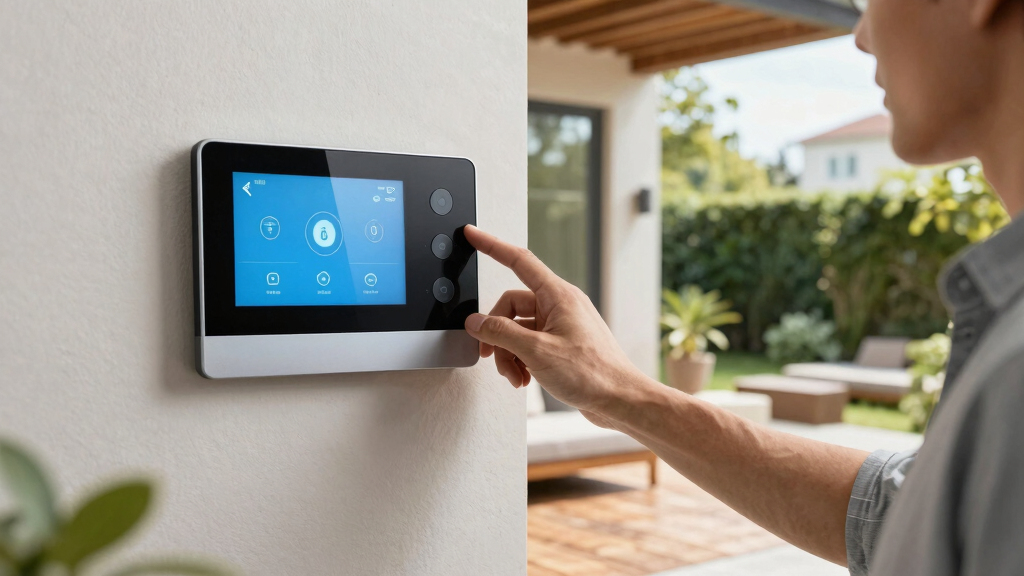

The best wall-mounted smart home control panels make common controls easy to reach without turning a wall into a complicated tech project. My best overall pick is the Amazon Echo Hub for shoppers who want a familiar smart-home interface, while the Shelly Wall Display XL stands out for its built-in relay and the 15.6-inch PoE Android panels for large dashboards and flexible integrations. The main tradeoffs are screen size versus installation effort, and a guided ecosystem versus the freedom—and setup work—of Android and MQTT. Camera, proximity sensing, and built-in voice or hub features can also shape which panel fits a room. Read on for the full comparison and a recommendation by buyer type.

Get travel and outdoor gear delivered free with Prime
- Fast, free delivery on millions of items
- Prime Video, Amazon Music and more included
- Member-only deals all year
Complete the kit


Key Takeaways
- The Echo Hub is the clearest choice for a guided smart-home interface, while Android panels favor owners willing to configure their own dashboards and integrations.
- The amazon.com/dp/B0H758RYHL?tag=voyagerinfo-20&ascsubtag=dc-43579″ target=”_blank” rel=”nofollow sponsored noopener”>15.6-inch PoE panels prioritize screen area and wired installation; their camera and no-camera versions make privacy and sensing a direct choice rather than a hidden difference.
- The Shelly Wall Display XL differentiates itself with a built-in 5A relay, a practical feature when local switching matters alongside touchscreen control.
- The three 10.1-inch Android-style options target a middle ground: less wall space than the 15.6-inch models, with PoE and MQTT available on some versions.
- Built-in Alexa and Zigbee on the MOES panel can reduce separate-device needs, but buyers should check that its platform and device support match the rest of their home.
| JEESTON 15.6 inch PoE Smart Home Touch Panel, 5MP Camera, Android 14, RK3576S 8-core, 4GB+64GB Memory, WiFi 6E, RS232 Interface, LED Light Strip, Inwall MQTT Controller (White) |  | Best Large-Screen Camera Panel | Display: 15.6 inches; 1920 × 1080 native resolution | Operating system: Android 14 | Processor: Rockchip RK3576S, 8-core | VIEW LATEST PRICE | See Our Full Breakdown |
| 10.1-Inch Android 14 PoE Smart Home Control Panel, 4GB RAM, 64GB Storage |  | Best for Sensor-Driven Automation | Display: 10.1 inches; 1280 × 800 | Operating system: Android 14 | Processor: Rockchip RK3576 octa-core, up to 2.2 GHz | VIEW LATEST PRICE | See Our Full Breakdown |
| 10.1-Inch Wall-Mount Smart Home Tablet with PoE, 4GB RAM, and Front Camera |  | Best Compact Panel with Camera | Display: 10.1 inches | Operating system: Android 14 | Processor: Rockchip RK3576 8-core, up to 2.2 GHz | VIEW LATEST PRICE | See Our Full Breakdown |
| 15.6 inch PoE Smart Home Touch Panel, Proximity Sensor, Android 14, RK3576S 8-core, 4GB+64GB Memory, WiFi 6E, RS232 Interface, LED Light Strip, Inwall MQTT Controller(No Camera)(Black) |  | Best Large Panel for Camera-Free Setups | Display: 15.6 inches; 1920 × 1080 | Operating system: Android 14 | Processor: Rockchip RK3576, 8-core | VIEW LATEST PRICE | See Our Full Breakdown |
| Shelly Wall Display XL Smart Home Control Panel, 10.1-Inch Touchscreen, Wi-Fi, Built-In 5A Relay, Black |  | Best for Direct Appliance Control | Display: 10.1-inch touchscreen | Connectivity: Wi-Fi, Bluetooth | Relay: Built-in, 5 A; normally open | VIEW LATEST PRICE | See Our Full Breakdown |
| MOES Smart Home Control Panel with Built-In Alexa and Zigbee Hub |  | Best for Alexa and Zigbee Users | Screen: 5-inch touchscreen | Smart home protocol: Zigbee | Voice assistant: Built-in Alexa | VIEW LATEST PRICE | See Our Full Breakdown |
| Amazon Echo Hub (8-inch Smart Home Control Panel) |  | Best Overall for Alexa Households | Display: 8-inch touchscreen, 1280 x 800 resolution | Connectivity: Dual-band Wi-Fi, Bluetooth, Zigbee, Thread, Matter, and Sidewalk | Audio: Pair of top-ported full-range speakers with stereo playback | VIEW LATEST PRICE | See Our Full Breakdown |
| 10.1-Inch Wall-Mounted Android Smart Home Tablet with PoE and MQTT |  | Best for MQTT and Custom Dashboards | Screen: 10.1 inches | Operating system: Android 14 | Processor: RK3576, 8-core | VIEW LATEST PRICE | See Our Full Breakdown |
| 15.6-Inch Android 14 PoE Smart Home Control Panel, 4GB RAM, 64GB Storage, White |  | Best for a Large Fixed Dashboard | Display: 15.6-inch, 1920 x 1080 | Touchscreen: 10-point capacitive | Operating system: Android 14 | VIEW LATEST PRICE | See Our Full Breakdown |
| wall mounted smart home control panel | Connectivity | Display | Operating system | Processor |
|---|---|---|---|---|
| JEESTON 15.6 inch PoE Smart Ho | Wi-Fi 6E; PoE listed in product title | 15.6 inches; 1920 × 1080 native resolution | Android 14 | Rockchip RK3576S, 8-core |
| 10.1-Inch Android 14 PoE Smart | Wi-Fi 6, 100/1000M Ethernet, BLE 5.3, PoE | 10.1 inches; 1280 × 800 | Android 14 | Rockchip RK3576 octa-core, up to 2.2 GHz |
| 10.1-Inch Wall-Mount Smart Hom | Wi-Fi 6, Ethernet, Bluetooth 5.3, PoE | 10.1 inches | Android 14 | Rockchip RK3576 8-core, up to 2.2 GHz |
| 15.6 inch PoE Smart Home Touch | Wi-Fi 6E, 1000 Mbps Ethernet, Bluetooth 5.3 | 15.6 inches; 1920 × 1080 | Android 14 | Rockchip RK3576, 8-core |
| Shelly Wall Display XL Smart H | Wi-Fi, Bluetooth | 10.1-inch touchscreen | — | — |
| MOES Smart Home Control Panel | Wi-Fi; wired network supported | — | — | — |
| Amazon Echo Hub | Dual-band Wi-Fi, Bluetooth, Zigbee, Thread, Matter, and Sidewalk | 8-inch touchscreen, 1280 x 800 resolution | — | — |
| 10.1-Inch Wall-Mounted Android | Ethernet, Bluetooth, and Wi-Fi 802.11ax | — | Android 14 | RK3576, 8-core |
| 15.6-Inch Android 14 PoE Smart | Wi-Fi 6, Bluetooth, and Gigabit Ethernet | 15.6-inch, 1920 x 1080 | Android 14 | Rockchip RK3576S octa-core, up to 2.2 GHz |
More Details on Our Top Picks
JEESTON 15.6 inch PoE Smart Home Touch Panel, 5MP Camera, Android 14, RK3576S 8-core, 4GB+64GB Memory, WiFi 6E, RS232 Interface, LED Light Strip, Inwall MQTT Controller (White)
The 15.6-inch Full HD display gives this JEESTON panel a more prominent role than the 10.1-inch JEESTON options: it suits a main hallway or shared living area where controls and video calls need room to breathe. Its 5MP front camera adds a video-call use that the camera-free black 15.6-inch model cannot offer, while Android 14 and 4GB RAM support a broad app-based control setup. PoE can simplify power delivery at the wall, and Wi-Fi 6E plus RS232 add flexibility for different installations. The tradeoff is its large footprint and the lack of confirmed proximity sensing in the supplied details. Choose it when screen size and a camera matter more than a compact, discreet panel.
Pros:- 15.6-inch 1920 × 1080 display offers more room for dashboards and controls
- Built-in 5MP camera supports video-call use
- PoE, Wi-Fi 6E, and RS232 provide varied installation and integration options
- Android 14 with 4GB RAM and 64GB storage supports app-based control
Cons:- Large 15.6-inch panel takes more wall space than the 10.1-inch alternatives
- Proximity sensing is not listed for this version
- The supplied details do not confirm a battery or software update support period
Best for: Households wanting a large shared control screen that can also support video calls, with PoE and wired-control options.
Not ideal for: Buyers with limited wall space or those who want confirmed proximity wake; the smaller 10.1-inch JEESTON panel lists that sensor.
- Display:15.6 inches; 1920 × 1080 native resolution
- Operating system:Android 14
- Processor:Rockchip RK3576S, 8-core
- Memory:4GB RAM
- Storage:64GB
- Camera:5MP
- Connectivity:Wi-Fi 6E; PoE listed in product title
- Interface:RS232
Our verdict“Choose this JEESTON if a large, camera-equipped wall panel matters more than compact sizing or a listed proximity sensor.”
10.1-Inch Android 14 PoE Smart Home Control Panel, 4GB RAM, 64GB Storage
This 10.1-inch panel earns its place through a useful mix of proximity, temperature, and humidity sensing, rather than a camera or an unusually large display. Proximity sensing can wake the screen as someone approaches, making everyday control feel more immediate, while environmental readings can feed compatible routines. Its PoE, Ethernet, Wi-Fi 6, and integration ports give installers more connection choices than the Shelly Wall Display XL, which centers on its relay and buttons. The screen also supports portrait or landscape placement, so it can fit different wall layouts. The tradeoff is a camera-free design and no built-in battery; like the other fixed wall panels here, it needs a planned power connection. This is a strong fit when sensing and wired integration matter more than video calls.
Pros:- Proximity sensing can wake the display as someone approaches
- Built-in temperature and humidity sensors support environment-aware routines
- PoE and Ethernet allow wired installation options
- I/O, IR, RS232, RS485, and relay port provide broad integration interfaces
Cons:- No built-in camera for video calls
- No built-in battery, so it depends on a fixed power connection
- The 1280 × 800 resolution is lower than the 15.6-inch JEESTON panel’s Full HD display
Best for: Home automation enthusiasts who want environmental sensors and proximity-based screen wake in a fixed, wired control station.
Not ideal for: Buyers who need video calling, a built-in appliance relay, or a portable panel; this model has no camera or battery.
- Display:10.1 inches; 1280 × 800
- Operating system:Android 14
- Processor:Rockchip RK3576 octa-core, up to 2.2 GHz
- Memory:4GB RAM
- Storage:64GB
- Connectivity:Wi-Fi 6, 100/1000M Ethernet, BLE 5.3, PoE
- Interfaces:I/O, IR, RS232, RS485, relay port
- Sensors:Proximity, temperature, humidity
- Power and camera:PoE via RJ45 or standard power connection; no battery; no camera
Our verdict“Pick this model for sensor-led automations and flexible wired integration, not camera use or built-in appliance switching.”
10.1-Inch Wall-Mount Smart Home Tablet with PoE, 4GB RAM, and Front Camera
For buyers who want a wall-mounted panel that can handle both controls and face-to-face calls, this 10.1-inch Android 14 model brings a 5MP front camera without taking up the wall area of the 15.6-inch JEESTON. It also has PoE, Ethernet, and Wi-Fi 6, plus temperature, humidity, and light sensing, making it more than a basic touchscreen. Landscape and portrait orientation help it fit a narrow entryway or a shared room. Compared with the camera-free 10.1-inch panel in this lineup, the camera adds a communication use but does not bring that model’s listed proximity sensor. It has no battery, so it is a permanent installation, and there is no rear camera. I’d favor it for compact video-enabled control, not portable use.
Pros:- 5MP front-facing camera adds video-call capability
- PoE and Ethernet support wired wall installation
- Temperature, humidity, and light sensors can support compatible automation
- Portrait or landscape orientation suits different wall placements
Cons:- No built-in battery, so it is intended for fixed installation
- No rear camera
- Unlike the camera-free 10.1-inch panel, proximity sensing is not listed
Best for: Households seeking a compact wall panel for smart-home controls and video calls, with wired-network and PoE options.
Not ideal for: Buyers who want a large dashboard, battery-powered portability, or proximity-triggered wake; those features are absent or better served by other picks.
- Display:10.1 inches
- Operating system:Android 14
- Processor:Rockchip RK3576 8-core, up to 2.2 GHz
- Memory:4GB RAM
- Storage:64GB ROM
- Camera:5MP front-facing; no rear camera
- Connectivity:Wi-Fi 6, Ethernet, Bluetooth 5.3, PoE
- Ports and protocols:USB 3.0 Type-A, I/O, IR, RS232, RS485
- Sensors and orientation:Temperature, humidity, and light sensors; landscape or portrait
Our verdict“Choose this compact model if a front camera and flexible orientation matter more than proximity sensing or a larger screen.”
15.6 inch PoE Smart Home Touch Panel, Proximity Sensor, Android 14, RK3576S 8-core, 4GB+64GB Memory, WiFi 6E, RS232 Interface, LED Light Strip, Inwall MQTT Controller(No Camera)(Black)
This black JEESTON shares the 15.6-inch Full HD format and Android 14 foundation of the camera-equipped white model, but swaps the camera for a listed proximity sensor. That makes it the more focused choice for a large, always-ready wall dashboard where video calling is unnecessary. Wi-Fi 6E, gigabit Ethernet, BLE 5.3, and serial interfaces offer several ways to connect it with a smart-home system. Compared with the 10.1-inch sensor-equipped panel, this model provides a much larger canvas but demands more wall space. It has no listed camera, and the supplied specs do not state PoE details beyond the product title. Choose it when screen area and proximity wake outrank camera features or a compact footprint.
Pros:- 15.6-inch 1920 × 1080 display provides a large dashboard area
- Proximity sensor is listed for screen-wake convenience
- Wi-Fi 6E, gigabit Ethernet, and BLE 5.3 support varied connections
- RS232 and RS485 support serial integration
Cons:- Large panel needs more wall space than the 10.1-inch models
- No camera for video calls
- PoE is named in the title, but the supplied detailed specs do not clarify the power configuration
Best for: Owners building a large, camera-free wall dashboard who want proximity sensing and wired or wireless connectivity options.
Not ideal for: Buyers with narrow wall space or a need for video calls; the smaller camera-equipped 10.1-inch panel is a better match for those needs.
- Display:15.6 inches; 1920 × 1080
- Operating system:Android 14
- Processor:Rockchip RK3576, 8-core
- Memory and storage:4GB RAM; 64GB ROM
- Connectivity:Wi-Fi 6E, 1000 Mbps Ethernet, Bluetooth 5.3
- Interfaces:I/O, IR, RS232, RS485
- Sensors:Proximity, light, temperature, humidity
- Lighting:4 LED light bars
- Camera:None
Our verdict“Choose this version for a large proximity-aware dashboard when you do not need a camera.”
Shelly Wall Display XL Smart Home Control Panel, 10.1-Inch Touchscreen, Wi-Fi, Built-In 5A Relay, Black
The Shelly Wall Display XL differs from the Android panels by putting a built-in 5A relay and four customizable buttons at the center of the experience. That makes it a natural fit for controlling a connected appliance or triggering familiar automations without relying only on touchscreen menus. It works with the Shelly Smart Control app and Home Assistant, and can control Bluetooth or Sonos audio. Compared with the 10.1-inch Android panels, it offers a more direct switching feature but less detail in the supplied specs about ports, sensors, and screen resolution. Its main installation constraint is firm: a neutral wire is required. I’d choose this over the JEESTON panels when relay-based control is the priority, but not when PoE or a camera is essential.
Pros:- Built-in 5A relay supports direct appliance control
- Four customizable buttons provide quick access to controls and automations
- Works with Shelly Smart Control and Home Assistant
- Can control Bluetooth or Sonos audio
Cons:- Installation requires a neutral wire
- No PoE option is listed, unlike the JEESTON Android panels
- Supplied specifications do not list a camera or environmental sensors
Best for: Shelly or Home Assistant households wanting a wall control with a built-in relay, physical buttons, and audio control.
Not ideal for: Renters or owners without a neutral wire at the wall box, and buyers who need PoE, environmental sensors, or a built-in camera.
- Display:10.1-inch touchscreen
- Connectivity:Wi-Fi, Bluetooth
- Relay:Built-in, 5 A; normally open
- Buttons:4 customizable
- Mounting:Wall mount; standard electrical wall box
- Wiring:Neutral wire required
- Power handling:1150 watts
- Weight and warranty:920 g; 2 years
Our verdict“Pick the Shelly if a built-in relay and quick physical controls matter more than PoE, sensors, or camera features.”
MOES Smart Home Control Panel with Built-In Alexa and Zigbee Hub
The MOES makes the most sense for a Smart Life household that wants a compact, dedicated control point rather than a general-purpose Android tablet. Its 5-inch touchscreen handles devices and scenes, while built-in Alexa and a Zigbee gateway combine voice control and local hub functions in one panel. Compared with the Amazon Echo Hub, it has a much smaller display and a narrower stated compatibility focus, but it can avoid adding a separate Zigbee gateway to a compatible setup. Wi-Fi and wired networking offer installation flexibility, and USB-C or circuit power suits different mounting plans. The tradeoff is that its appeal depends on Smart Life and Zigbee compatibility, and the supplied 1 x 1 x 1-inch dimensions appear incomplete, making fit and mounting clearance hard to judge.
Pros:- Built-in Alexa enables hands-free voice control
- Integrated Zigbee gateway can remove the need for a separate compatible hub
- Touchscreen supports Smart Life device and scene control
- Offers Wi-Fi and wired networking, plus USB-C or circuit power
Cons:- The 5-inch screen gives less room for dashboards and camera views than the Amazon Echo Hub’s 8-inch display
- Compatibility is centered on Smart Life devices and the stated Zigbee support
- Listed 1 x 1 x 1-inch dimensions may be incomplete or inaccurate
Best for: Smart Life users who want a small wall panel with built-in Alexa and Zigbee control without a separate gateway
Not ideal for: Households seeking a large, broadly compatible dashboard like the Amazon Echo Hub, or buyers who need verified panel dimensions before planning a wall cutout
- Screen:5-inch touchscreen
- Smart home protocol:Zigbee
- Voice assistant:Built-in Alexa
- Connectivity:Wi-Fi; wired network supported
- Power options:USB-C or circuit connection
- Model:CCP-US-MS
- Color:Black
- Listed dimensions:1 x 1 x 1 inches; may be incomplete or inaccurate
Our verdict“Choose the MOES if your Smart Life and Zigbee setup matters more than a large screen or broad platform flexibility.”
Amazon Echo Hub (8-inch Smart Home Control Panel)
The Amazon Echo Hub is the strongest all-round choice here for a home already organized around Alexa. Its 8-inch customizable dashboard gives more room for devices, cameras, and routines than the MOES panel, while support for Zigbee, Thread, Matter, Wi-Fi, and Bluetooth makes it a more flexible match for mixed-device households. Wall mounting or tabletop placement also lets it work as a fixed control station or a shared room display. The physical mic-off button is a useful privacy control for a panel placed in a common area. The compromises are platform dependence and installation extras: some advanced features require subscriptions, and the PoE adapter and tabletop stand are separate purchases. It is also a mains-powered control panel, not a portable screen.
Pros:- 8-inch customizable display provides more dashboard space than the MOES 5-inch panel
- Supports Wi-Fi, Bluetooth, Zigbee, Thread, and Matter
- Can be wall-mounted or used on a tabletop
- Physical microphone-off control supports privacy in shared spaces
Cons:- Some advanced features require separate subscriptions
- PoE adapter and tabletop stand are sold separately
- Not designed for handheld or portable use
Best for: Alexa-centered households that want a larger shared dashboard and support for several smart-home protocols
Not ideal for: Buyers who want an Android-based open platform, a portable panel, or PoE installation without purchasing a separate adapter
- Display:8-inch touchscreen, 1280 x 800 resolution
- Connectivity:Dual-band Wi-Fi, Bluetooth, Zigbee, Thread, Matter, and Sidewalk
- Audio:Pair of top-ported full-range speakers with stereo playback
- Sensors:PIR proximity sensor and ambient light sensor
- Power:12.5W power adapter included; supports USB-C PD and PoE Type 2/3
- Installation:Wall-mount and tabletop options
- Privacy control:Physical microphone-off button
- Included items:Power adapter, 6-foot cord, wall mount kit, and quick start guide
Our verdict“Pick the Echo Hub for a room-based Alexa dashboard with broad protocol support, provided its subscription and accessory requirements suit your setup.”
10.1-Inch Wall-Mounted Android Smart Home Tablet with PoE and MQTT
This 10.1-inch Android panel is the most adaptable pick for buyers building a custom smart-home interface. MQTT support, Android 14, and Google Play access give it a different role from the app-centered Amazon Echo Hub: it can suit a dashboard built around a chosen app or integration rather than a primarily Alexa-led experience. Kiosk mode helps keep the display focused on its control interface, while built-in temperature and humidity sensors add environmental readings at the panel location. Its Ethernet, Wi-Fi, and Bluetooth connections provide several ways to join a setup. Compared with the larger 15.6-inch Android control panel in this roundup, the 10.1-inch screen takes less wall space, but it offers less viewing area. There is no battery or camera, and buyers should confirm the exact PoE implementation before planning a wired installation.
Pros:- MQTT support suits custom smart-home integrations
- Android 14 with Google Play access offers app flexibility
- Kiosk mode can keep the panel focused on a dashboard
- Built-in temperature and humidity sensors provide readings at the installation point
Cons:- No built-in battery, so it needs continuous power
- No camera for video calls or camera-based functions
- Smaller display than the 15.6-inch Android control panel
Best for: Home automation enthusiasts who want an Android-based wall dashboard with MQTT support, kiosk mode, and local temperature and humidity readings
Not ideal for: Buyers who need a battery-powered display, a front camera, or the larger screen area of the 15.6-inch Android panel
- Screen:10.1 inches
- Operating system:Android 14
- Processor:RK3576, 8-core
- Memory and storage:4 GB RAM; 64 GB storage
- Connectivity:Ethernet, Bluetooth, and Wi-Fi 802.11ax
- Smart-home features:MQTT support and kiosk mode
- Sensors:Temperature and humidity sensors
- Battery and camera:No built-in battery; no camera
Our verdict“Choose this panel if MQTT and Android app flexibility matter more than a camera, battery, or extra-large display.”
15.6-Inch Android 14 PoE Smart Home Control Panel, 4GB RAM, 64GB Storage, White
When the panel needs to be readable across a room or show several controls at once, this 15.6-inch, 1080p touchscreen has a clear advantage over the 10.1-inch Android MQTT panel. Android 14, 4GB RAM, and 64GB storage make it a more flexible display platform than the Amazon Echo Hub, though that flexibility also means buyers may need to select and configure their own dashboard software. PoE+ and Gigabit Ethernet can simplify a permanent installation by combining network and power over a compatible cable, and HDMI input adds a way to display an external video source. That HDMI port is input only, not a way to send video to another screen. With no battery or camera, this is best treated as a fixed wall appliance, and its size asks for more wall space than the smaller panels.
Pros:- 15.6-inch 1080p screen offers substantially more viewing area than the 10.1-inch Android panel
- PoE+ and Gigabit Ethernet suit a fixed wired installation
- Android 14, 4GB RAM, and 64GB storage support app-based customization
- Includes stereo speakers, RGB lighting, and HDMI input
Cons:- Large screen needs more wall space than the Echo Hub or 10.1-inch panels
- No built-in battery or camera
- HDMI is input only, so it cannot serve as a video output
Best for: Households that want a large, fixed Android dashboard with wired networking and room for multiple controls or views
Not ideal for: Buyers with limited wall space, those seeking a camera or battery, or anyone expecting HDMI output to another display
- Display:15.6-inch, 1920 x 1080
- Touchscreen:10-point capacitive
- Operating system:Android 14
- Processor:Rockchip RK3576S octa-core, up to 2.2 GHz
- Memory and storage:4GB RAM; 64GB storage
- Connectivity:Wi-Fi 6, Bluetooth, and Gigabit Ethernet
- PoE:IEEE 802.3at PoE+, Class 4, 25.5W
- Ports:2 x USB 3.0, HDMI input, 3.5mm headphone jack, TF card slot, and RJ45
- Audio and mounting:2 x 2W speakers; wall mountable
Our verdict“Choose this model for a large, permanently mounted Android dashboard if you have the wall space and do not need a camera or portable use.”

How We Picked
I compared these nine panels by how well they serve as permanent, glanceable control points, not simply by screen size or processor specifications. The main criteria were interface and platform fit, connection options such as PoE or Wi-Fi, integration features including MQTT, built-in hardware such as a relay, camera, proximity sensor, voice assistant, or Zigbee hub, and the practical demands of installation and ongoing setup.
The ranking gives more weight to a clear use case and useful built-in capabilities than to raw specifications alone. A guided panel can suit someone who wants straightforward household controls, while an Android PoE display may be a better fit for a custom dashboard. I also separated closely related models where their actual differences—camera versus no camera, screen size, or listed integration support—could change a buying decision. Product descriptions do not establish every compatibility detail, so buyers should confirm their smart-home platform, wiring, and supported devices before choosing.
| wall mounted smart home control panel | Processor |
|---|---|
| JEESTON 15.6 inch PoE Smart Ho | Rockchip RK3576S, 8-core |
| 10.1-Inch Android 14 PoE Smart | Rockchip RK3576 octa-core, up to 2.2 GHz |
| 10.1-Inch Wall-Mount Smart Hom | Rockchip RK3576 8-core, up to 2.2 GHz |
| 15.6 inch PoE Smart Home Touch | Rockchip RK3576, 8-core |
| Shelly Wall Display XL Smart H | — |
| MOES Smart Home Control Panel | — |
| Amazon Echo Hub | — |
| 10.1-Inch Wall-Mounted Android | RK3576, 8-core |
| 15.6-Inch Android 14 PoE Smart | Rockchip RK3576S octa-core, up to 2.2 GHz |
Factors to Consider When Choosing Best Wall Mounted Smart Home Control Panels
Before choosing a panel, I would start with the room, the control system already in place, and who needs to use the screen. Those decisions often matter more than a longer specification list: a large display can be awkward in a narrow hallway, and an open Android panel can demand more setup than a household wants.
Match the panel to your smart-home platform
Start by listing the devices and services you expect to control, then check how each panel connects to them. A built-in assistant or hub may simplify setup for devices in its supported ecosystem, while an Android panel with MQTT can suit a customized home automation setup. Do not assume that Android, Alexa, Zigbee, or MQTT automatically means every device will work together; confirm the specific integrations and control methods you rely on. A panel that can display a dashboard may still need separate configuration or software to make that dashboard useful. If other household members will use it, favor the system they can understand without troubleshooting. The right platform match can matter more than choosing the largest screen.
Choose screen size for the wall and the task
A 15.6-inch screen gives dashboards room for more controls, but its footprint may dominate a small entryway or bedroom wall. A 10.1-inch display can keep everyday controls visible without requiring as much wall space, while an 8-inch panel such as the Echo Hub may suit a compact control point. Think about viewing distance and whether the panel will show a few large buttons or a detailed dashboard. A screen that looks generous on a product listing may be hard to place beside switches, doors, or cabinetry. Measure the available wall area before deciding, and check the mounting dimensions rather than relying on the diagonal measurement alone. Bigger is useful only when the room and interface can make good use of it.
Plan power and installation before ordering
PoE can carry power and network connectivity over one Ethernet cable, which can make a fixed installation tidy and reliable. It also requires an Ethernet run and compatible PoE equipment, so it is not automatically the simplest choice for an existing home. Wi-Fi models avoid a network cable at the panel but still need a suitable power plan and a dependable signal at the mounting location. Check whether the product is designed for in-wall mounting, surface mounting, or a particular electrical box before buying. A poor fit can turn a clean-looking upgrade into a costly wiring or finishing job. If you are unsure about mains wiring or wall modifications, ask a qualified installer to check the site first.
Decide whether cameras and sensors belong in the room
A built-in camera may support video calls or other camera-dependent functions, but it also changes the privacy profile of a shared space. The 15.6-inch options include both a camera model and a no-camera model, making this a deliberate choice for bedrooms, hallways, or family areas. A proximity sensor can help a display respond when someone approaches, though buyers should verify how the feature behaves in their intended setup. Think about who can access the camera, how it can be disabled, and whether the panel’s software gives you the controls you expect. If you only need lighting and scene controls, extra sensors may add complexity without much benefit. Choose the hardware for the room’s actual use, not for a feature you may never enable.
Prioritize the controls you use every day
Smart panels are most useful when they make frequent actions easier: turning off lights, adjusting climate, or activating a household scene. A built-in relay, as found on the Shelly Wall Display XL, may matter when local switching is part of the job, but it should not be treated as a substitute for checking electrical compatibility. Voice control or a built-in Zigbee hub can reduce the need for separate devices, yet those features only help if they support your routines and existing equipment. Decide which controls must be reachable from the wall and which can stay on a phone. This keeps the screen from becoming a crowded dashboard of rarely used functions. A short list of well-chosen controls often serves more people than a dense interface.
Balance flexibility against setup and upkeep
Open Android panels can give experienced owners more choice over apps and dashboards, but flexibility may bring updates, configuration, and troubleshooting work. A panel tied to a more guided ecosystem can be easier for casual users, although it may offer less freedom over interface and integrations. Before buying, check the seller’s documentation for software support, update policy, reset procedures, and any ongoing dependencies. Also ask who will maintain the panel if the person who set it up is unavailable. A customized screen that depends on one person’s knowledge can become harder to manage over time. Paying for a simpler experience makes sense when dependable household use matters more than extensive customization.
Frequently Asked Questions
Can I use an Android PoE panel as a Home Assistant dashboard?
Potentially, but the product name alone does not confirm which dashboard apps, browser features, or integration methods are supported. Check the panel’s operating system access, app installation options, screen behavior, and whether the network setup suits your Home Assistant installation. MQTT support can help in a compatible setup, but it does not automatically provide a ready-made dashboard. Confirm these details before choosing an Android panel over a more guided option such as the Echo Hub. If you want minimal configuration, account for setup time as part of the purchase decision.
Do I need a PoE switch to install a PoE wall panel?
A PoE panel needs a compatible source of Power over Ethernet, commonly a PoE switch or injector, along with an Ethernet connection to the mounting location. Check the panel’s required PoE standard and power needs against the equipment you already own; do not assume that any network port supplies power. If running Ethernet is difficult, a Wi-Fi model may be a simpler fit, though it still needs its own power arrangement. Plan the cable route before ordering, especially for a finished wall. When installation involves new wiring or wall work, get a qualified installer’s advice.
Should I choose the 15.6-inch panel with a camera or the no-camera version?
Choose the camera version only if you have a clear use for its camera and are comfortable placing a camera-equipped device in that room. The no-camera model avoids that hardware while retaining the large-screen format and listed Android, PoE, and MQTT features. A camera may be useful for communication, but its presence does not by itself confirm which apps or privacy controls are available. Compare the exact product documentation for sensor behavior and camera controls before deciding. For a shared or private room where video is unnecessary, the no-camera version is the more direct fit.
Is a built-in Zigbee hub enough to replace my separate smart-home hub?
Not necessarily. A built-in Zigbee hub can reduce the need for separate hardware, but its value depends on supported device types, software compatibility, and the other protocols used in your home. Check whether your existing Zigbee devices can pair with the panel and whether the controls you need are available through its interface. A hub feature also may not replace a controller used for automations or devices on other networks. If your setup already relies on a particular coordinator or platform, verify that you can keep or migrate those functions before changing hardware.
Which type of panel is the better choice for a household that does not want to maintain a custom dashboard?
A more guided, ecosystem-led panel is usually a better starting point than an Android display chosen for extensive customization. The Echo Hub is the clearest option in this roundup for buyers who want a familiar smart-home control approach, while the MOES panel may appeal to households looking for built-in Alexa and Zigbee features. Check device compatibility and the available controls before deciding, since a simpler interface still needs to support your home. Android panels can offer greater freedom, but setup and upkeep may fall to the owner. Pick the option that matches the household’s comfort with configuration, not just the feature list.
Conclusion
For a broadly approachable wall control point, my best overall pick is the Amazon Echo Hub; it is the strongest fit here for shoppers who prefer a guided smart-home interface. For best value in practical features, I would look at the Shelly Wall Display XL if its built-in relay suits the installation, and at the 10.1-inch PoE Android options if a smaller wired dashboard fits the wall and the buyer can manage setup. The best premium-style choice for a large custom dashboard is one of the 15.6-inch PoE panels, with the camera model for buyers who need that hardware and the no-camera version for those who do not. For beginners, I would favor the Echo Hub or the MOES panel if its built-in Alexa and Zigbee match the home. For specific needs, choose Shelly for its relay, a large Android panel for screen space and customization, or a no-camera model for a camera-free room. Confirm installation and device compatibility before making the final choice.
Fall Picks

DJI Osmo Action 4 Essential Combo Waterproof 4K Action Camera
As an affiliate, we earn on qualifying purchases.