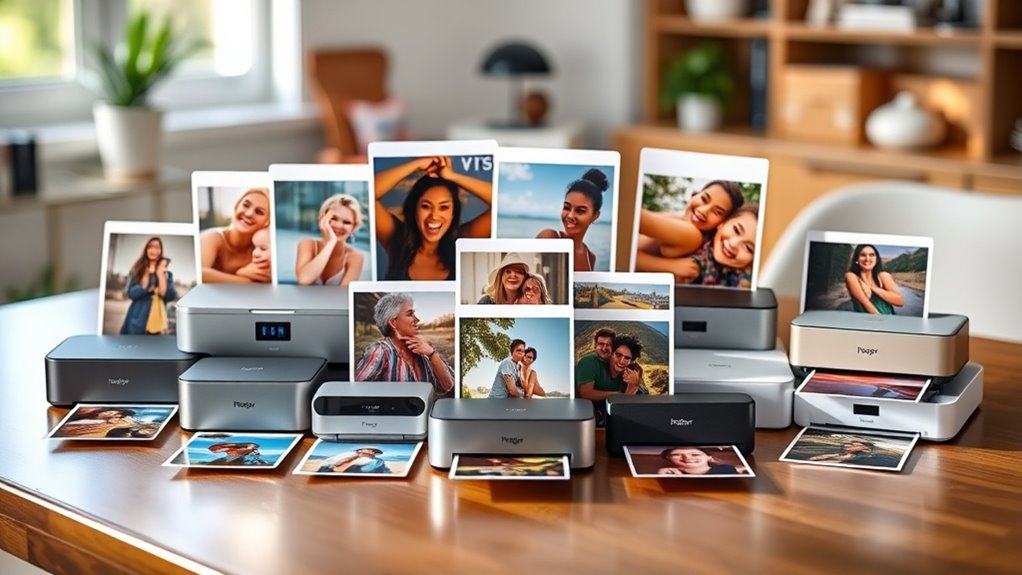

A compact photo printer needs to balance three things that rarely coexist: print quality, true portability, and reasonable cost per print. The Canon SELPHY CP1500 earns my best overall pick because its dye-sublimation output is waterproof, smudge-proof, and close to lab quality, and the black and white versions (including bundled kits) all deliver the same core performance. For budget-friendly portability, the Liene M100 and the KODAK Dock Plus are strong alternatives — the Liene keeps 4×6 printing genuinely travel-friendly, while the Kodak trades pocketability for a smartphone dock that makes printing nearly effortless. The main tradeoff you’ll face is print size: true pocket models like the Canon Ivy 2 and KODAK Step only produce 2×3 stickers, while SELPHY-class machines demand more desk space for full 4×6 output. Read on for the full breakdown of all 14 models.

Get travel and outdoor gear delivered free with Prime
- Fast, free delivery on millions of items
- Prime Video, Amazon Music and more included
- Member-only deals all year
Complete the kit



Key Takeaways
- The Canon SELPHY CP1500 dominated this roundup across five of the fourteen entries — its dye-sublimation prints are the only ones here that are fully waterproof and smudge-proof, which is why variants of it (black, white, and bundles) take the top spots.
- ZINK-based pocket printers (Canon Ivy 2, KODAK Step) are the smallest options but produce noticeably softer colors and smaller 2×3 prints — they suit casual sticker printing, not keepsakes.
- Bundle pricing on SELPHY CP1500 kits matters more than color choice: the bundles with KP-108 ink and paper offset the highest running cost in the lineup, so the same printer can be a great or mediocre value depending on the kit.
- Liene‘s M100 and M110 split the difference between SELPHY quality and pocket portability, but their smaller paper capacity and app dependence make them better for light, phone-only printing.
- The Canon PIXMA TR160 is the odd one out — it’s a portable document printer that happens to print photos, so it only fits buyers who need contracts and photos from the same travel bag.


| compact photo printer | Connectivity | Print size |
|---|---|---|
| Canon SELPHY CP1500 Wireless C | Wi-Fi | 4 × 6 inches |
| Canon SELPHY CP1500 Wireless C | Wi-Fi, USB, Memory Card | — |
| Liene Amber M110 Bluetooth Pho | Bluetooth | — |
| YOTON Photo Printer 4×6 with 5 | Wi-Fi | — |
| Canon Ivy 2 Mini Photo Printer | Bluetooth 5.0 | — |
| Canon SELPHY CP1500 Wireless C | Wi-Fi, USB flash drive, memory card, computer | — |
| Canon Selphy CP1500 Wireless C | Wi-Fi | 4×6 inches |
| Canon SELPHY CP1500 Compact Ph | Wi-Fi, USB, memory card | — |
| Canon PIXMA TR160 Wireless Por | Wireless, Wi-Fi, Apple AirPrint, Mopria | Up to 8.5 x 11 inches |
| Liene M100 4×6 in. Portable Ph | Built-in Wi-Fi hotspot | 4 x 6 inches |
| KODAK Dock Plus 4×6 Photo Prin | Bluetooth | 4×6 inches |
| KODAK Step Instant Smartphone | Bluetooth, NFC | 2 x 3 inches |
| Liene M100 4×6” Photo Printer | Built-in Wi-Fi hotspot, multi-device | 4×6 inches, borderless |
| KODAK Mini 2 Retro 2×3 Portabl | Bluetooth | 2.1 x 3.4 inches |
More Details on Our Top Picks
Canon SELPHY CP1500 Wireless Compact Dye-Sublimation Photo Printer Bundle, White
This bundle earns the top spot because it solves the most common frustration with compact photo printers: running out of supplies on day one. With 108 sheets of KP-108 paper and three color cartridges in the box, it is ready for sustained printing, unlike the bare black CP1500, which ships without consumables. Canon’s dye-sublimation process also delivers a durability edge over the ZINK-based Canon Ivy 2 — prints are water-resistant and fingerprint-resistant rather than just smudge-tolerant. Compared with the Liene Amber M110, the CP1500 adds Wi-Fi printing from computers and tablets, not just phones, making it more flexible for households. The tradeoff is real, though: this version is locked to 4×6 prints and offers no sticker or square formats, so anyone wanting versatility in print sizes should look at the Liene instead.
Pros:- Bundle includes 108 sheets and three ink cartridges for immediate, extended printing
- Dye-sublimation prints are water-resistant and fingerprint-resistant
- Wireless printing from smartphones, tablets, and computers
- Compact footprint fits easily on a desk or shelf
Cons:- Limited to 4×6-inch print size only
- Ongoing ink-and-paper cartridge costs add up over time
Best for: Families and casual photographers who want a ready-to-print kit with supplies included and durable 4×6 photos
Not ideal for: Buyers who want sticker prints or square formats — this bundle only supports 4×6-inch paper
- Printer model:Canon SELPHY CP1500
- Printer type:Dye-sublimation
- Color:White
- Connectivity:Wi-Fi
- Print size:4 × 6 inches
- Included paper:KP-108, 108 sheets
- Included ink:Three color ink cartridges
- Extras:Microfiber cleaning cloth
Our verdict“The most complete out-of-the-box package for anyone prioritizing print durability and supply readiness in a single purchase.”
Canon SELPHY CP1500 Wireless Compact Photo Printer (Black)
Where the white CP1500 bundle wins on included supplies, this black standalone unit’s strongest argument is its 100-year print longevity rating — the most explicit archival claim in this lineup. That matters if the goal is printing family photos meant to be boxed, framed, and handed down rather than stuck on a fridge. The 3.5-inch tilting display sets it apart from phone-dependent options like the YOTON and the Canon Ivy 2, letting you edit and apply filters directly from a memory card without touching an app. Connectivity is also the broadest here: Wi-Fi, USB, and memory cards in one device. The main tradeoff is that the battery pack sells separately, so true on-the-go printing costs more than the sticker suggests, and it shares the same single 4×6 format limitation as the rest of the SELPHY family.
Pros:- Prints rated to last up to 100 years with instant-dry, water-resistant finish
- 3.5-inch built-in display for viewing and editing without a phone
- Widest connectivity: Wi-Fi, USB, and memory cards
- Optional battery pack enables fully portable use
Cons:- Battery pack sold separately
- Ships without paper or ink, so factor in consumables immediately
- Light on advanced photo editing tools
Best for: Memory-keepers and family archivists who want prints rated to last generations and card-based printing without a phone
Not ideal for: Frequent travelers who need untethered printing — the battery is an extra purchase, pushing total cost up
- Brand:Canon
- Model:SELPHY CP1500
- Color:Black
- Connectivity:Wi-Fi, USB, Memory Card
- Display:3.5-inch built-in
- Print longevity:Up to 100 years
- Portability:Portable with optional battery pack (sold separately)
Our verdict“The pick for buyers who care most about archival-quality 4×6 prints and card-slot convenience over app-driven extras.”
Liene Amber M110 Bluetooth Photo Printer with 80 Sheets
The Amber M110 stands out as the only printer in this batch with a dual-tray design, handling both 4×6 photo paper and 3×3 sticker paper. That flexibility is something neither CP1500 configuration can match — with Canon you get one size, period. For scrapbookers, journalers, and anyone planning parties or classroom projects, sticker output is a genuine differentiator, and the laminated dye-sublimation prints resist water, scratches, and fading just like the bigger names. Compared with the YOTON, the M110 leans more practical than flashy: no AR video gimmicks, but a genuinely useful app that handles ID and visa photo printing, which the YOTON does not offer. The tradeoffs are app dependence — customization lives entirely in the companion app — and Bluetooth-only connectivity, so no direct computer or memory-card printing like the CP1500.
Pros:- Dual trays support 4×6 photos and 3×3 sticker paper
- Laminated prints resist water, scratches, fingerprints, and fading
- App includes borders, filters, and ID/visa photo printing
- Generous starter supply: 80 sheets and two cartridges included
Cons:- Customization features require the companion app
- No published print speed or ongoing cartridge cost details
- Bluetooth-only, with no USB or card-slot options
Best for: Crafters, scrapbookers, and households that want both standard photos and peel-and-stick sticker prints from one device
Not ideal for: Anyone wanting to print from a laptop or memory card — Bluetooth phone-only connectivity is limiting
- Model:Liene Amber M110
- Connectivity:Bluetooth
- Printing technology:Thermal dye-sublimation
- Paper sizes:4×6 inches and 3×3 inches
- Included paper:60 sheets 4×6 + 20 sheets 3-inch sticker paper
- Included cartridges:2
- Bluetooth pairing time:13 seconds
- App features:Borders, filters, brightness/contrast, ID and visa photo printing
Our verdict“The format-flexible choice for creative users who value sticker printing and app-based editing over raw connectivity.”
YOTON Photo Printer 4×6 with 54 Sheets & AR Video Printing
The YOTON plays a different game than the rest of this lineup. Its AR video printing feature lets a printed photo come to life when viewed through the app — a party trick no SELPHY or Liene model offers, and one that makes it a natural fit for events, gifts, and social-minded users. Physically, it is one of the smaller boxes here at 7.1 × 4.9 × 2.2 inches, sliding into a bag more easily than the CP1500 setups. Prints still benefit from dye-sublimation durability, matching the water- and scratch-resistance of the Liene Amber M110. But the tradeoffs are sharper: the single ink ribbon covers only 40–50 photos despite 54 included sheets, paper jams require careful handling, and the AR feature depends on app compatibility, so it is only as good as your phone’s ecosystem. It prioritizes fun over utility.
Pros:- Unique AR video printing brings still photos to life via the app
- Compact 970g body is easy to carry to events
- Wi-Fi printing from iPhone, Android, and laptops
- Dye-sublimation prints resist water and scratches
Cons:- Each ribbon yields only 40–50 prints, raising long-term costs
- Paper jams reported with careless handling
- AR feature depends on app compatibility and stability
Best for: Social sharers, party hosts, and gift-givers who want interactive AR-enhanced photo prints
Not ideal for: High-volume printers — the 40–50 photo ribbon capacity means frequent consumable replacements
- Dimensions:7.1 × 4.9 × 2.2 inches
- Weight:970g
- Sheets included:54 sheets
- Ink ribbon:1 ribbon (40–50 photos)
- Connectivity:Wi-Fi
- Supported devices:iPhone, Android, laptop
- Printing technology:Dye-sublimation
- Photo size:4×6 inches
- Special features:AR video printing, water-resistant photos
Our verdict“A fun-first choice for event printing and playful gifts, provided you accept higher running costs and app dependence.”
Canon Ivy 2 Mini Photo Printer, Pure White
The Ivy 2 is the true pocket performer of this roundup. Every other option here — the CP1500, the Liene Amber M110, the YOTON — is a small box; the Ivy 2 is a genuinely palm-sized printer that goes where they cannot. Its ZINK zero-ink technology removes cartridge management entirely: you only ever buy paper, which simplifies running costs compared with the YOTON’s short-lived ribbons. Every print has a peel-and-stick backing, so output is instantly shareable in a way 4×6 dye-sub prints are not. The honest tradeoff is print quality and size: ZINK output at mini scale does not match the vibrancy and archival durability of dye-sublimation prints from the SELPHY line, and the improved skin tones and contrast help but cannot fully close that gap. It is a social tool, not an archival one.
Pros:- No ink needed — ZINK paper is the only consumable
- Peel-and-stick backing makes prints instantly shareable
- Genuinely pocket-sized and travel-friendly
- Bluetooth 5.0 with improved skin tones, contrast, and sharpness
Cons:- Mini print size limits detail and framing options
- Requires a compatible iOS or Android device — no computer printing
- Ongoing ZINK paper costs are higher per print than dye-sub media
Best for: Teens, travelers, and event-goers who want sticky-back mini prints from a truly pocketable device
Not ideal for: Anyone seeking gallery-quality or archival photos — ZINK mini prints lag dye-sublimation in vibrancy and longevity
- Color:Pure White
- Connectivity:Bluetooth 5.0
- Printing technology:ZINK (Zero Ink)
- Mobile app:Canon Mini Print
- Compatibility:Compatible iOS and Android devices
- Paper backing:Peel-and-stick
Our verdict“The most portable option here for casual, sticker-style printing — just do not expect SELPHY-level print quality.”
Canon SELPHY CP1500 Wireless Compact Photo Printer Bundle (Black) with KP-108IN Ink/Paper Set and 6-Slot Memory Card Holder
This bundle stands out for direct memory card printing, a capability most competitors in this roundup can’t match. Where the Liene M100 locks you into phone-only workflows over its Wi-Fi hotspot, this Canon accepts SD cards, USB flash drives, computers, and mobile devices — a genuine advantage if you shoot on a dedicated camera and want prints without a transfer step. The selectable finishes (glossy, semi-gloss, satin) through the SELPHY app also give it more creative range than fixed-finish rivals like the KODAK Dock Plus. The 108-sheet KP-108IN starter set plus a six-slot card wallet makes this a thoughtful kit for event photographers. The tradeoffs: no card is included, and the optional battery costs extra, so true untethered printing requires another purchase.
Pros:- Prints directly from memory cards and USB flash drives without a phone or computer
- Selectable glossy, semi-gloss, and satin finishes via the SELPHY app
- Bundle includes 108 sheets of 4×6 paper and three ink cartridges
- Compact footprint with optional battery support for portable use
Cons:- Optional battery required for cordless printing is a separate purchase
- No memory card included despite the card-holder accessory
- Limited to Canon’s compact photo-printing sizes only
Best for: Camera users and event photographers who print straight from memory cards or USB drives without wanting a phone as a middleman
Not ideal for: Buyers wanting fully portable printing out of the box — the battery is sold separately and the AC adapter keeps it desk-bound
- Model:Canon SELPHY CP1500
- Print Resolution:300 x 300 dpi
- Color Output:16.7 million colors
- Connectivity:Wi-Fi, USB flash drive, memory card, computer
- Paper Sizes:Four sizes including 4×6 in and 2.1×3.4 in stickers
- Finish Options:Glossy, semi-gloss, satin
- Included Consumables:KP-108IN ink set and 108 sheets of 4×6 paper
- Battery:Optional, sold separately
Our verdict“This is the pick for photographers who work off cameras rather than phones and want card-to-print convenience with a generous starter kit.”
Canon Selphy CP1500 Wireless Compact Photo Printer Bundle, Black, with KP-108 Paper (108 Sheets), 3 Ink Cartridges, Cleaning Cloth
Of the two CP1500 bundles here, this one takes the simplest path to value: the printer, 108 sheets, three cartridges, and a cleaning cloth, with nothing you didn’t ask for. Compared with the card-holder bundle (ASIN B0CZPJGZKW), the accessories are trimmed back, but the core printing experience is identical — dye-sublimation 4×6 prints that shrug off water and fingerprints, something ZINK-based rivals like the KODAK Step can’t claim since their adhesive prints fade faster and tear more easily. Wi-Fi printing from phones, tablets, and computers covers the whole family’s devices. The honest tradeoff is format lock-in: this is a 4×6 machine, and Canon’s consumables must be bought as matched paper-and-ink sets, which limits where you can shop for supplies.
Pros:- Everything needed to start printing arrives in the box, including 108 sheets and three cartridges
- Dye-sublimation prints are water-resistant, fingerprint-resistant, and long-lasting
- Wireless printing works from smartphones, tablets, and computers alike
- Small enough for desks, shelves, or travel bags
Cons:- Requires Canon’s pre-matched paper and ink cartridge sets, limiting supply options
- Confined to 4×6 output with no larger format support
- Wireless printing depends entirely on a working Wi-Fi connection
Best for: Budget-conscious families who want a complete out-of-the-box 4×6 printing setup without paying for extra accessories
Not ideal for: Anyone wanting larger prints or mixed document printing — this is strictly a snapshot printer
- Print Technology:Dye-sublimation
- Print Size:4×6 inches
- Connectivity:Wi-Fi
- Compatible Devices:Smartphones, tablets, computers
- Included Paper:108 sheets
- Included Ink:3 color cartridges
- Print Durability:Water-resistant, fingerprint-resistant, long-lasting
Our verdict“Families who want durable 4×6 prints at the lowest friction should start here — it’s the same proven CP1500 hardware with less bundle padding.”
Canon SELPHY CP1500 Compact Photo Printer (White)
Sold as a standalone printer rather than a bundle, this white CP1500 earns its spot with the 3.5-inch built-in display — the largest screen among the SELPHY-style options here. That display lets you crop, apply filter effects, and print straight from a card or USB stick without ever opening an app, a workflow the app-dependent Liene M100 can’t replicate. Canon’s claim of prints lasting up to 100 years that dry instantly and resist water is the strongest longevity statement in this roundup. Skipping the bundle means a lower entry point, but you’ll need to buy ink and paper separately, and like every CP1500 variant, the battery is an extra purchase. Buyers should also note the small print formats enforced by the compact body.
Pros:- 3.5-inch display supports on-printer cropping and filter effects without an app
- Prints from Wi-Fi, USB drives, memory cards, and cameras
- Prints dry instantly, resist water, and last up to 100 years
- Compact and portable with optional battery pack support
Cons:- Battery pack for portable use sold separately
- No ink or paper included out of the box
- Small physical size restricts it to compact photo formats
Best for: Buyers who prefer editing and selecting photos on the printer itself rather than through a phone app, and who want to choose their own consumables
Not ideal for: Anyone expecting to print immediately — ink and paper must be purchased separately since this is the bare printer
- Color:White
- Display:3.5-inch built-in screen
- Connectivity:Wi-Fi, USB, memory card
- Print Longevity:Up to 100 years
- Print Quality:Instant dry, water resistant
- Battery:Optional pack, sold separately
Our verdict“Choose this if you value standalone, screen-based editing and already own or plan to buy your own supplies.”
Canon PIXMA TR160 Wireless Portable Compact Printer, 50-Sheet Paper Tray and 1.44″ Display – Print On-The-Go
This is the roundup’s wildcard, and I include it deliberately: unlike every other pick, the TR160 is a portable document printer that also handles photos up to 8.5 x 11 inches. If your needs split between contracts on the road and occasional full-size photo prints, the SELPHY CP1500’s 4×6 ceiling makes it the wrong tool, while this covers both. Wireless options including Apple AirPrint and Mopria mean no app juggling, and the 50-sheet tray dwarfs the single-sheet feeds of snapshot printers. The compromises are real: photo quality from the 5-color hybrid ink system won’t match dedicated dye-sub machines like the Liene M100, the tray capacity is still modest by home standards, and there’s no automatic document feeder. It’s also a different class of device — bigger and heavier than pocket photo printers like the KODAK Step.
Pros:- Prints both documents and photos up to 8.5 x 11 inches
- AirPrint and Mopria support enables printing without proprietary apps
- 50-sheet tray holds far more than snapshot printers
- Lightweight, travel-friendly design with a clear OLED status display
Cons:- Photo output can’t match dedicated dye-sublimation photo printers
- No automatic document feeder for multi-page scanning or copying workflows
- Battery life is not specified and battery details are unclear
Best for: Remote workers and travelers who need to print full-page documents and letter-size photos from a single portable device
Not ideal for: Photo-first buyers — dedicated 4×6 dye-sub printers deliver better snapshot quality for less money
- Print Size:Up to 8.5 x 11 inches
- Paper Tray Capacity:50 sheets
- Display:1.44-inch OLED
- Connectivity:Wireless, Wi-Fi, Apple AirPrint, Mopria
- Ink System:5-Color Hybrid Ink
Our verdict“Buy this only if documents are your primary job and photos are secondary — everyone else in this roundup is here for snapshots.”
Liene M100 4×6 in. Portable Photo Printer with 100 Sheets and 3 Cartridges, Wi-Fi Thermal Dye Sublimation for iPhone, Android, and PC
The M100’s party trick is its built-in Wi-Fi hotspot supporting up to five simultaneous connections — meaning a whole group or household can queue prints from their own devices without pairing gymnastics. That’s a genuine edge over the Canon CP1500 bundles, which handle one connection workflow at a time and depend on an existing network. The Liene app adds filter editing and ID photo printing, useful extras the Canon’s app doesn’t offer in the same form. Print durability here matches Canon’s dye-sub standard: water, scratch, fingerprint, and fade resistance. But connectivity is the weak point — no Bluetooth and no direct cable printing are mentioned, so a working Wi-Fi connection is mandatory. Compared with the smaller Liene Amber M110, this model trades pocketability for full 4×6 output and a 100-sheet starter supply.
Pros:- Connects up to 5 devices simultaneously via built-in Wi-Fi hotspot
- App includes editing tools, filters, and ID photo printing modes
- Dye-sublimation prints resist water, scratches, fingerprints, and fading
- Includes 100 sheets of photo paper and three cartridges
Cons:- No Bluetooth or direct cable printing option mentioned
- Print head may need manual cleaning if smudges appear
- Cartridges must be carefully seated or prints fail
Best for: Families, party hosts, and shared spaces where multiple people need to send prints from their own phones at once
Not ideal for: Solo users who mainly print via Bluetooth or cable — this printer’s Wi-Fi-only connectivity leaves them without a fallback
- Print Size:4 x 6 inches
- Print Technology:Thermal dye sublimation
- Connectivity:Built-in Wi-Fi hotspot
- Simultaneous Connections:Up to 5 devices
- Device Compatibility:iPhone, Android, PC
- Included Paper:100 sheets
- Included Cartridges:3 color cartridges
Our verdict“This makes the most sense for group printing scenarios where several people share one printer over Wi-Fi.”
KODAK Dock Plus 4×6 Photo Printer with Smartphone Docking Station (4PASS, 50 Sheets)
The Dock Plus stands out for one thing no other printer in this lineup does: it doubles as a charging dock for your phone. That makes it less of a gadget you pull out occasionally and more of a permanent bedside or desk companion — you drop your phone in, edit in the app, and print a laminated 4×6 in about 55 seconds. The 4PASS dye sublimation output matches the KODAK Mini 2 Retro’s durability, with water- and fade-resistant prints, but at a much larger size that actually suits framing or scrapbooking. The tradeoff is portability: unlike the battery-powered KODAK Step, this model needs a wall outlet, so it belongs in the home rather than a travel bag. Compared with the Liene M100, it trades Wi-Fi multi-device support for simpler Bluetooth pairing.
Pros:- 4PASS dye sublimation prints are water-, fingerprint-, and fade-resistant
- Integrated dock charges your phone while printing
- Simple Bluetooth setup suited to first-time photo printer owners
- Free app handles editing, cropping, and customization before printing
Cons:- Around 55 seconds per photo feels slow when printing in bulk
- Ongoing 4PASS cartridge and paper costs add up over time
- Requires a power outlet, limiting portability
Best for: Phone-first households who want a set-it-and-forget-it 4×6 printer that also keeps their device charged
Not ideal for: Travelers and event photographers — the required outlet and dock form factor make it useless away from home
- Print Size:4×6 inches
- Print Technology:4PASS dye sublimation with lamination layer
- Print Time:Approximately 55 seconds
- Connectivity:Bluetooth
- Compatibility:iOS and Android smartphones
- Paper Included:50 sheets
- Extra Feature:Smartphone charging dock
Our verdict“This pick makes the most sense for anyone who prints regularly at home and wants a dock that earns its counter space between print jobs.”
KODAK Step Instant Smartphone Photo Printer, Portable Wireless ZINK 2×3 Sticky-Back Photo Printer, White
Where the KODAK Dock Plus is anchored to a wall outlet, the Step is built to come with you — it weighs under a pound, runs on an internal battery, and prints 2×3 sticky-back photos with zero ink cartridges to swap. That ZINK approach is the real differentiator: unlike the dye-sub KODAK Mini 2 Retro, there are no ribbons to buy or load, which simplifies resupply at the cost of image richness — dye-sub prints still hold an advantage in color depth and that protective laminate. The sticky backing makes the Step the better fit for scrapbooks, journals, and party favors, where instant adhesion matters more than print size. Just plan around the battery: 25 prints per charge can run dry mid-event if you don’t bring a power bank.
Pros:- No ink, toner, or ribbons needed thanks to ZINK Zero Ink technology
- Sticky-back prints are smudge, tear, and water resistant
- Under 1 lb with a built-in rechargeable battery
- Bluetooth and NFC pairing with iOS and Android devices
Cons:- Prints only small 2×3-inch photos
- Battery is limited to about 25 photos per charge
- Full editing features require the KODAK smartphone app
Best for: Journalers, party hosts, and travelers who want peel-and-stick mini prints without managing ink supplies
Not ideal for: Anyone printing for albums or frames — 2×3 inches is too small for display-quality output
- Print Size:2 x 3 inches
- Printing Technology:ZINK Zero Ink
- Connectivity:Bluetooth, NFC
- Compatibility:iOS and Android smartphones
- Battery:Built-in rechargeable lithium-ion
- Prints Per Charge:Up to 25 photos
- Weight:Under 1 lb
Our verdict“Choose the Step over the Dock Plus if portability and sticky-back convenience matter more than print size and maximum image quality.”
Liene M100 4×6” Photo Printer, Wi-Fi Picture Printer, Portable Thermal Dye Sublimation
The M100’s killer feature is its built-in Wi-Fi hotspot that supports multiple devices at once — a genuine advantage over the Bluetooth-only KODAK Dock Plus when several people want to send photos from their own phones, which is exactly the scenario at weddings, showers, and holiday gatherings. It also prints borderless 4×6 photos with the same water- and scratch-resistant finish you’d expect from dye sublimation, and its support for Windows laptops alongside phones broadens who can use it. At 2.16 lbs it’s still reasonably portable, though it sits between categories: heavier than the sub-pound KODAK Step, less desk-anchored than the Dock Plus. The 20-sheet capacity and 20-copy print cap mean high-volume sessions need supervision, and you’re locked into Liene’s proprietary paper and cartridges.
Pros:- Built-in Wi-Fi hotspot lets multiple devices connect simultaneously
- Vibrant borderless 4×6 prints that resist water, scratches, and fading
- Works with smartphones, laptops, and Windows PCs
- App-based filters and frames for customization
Cons:- Limited to 4×6 inch output only
- Maximum 20 sheets per print job requires intervention on big batches
- Requires proprietary Liene photo paper and cartridges
Best for: Event hosts and families who want several people printing 4×6 photos from their own devices simultaneously
Not ideal for: Solo mini-print users — if you only want small keepsake prints, the lighter KODAK Step or Mini 2 Retro does it cheaper and smaller
- Printer Type:Thermal Dye Sublimation
- Print Size:4×6 inches, borderless
- Print Resolution:300 x 300 dpi
- Connectivity:Built-in Wi-Fi hotspot, multi-device
- Compatible Devices:Smartphones, laptops, and PCs (iOS, Android, Windows)
- Sheet Capacity:20 sheets
- Weight:2.16 lbs
- Warranty:12 months
Our verdict“This model is better suited than any other here to multi-user printing events where everyone contributes photos from their own device.”
KODAK Mini 2 Retro 2×3 Portable Photo Printer, 4PASS, 38 Sheets, White
The Mini 2 Retro splits the difference between the KODAK Step and the full-size Kodak options: it’s genuinely pocketable at roughly 3 x 5 x 1 inches, yet it uses the same 4PASS dye-sublimation process as the Dock Plus, so each credit-card-sized print gets that laminated, fingerprint-resistant finish the ZINK-based Step can’t match. Its USB-C charging and 255 g weight make it the easiest printer in this group to actually carry, and the bundled 38 sheets plus four cartridges mean you’re printing out of the box rather than shopping for consumables first. Compared with the Step, you give up instant sticky backs and NFC pairing; prints take about 55 seconds each, and the tiny paper format limits what you can do with the results. For wallet prints and party handouts, that trade works.
Pros:- Laminated prints resist fingerprints, water, and fading
- Ultra-compact 3 x 5 x 1 inch body weighing just 255 g
- USB-C charging suits modern travel setups
- Bundle includes 38 sheets and 4 cartridges to start immediately
Cons:- Limited to small credit-card-sized prints
- Around 55 seconds per photo is slow for on-the-spot printing
- Print-only device with no scanning or copying functions
Best for: Travelers and gift-givers who want laminated wallet-size prints on the go without sacrificing dye-sub quality
Not ideal for: Anyone who wants display-worthy photos — 2.1 x 3.4 inch prints are keepsake-sized, not album centerpiece material
- Print Size:2.1 x 3.4 inches
- Print Technology:Dye sublimation (4PASS with lamination)
- Print Time:Approximately 55 seconds per photo
- Connectivity:Bluetooth
- Compatibility:iOS and Android smartphones
- Charging:USB Type-C
- Weight:255 g (0.56 lbs)
- Bundle:4 cartridges and 38 sheets included
Our verdict“Pick the Mini 2 Retro over the Step when print durability matters more than sticky backs and you still want a printer that fits in a jacket pocket.”

How We Picked
I judged every model against what a compact photo printer buyer actually cares about: print quality and permanence (dye-sublimation vs. ZINK vs. inkjet), true portability (weight, footprint, and battery options), cost per print once ink or ZINK paper is factored in, connection simplicity (Wi-Fi, Bluetooth, dock, memory cards), and print size flexibility. Dye-sublimation models consistently produced sharper, longer-lasting output, which pushed the SELPHY family, Liene M100/M110, and KODAK’s 4PASS models above the ZINK pocket printers. Within the dye-sub group, ranking came down to bundle value, ease of use, and how travel-friendly each unit really is.
Where two models share identical hardware — as with the five CP1500 listings — I ranked the bundled kits higher when the included consumables meaningfully offset running costs, and treated color as a pure preference. Dedicated pocket printers earned their places on portability alone, but I capped their rankings because a 2×3 sticker can’t replace a proper 4×6 print for most buyers. The PIXMA TR160 sits near the bottom for photos specifically because it’s designed around documents first.
Factors to Consider When Choosing Compact Photo Printer
Before locking in a pick, it helps to understand the larger forces at play in this category — print technology, running costs, and honest expectations about portability all shape long-term satisfaction far more than the sticker on the box.Print Technology Determines Everything Else
The single biggest decision is between dye-sublimation, ZINK, and inkjet. Dye-sub printers (Canon SELPHY, Liene, KODAK 4PASS models) lay down continuous-tone color plus a protective laminate layer, so prints resist water, fingerprints, and fading for decades — this is what makes them feel like lab photos. ZINK printers (Ivy 2, KODAK Step) use heat-activated paper with embedded crystals, which keeps the hardware tiny and ink-free but produces grainier colors and less durability. Inkjet portables like the PIXMA TR160 offer flexibility for documents but rarely match dye-sub for photo vibrancy. Buyers who frequently regret their choice almost always bought ZINK expecting lab quality — set expectations before you buy, not after.
Calculate Cost Per Print, Not Printer Price
The most common mistake in this category is comparing hardware prices while ignoring consumables. Dye-sub printers sell ink and paper as matched cartridge-and-paper sets, which keeps cost per print predictable but means you can’t buy paper alone once ink runs out. Bundled kits — like the CP1500 packages with 108 sheets and multiple cartridges — effectively prepay your first hundred prints at a better rate, which is why they outrank bare units in this roundup. ZINK paper looks cheaper per sheet until you factor in that prints often get discarded due to quality. Always price out your expected first year of printing before choosing.
Portability Is a Spectrum, Not a Binary
Marketing photos make every printer look pocketable, but real-world portability varies enormously. The ZINK pocket printers genuinely fit in a jacket pocket and often run on built-in batteries, making them the only true take-anywhere options. The Liene M100/M110 and SELPHY CP1500 are ‘compact’ in the desk sense — light enough to move between rooms or pack for a trip, but they need a power outlet or an add-on battery and a flat surface. If you imagine printing at parties, a dock-style model like the KODAK Dock Plus may actually beat a smaller printer because guests can dock and print without pairing anything. Match the portability to how you’ll realistically use it, not how you hope you will.
Print Size Shapes the Experience
4×6 prints are the standard for albums, frames, and gifts — if that’s your end goal, restrict your search to dye-sub models immediately. 2×3 prints with sticky backs (Ivy 2, KODAK Step, Mini 2 Retro) serve a different purpose: scrapbooks, planners, journaling, and fun handouts. Neither size substitutes for the other well, and buying the wrong one is the second most common regret I see in this category. Some buyers end up happier owning a small ZINK printer and a 4×6 machine than compromising on a single device that does neither job well.
Connectivity and App Quality Make or Break Daily Use
Nearly every printer here is phone-first, so the companion app matters as much as the hardware. Look for whether a model supports direct memory card slots (the CP1500 does — a genuine advantage for camera users), whether it needs Wi-Fi or works over Bluetooth alone, and whether PC printing is supported if you edit on a laptop. App-dependent printers like the Liene and KODAK models can become frustrating if the app is buggy or the printer requires firmware updates mid-event. If you’ll print from cameras, SD slots matter; if you’ll print from a laptop, check for desktop software support before committing.
Who Should Spend More — and Who Shouldn’t
Paying more in this category buys better print permanence, larger output, and faster per-print speed — not necessarily better resolution, since most dye-sub units share similar print engines. Frequent printers, gift-makers, and families documenting kids should spend up for a SELPHY-class 4×6 machine because cost per print and durability compound over hundreds of photos. Casual users printing a few stickers a month for fun get everything they need from an inexpensive ZINK model and would waste money on more. Students and light users should resist bundle temptation — an oversized consumable stockpile for a printer you may fall out of love with is money sitting in a drawer.
Frequently Asked Questions
Is the Canon SELPHY CP1500 better in black or white, and do the bundles matter?
The internals are identical across every CP1500 listing in this roundup — black vs. white is purely aesthetic, and even the bundle variants print the same way. What differs is what ships in the box. The bundles that include KP-108 ink-and-paper sets effectively cover your first 108 prints, which matters because consumables are the biggest ongoing cost with dye-sub printing. If two CP1500 options are close in price, the one with more included sheets is almost always the smarter buy. If they’re far apart, a bare unit plus separately sourced consumables can still work out fine.
ZINK or dye-sublimation — which should I choose for everyday photo printing?
Dye-sublimation wins on nearly every quality measure: sharper detail, richer colors, and a protective laminate that makes prints waterproof and fade-resistant for decades. ZINK’s advantages are size and simplicity — no ink cartridges, truly pocketable hardware, and sticky-backed prints that are perfect for journals and scrapbooks. If your prints are keepsakes destined for albums or frames, dye-sub is worth the larger footprint. If they’re fun, disposable, or decorative, ZINK is the more honest fit. Buyers who expect ZINK to match lab prints are the ones who end up disappointed.
Can I print from a laptop or camera, or are these printers phone-only?
It depends heavily on the model. The Canon SELPHY CP1500 stands out for including memory card slots, so you can print straight from a camera’s SD card without any phone involved, and it also supports computer printing over Wi-Fi. The Liene M100 and M110 work with PCs over Wi-Fi in addition to phones. The ZINK pocket printers (Ivy 2, KODAK Step, Mini 2 Retro) are effectively app-only, which is fine for phone photographers but limiting if you edit on a laptop or shoot with a dedicated camera. Check this before buying if your workflow isn’t phone-centric.
How much does it cost to keep printing after the included paper runs out?
Dye-sub printers require matched ink-and-paper cartridge sets, so you buy consumables in fixed batches — typically 36, 54, or 108 print kits — which keeps per-print costs predictable across brands like Canon, Liene, and KODAK. The practical takeaway is that the CP1500 bundles in this roundup prepay a large chunk of that cost up front, softening the printer’s reputation for higher running expenses. ZINK paper is sold in packs without any ink component, but more prints get tossed due to quality, which quietly raises the effective cost. Either way, budget consumables as an ongoing subscription-like expense rather than a one-time purchase.
Are 2×3 photo printers worth it, or should I just get a 4×6 machine?
They’re worth it for a specific use case: decorative, sticker-style printing for planners, scrapbooks, party favors, and quick keepsakes. The 2×3 format with adhesive backs (Ivy 2, KODAK Step, KODAK Mini 2 Retro) is genuinely fun and the hardware is dramatically more portable than any 4×6 machine. But 2×3 prints look small in albums and frames, and the ZINK output is softer than dye-sub, so they don’t replace a proper photo printer for preserving memories. If you want one printer for everything, choose 4×6 — if you want a playful second device or only print for decoration, 2×3 is the right call.
Conclusion
For best overall, the Canon SELPHY CP1500 — in any color — is the clear winner: lab-quality, laminated 4×6 prints, memory card support, and a proven consumable ecosystem. The best value picks are the CP1500 bundles with included KP-108 ink and paper sets, which offset the highest running costs in the lineup, with the Liene M100 kits as the runner-up for buyers who want a smaller footprint. The best premium choice is the fully loaded CP1500 bundle with 108 sheets, three cartridges, and accessories — maximum out-of-box readiness for heavy printers. For beginners and casual users, the KODAK Dock Plus removes nearly all friction: dock your phone, tap, and print, no pairing required. And for specific needs, choose the Canon Ivy 2 or KODAK Step for pocket-size sticker printing, the Liene M110 for compact 4×6 printing with starter paper included, and the PIXMA TR160 only if you need documents and occasional photos from one portable device. Match the printer to how you’ll actually print, and any of these picks will serve you well.
Halloween Picks

Max Fun 10-Foot Halloween Dragon and Pumpkin Inflatable Archway with LED Lights

Spirit Halloween Scary Sitting Scarecrow Animatronic, 4 ft 6 in

Star Wars Yoda and R2-D2 Inflatable Halloween Decor, 6 ft with LEDs, Indoor/Outdoor
As an affiliate, we earn on qualifying purchases.