When setting up security cameras while you travel, focus on recording entry points like doors, windows, and your garage to catch potential intruders and protect valuables. Avoid private spaces such as bedrooms or bathrooms to respect privacy and stay within legal bounds. Use motion detection and scheduled recordings to minimize unnecessary footage. Properly configuring your system guarantees safety without invading privacy—if you want to learn more about balancing security and privacy, keep exploring the options available.
Key Takeaways
- Focus on recording entry points, valuables, and areas vulnerable to intrusion, avoiding private spaces like bedrooms and bathrooms.
- Use motion detection alerts and scheduled recordings to minimize unnecessary footage and respect privacy during travel.
- Enable alerts for activity only, and consider cloud or local storage options with strong security measures.
- Be aware of privacy laws; avoid recording neighbors or public areas to prevent legal issues.
- Combine camera use with other security measures for comprehensive protection and peace of mind during your travels.
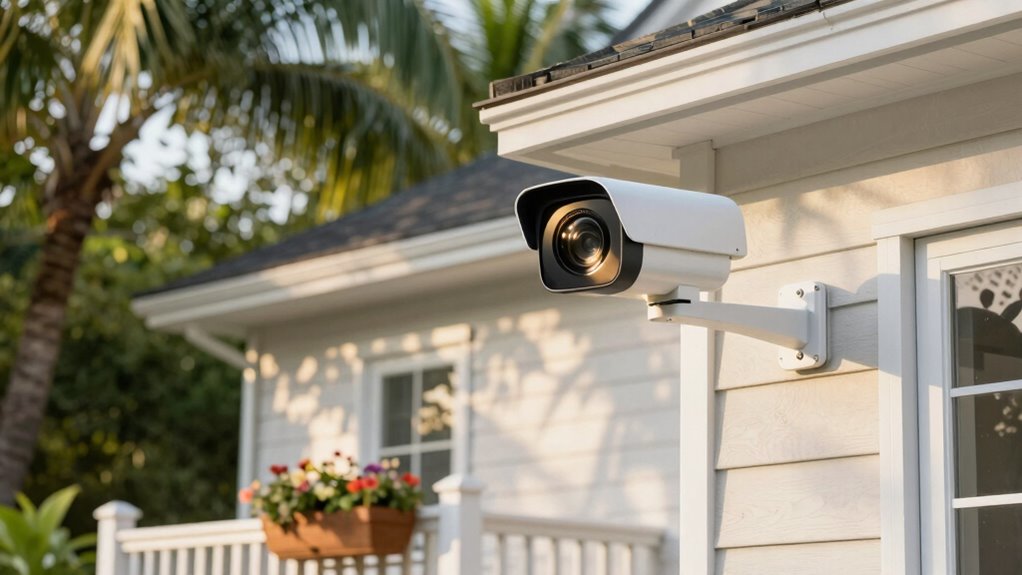
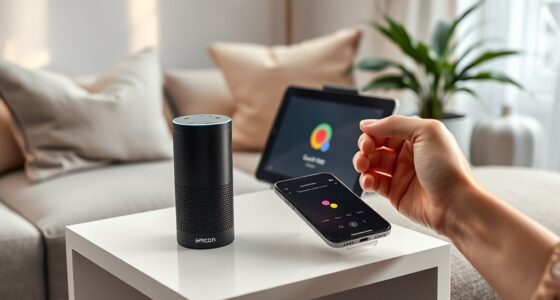
When you’re traveling, keeping an eye on your home becomes a priority, and security cameras make this easier than ever. Thanks to advancements in home automation, you can monitor your property remotely through your smartphone, giving you peace of mind no matter where you are. However, while using security cameras during your travels offers many benefits, it also raises important privacy concerns. It’s essential to find a balance between protecting your home and respecting the privacy of others, especially if your cameras capture public areas or neighbors’ property.
Before installing or activating your cameras, think about what you truly need to record. Focus on areas that protect your valuables and entry points—front door, back door, garage, and windows. These spots are critical for deterring intruders and catching any suspicious activity. Avoid placing cameras in private spaces like bedrooms or bathrooms, as doing so can violate privacy laws and create uncomfortable situations. Remember, your goal is to safeguard your home, not infringe on others’ privacy.
Install cameras at entry points—front door, back door, garage, and windows—to protect your home and respect privacy.
When you’re away, it’s tempting to leave your cameras on constantly. But consider setting motion detection alerts to avoid unnecessary recordings and notifications. This way, you’re only capturing footage when something triggers the camera, saving storage space and reducing false alarms. Many security systems also allow you to set schedules so cameras activate only during certain hours, which can be beneficial if you’re away for extended periods. This feature helps you avoid constant recording, easing privacy concerns and ensuring your system operates efficiently. Additionally, understanding air purifier maintenance dos and don’ts can help you maintain your home environment to support overall security.
Another aspect to take into account is where your footage is stored. Cloud storage offers convenience, allowing you to access recordings from anywhere, but it also involves trusting a third-party provider with your data. On the other hand, local storage via a network video recorder (NVR) keeps footage on your property, giving you more control over your data and reducing privacy risks. Whichever option you choose, make sure your login credentials are strong and that your system is secure against hacking.
Finally, while security cameras are a powerful tool for protecting your home, they shouldn’t be the only measure you rely on. Combining camera use with good home automation practices—like smart locks and alarms—creates a comprehensive security system. Stay informed about privacy laws in your area to ensure you’re complying with regulations, and always be mindful of what your cameras are capturing. By doing so, you’ll enjoy peace of mind during your travels, knowing your home is both protected and respectful of others’ privacy.

Security Cameras Wireless Outdoor,2K Indoor WiFi Wireless Cameras,Outside Battery Powered Camera for Home Security,AI Motion Detection,Color Night Vision,Spotlight,Siren Alarm,SD/Cloud Storage,2 Pack
2K UHD Clarity Cameras with Full-Color/Infrared Night Vision & 3x Zoom: With 2K resolution, it captures crisp, detailed…
As an affiliate, we earn on qualifying purchases.
As an affiliate, we earn on qualifying purchases.
Frequently Asked Questions
Can Security Cameras Record Audio During Travel?
Yes, some security cameras can record audio during your travels, but it depends on the model and local laws. Keep in mind, audio recording can raise privacy concerns for neighbors or visitors, so you should check your camera’s capabilities and legal restrictions in your area. Always inform anyone on your property if audio recording is active, and consider whether it’s necessary to avoid privacy issues.
Are There Legal Restrictions on Recording Neighbors’ Properties?
You should know that recording your neighbors’ properties may violate privacy laws, especially if you capture their private spaces without consent. It’s best to avoid recording areas where neighbors have a reasonable expectation of privacy. Always consider neighbor consent before installing cameras aimed at their property. Respecting privacy laws helps you avoid legal trouble, so focus your cameras on your property and public spaces, not private neighbor areas.
How Long Should Travel Security Footage Be Stored?
You should store travel security footage for at least 30 days, giving you enough time to review any incidents or suspicious activity. Many experts recommend a storage duration of 30 to 90 days, depending on your privacy preferences and local laws. After this period, delete the footage to protect privacy and free up storage space. Regularly check your footage retention settings to make sure you’re compliant and have the necessary recordings.
What Is the Best Placement for Outdoor Cameras?
For ideal outdoor positioning, place your security cameras at entry points like doors and windows, ensuring they cover the most vulnerable areas. Mount them high enough to prevent tampering, but keep the lens angled to avoid glare and blind spots. Use camera placement that captures pathways, driveways, and backyard zones. Regularly check and adjust your outdoor positioning to maintain clear, thorough coverage, giving you peace of mind while you’re away.
Do Security Cameras Work During Power Outages?
Power outages prevent your security cameras from capturing vital moments unless you’ve set up a backup. Most cameras don’t work during a power outage unless they have a battery backup or an uninterruptible power supply (UPS). A UPS provides continuous power, ensuring your cameras stay vigilant. So, investing in a camera backup is essential for continuous coverage, preventing powerless pauses and protecting your property even when the power is out.

Hiseeu Wireless Pro WiFi Security Camera System, 16CH 4K NVR Kit, Corded Powered 8Pcs 5MP CCTV Home Security Camera System for Indoor/Outdoor, Night Vision, Waterproof, Motion Detection, 3TB HDD
【Local & Remote Control】 The home security camera system support local view & control, no need WiFi. For…
As an affiliate, we earn on qualifying purchases.
As an affiliate, we earn on qualifying purchases.
Conclusion
As you plan your travels, remember that over 60% of burglars say they avoid homes with visible security cameras. Recording key areas like entrances and driveways can deter theft, giving you peace of mind. Ignore areas that don’t add security value, like backyard privacy zones. By strategically choosing what to record, you make your home less appealing to intruders and enjoy your trip more, knowing you’ve taken smart steps to protect your space.

VIMTAG 2.5K Cameras for Home Security Outdoor/Indoor, Color Night Vision Security Camera for Baby/Pet/Dog/Nanny, Light/Siren, Motion Detection, 2-Way Audio, Work with Alexa, Cloud/Card Storage, 2Pcs
𝐄𝐚𝐬𝐲 𝐒𝐞𝐭𝐮𝐩 𝐈𝐧𝐝𝐨𝐨𝐫/𝐎𝐮𝐭𝐝𝐨𝐨𝐫 𝐂𝐚𝐦𝐞𝐫𝐚 — 2.5K HD video, vibrant color night vision and IP66, ensuring you never miss…
As an affiliate, we earn on qualifying purchases.
As an affiliate, we earn on qualifying purchases.

2026 Enhanced 2K UHD Security Cameras Wireless Outdoor – Free Cloud & SD Storage, Dual-Band WiFi 2.4G/5G, Full-Color Night Vision, 6-Month Battery, Motion Alerts, IP66 Weatherproof, 2-Way Talk
📌【Why Choose Us?】 Millions of families trust realhide for hassle-free, reliable home security. From easy setup to long-lasting…
As an affiliate, we earn on qualifying purchases.
As an affiliate, we earn on qualifying purchases.