To use Alexa, Google Assistant, or Siri effectively at home, guarantee your devices are compatible with your smart gadgets, and customize privacy settings to protect your data. Verify voice command setups for smooth operation and regularly update software for best performance. Keep sensitive information private and disable recording features when needed. By managing these aspects, you’ll maximize convenience and security. Curious for more tips? There’s much more you can do to optimize your smart home experience.
Key Takeaways
- Ensure device compatibility with your smart home ecosystem to enable seamless integration and control.
- Regularly review and update privacy settings to protect your personal data and manage voice recordings.
- Use clear wake words and specific commands for better accuracy and responsiveness from your voice assistant.
- Group compatible devices for easier management and to create customized routines or scenes.
- Keep software and firmware updated to enhance security, introduce new features, and improve overall performance.

Have you ever wondered how voice assistants are transforming your everyday home life? These smart tools—like Alexa, Google Assistant, or Siri—make daily routines more convenient, from controlling lights to setting reminders. But as you embrace their capabilities, it’s essential to understand some key factors that can influence your experience. Two important considerations are privacy concerns and device compatibility. Being aware of these can help you use voice assistants more effectively while safeguarding your personal information.
Privacy concerns are a common worry among users. Voice assistants are always listening for their wake words, which means they’re constantly processing sounds in your environment. While manufacturers implement security measures, there’s still a risk of accidental activations or data breaches. To protect your privacy, it’s wise to review your device’s privacy settings regularly. Many assistants allow you to delete voice recordings or disable certain features that record conversations. Also, be mindful of what you say around your devices, especially sensitive information, since recordings might be stored on servers. Understanding how your voice assistant handles your data enables you to make informed choices about its use and helps maintain your privacy at home. Additionally, staying informed about voice assistant security best practices can further safeguard your personal information.
Device compatibility is another key factor to take into account. Not all smart devices work seamlessly with every voice assistant. For example, some smart home gadgets may only be compatible with Alexa, while others are optimized for Google Assistant or Siri. Before purchasing new devices or integrating existing ones, check their compatibility with your preferred voice assistant. Ensuring that your devices can communicate effectively reduces frustration and maximizes the convenience voice assistants offer. Additionally, some platforms support multi-device setups, allowing you to create a unified smart home ecosystem. Confirm that your smartphone, smart speakers, and other gadgets are compatible to get the best experience.

meross Smart Thermostat for Home, WiFi Thermostat Works with Matter, Alexa, Apple Home, Google Assistant, App & Voice Control, 7x24h Scheduling, Energy Saving, C-Wire Required
Before You Buy: Meross smart thermostat for home is suitable for 95% of HVAC systems, including heat pump,…
As an affiliate, we earn on qualifying purchases.
As an affiliate, we earn on qualifying purchases.
Frequently Asked Questions
How Secure Are Voice Assistants From Hacking?
You might wonder about the security of your voice assistant, and it’s smart to do so. Voice assistant vulnerabilities can expose your private data, raising privacy concerns. While these devices have security measures, hackers can sometimes exploit weaknesses. To stay safer, regularly update your device software, use strong, unique passwords, and review privacy settings. Being aware of these risks helps you protect your privacy while enjoying the convenience of voice assistants.
Can Voice Assistants Recognize Multiple Users?
Voice assistants can recognize multiple users through voice profile technology, which helps with user identification. When you set up individual profiles, the assistant learns your voice patterns, allowing it to distinguish between family members. This way, it can provide personalized responses, manage calendars, or play specific music for each user. Keep in mind, the accuracy of user identification depends on how well the voice profile is trained and maintained.
How Do I Troubleshoot Voice Recognition Issues?
If you’re having voice recognition issues, start by improving voice training with your device to enhance accuracy. Clear the surrounding noise by reducing background sounds, which helps the assistant understand you better. You can also re-train the voice profile or update the device’s software, ensuring your assistant adapts to your voice better over time. These steps make your interactions smoother and more reliable.
Are Voice Assistants Compatible With All Smart Home Devices?
Like Pandora’s box, smart home compatibility can be unpredictable. Many voice assistants support a wide range of devices, but not all are compatible. You need to check each device’s compatibility and whether it integrates smoothly with your chosen voice assistant. While major brands often work well together, always verify device integration details beforehand. This guarantees your smart home functions seamlessly, creating a harmonious environment where technology truly works for you.
How Is My Voice Data Stored and Used?
You might wonder how your voice data is stored and used. Typically, companies collect your voice recordings to improve accuracy, but they face privacy concerns. They often encrypt data to safeguard your privacy, yet some data may still be stored on servers. You can usually manage or delete your recordings in settings to reduce risks. Always stay informed about their privacy policies to guarantee your data is handled securely.

meross Matter Smart Plug Mini, FFS Easy Setup, 100% Privacy Smart Outlet, Compact Size, Support Apple Home, Alexa, Google Home with Schedule and Timer, App and Voice Control, 2.4G Wi-Fi Only (4 Pack)
FSS – Easy Setup with Echo: Frustration free setup for Matter and Alexa, no more complicated setup! Just…
As an affiliate, we earn on qualifying purchases.
As an affiliate, we earn on qualifying purchases.
Conclusion
With a little practice, your voice assistant will become your ultimate home hero, saving you from never-ending chaos, forgotten chores, and endless searches. Before you know it, Alexa, Google, or Siri will be your personal genie, granting every wish faster than you can say “What’s the weather?” So go ahead—talk to your devices confidently, and watch your daily life transform into a smooth, stress-free adventure. Your smart home is about to get a whole lot smarter!

TP-Link Tapo Matter Supported Smart Plug Mini, Compact Design, 15A/1800W Max, Super Easy Setup, Works with Apple Home, Alexa & Google Home, UL Certified, 2.4G Wi-Fi Only, White, Tapo P125M(3-Pack)
【Matter: All-Round Compatibility】With Matter, users are no longer tied to specific platforms and works with all certified smart…
As an affiliate, we earn on qualifying purchases.
As an affiliate, we earn on qualifying purchases.
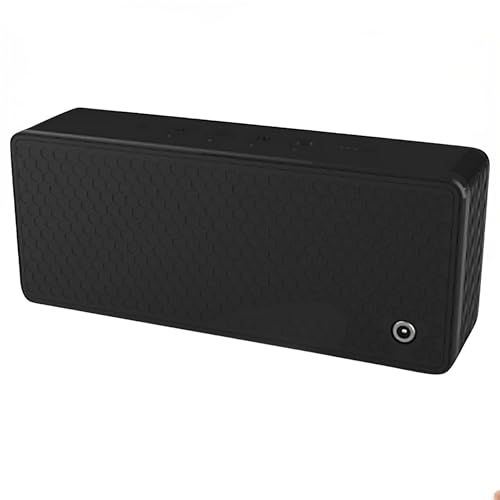
Spy Associates Ultrasonic Privacy Protector – Portable Acoustic Masking Device, Voice Privacy Tool for Secure Conversations in Meetings, Offices, Cars & Travel
ULTRASONIC SPEECH PRIVACY: Uses ultrasonic acoustic output (above 25 kHz, inaudible to humans) to help protect speech privacy…
As an affiliate, we earn on qualifying purchases.
As an affiliate, we earn on qualifying purchases.