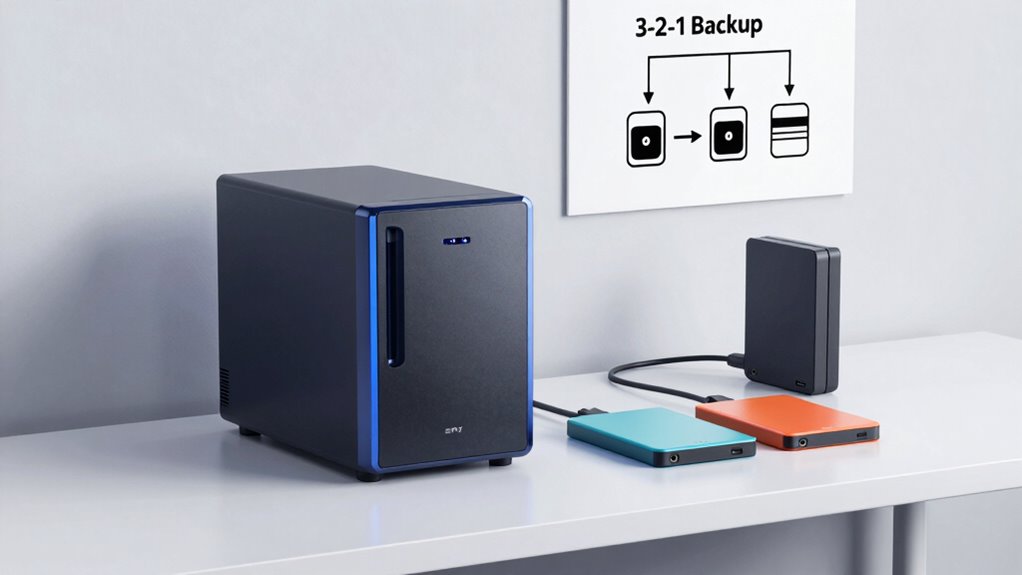
A NAS storage device helps you share and protect your data by following the 3-2-1 backup rule. That means you keep three copies of your important files, stored on two different types of media, with at least one copy kept offsite, like in the cloud or another location. This setup guarantees your data stays safe from hardware failures or disasters. Keep going to discover how this simple approach keeps your information secure and accessible.

Get travel and outdoor gear delivered free — and shop member deals
- Fast, free delivery on millions of items
- Access to Prime Big Deal Days deals on October 6–7
- Prime Video, Amazon Music and more included
Key Takeaways
- The 3-2-1 rule recommends having three copies of your data, stored on two different media types, with one copy kept offsite.
- Using NAS storage helps centralize data sharing and simplifies implementing the 3-2-1 backup strategy.
- RAID configurations in NAS protect against disk failure but should be complemented with offsite backups for full safety.
- Offsite backups, such as cloud storage or external drives, safeguard against physical disasters like theft or fire.
- Combining NAS, RAID, and offsite backups ensures comprehensive data protection and quick recovery from data loss.
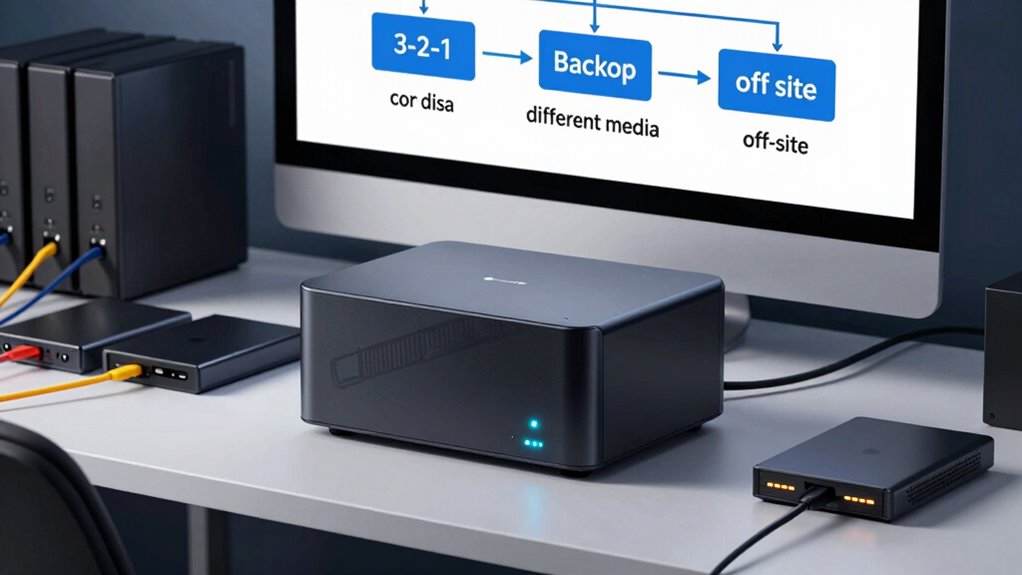
Have you ever wondered how to easily share and access your data across multiple devices? If so, NAS storage is a powerful solution that makes this possible. But beyond simple file sharing, it also plays a vital role in protecting your data through the “3-2-1 backup” rule. This rule emphasizes having three copies of your data, stored on two different types of media, with at least one copy kept offsite. To implement this effectively, you need to understand concepts like data redundancy and RAID configurations. These are the backbone of a reliable NAS setup that safeguards your data against hardware failures, accidental deletions, or disasters.
Data redundancy is a key idea here—it means having multiple copies of your data so that if one copy is lost or corrupted, others are still available. NAS devices often incorporate RAID (Redundant Array of Independent Disks) configurations, which are a practical way to achieve data redundancy. RAID setups combine multiple disks into a single logical unit, offering different levels of protection and performance. For example, RAID 1 mirrors data across two disks, so if one fails, the other still holds an exact copy. RAID 5 spreads data and parity information across three or more disks, allowing continued operation even if one disk fails. These configurations are essential because they guarantee your data remains accessible despite hardware issues, reducing downtime and preventing data loss.
Data redundancy with RAID ensures your data remains accessible despite hardware failures, reducing downtime and preventing loss.
Using RAID on your NAS doesn’t replace the need for regular backups, but it greatly enhances your data’s resilience. It provides continuous protection, so you won’t have to worry about losing everything due to a single disk failure. By setting up your NAS with the right RAID configuration, you create a robust environment where your data is stored redundantly. This is the essence of data redundancy within a RAID setup—multiple copies distributed across disks to prevent total data loss. It’s a smart way to maintain operational continuity and avoid the hassle of recovering from hardware failures.
In addition to RAID, the 3-2-1 rule reminds you to keep at least one copy of your data offsite. This could mean backing up to cloud storage or an external drive stored somewhere safe. Combining RAID’s data redundancy with offsite backups ensures you’re covered from both hardware failures and external threats like theft, fire, or flooding. Implementing proper backup strategies further strengthens your data protection plan. The goal is to make your data accessible, protected, and recoverable at all times. Setting up your NAS with these principles in mind creates a resilient system that supports your digital life, whether for personal use or business continuity.
NAS storage device with RAID support
As an affiliate, we earn on qualifying purchases.
As an affiliate, we earn on qualifying purchases.
Frequently Asked Questions
What Is the Best NAS Device for Small Businesses?
You should consider a Synology DiskStation or QNAP NAS for your small business. Both offer robust features like disk encryption to protect sensitive data and remote access so you can manage files from anywhere. These devices are user-friendly, scalable, and reliable, making them ideal for small businesses aiming to safeguard their data while maintaining easy access and security. Choose one based on your specific storage needs and budget.
How Often Should I Update My Backup Strategy?
You should update your backup strategy at least quarterly, or more often if your data changes rapidly. Relying on a static backup schedule is like building a fortress that can’t withstand a surprise attack. Regular updates guarantee your disaster recovery plan stays effective, protecting you from unexpected data loss, hardware failures, or cyberattacks. Stay proactive—review and refine your backup schedule regularly to keep your data safe and your business resilient.
Can NAS Storage Be Used for Cloud Backups?
Yes, you can use NAS storage for cloud backups by connecting it to remote storage providers. This setup allows you to automate backups to the cloud, ensuring your data stays safe even if your NAS is compromised locally. Using NAS for cloud backup offers a reliable way to expand your storage capacity and protect against hardware failures, natural disasters, or cyber threats, giving you peace of mind with a thorough backup strategy.
What Security Measures Protect NAS Data From Cyber Threats?
You can protect NAS data from cyber threats by following cybersecurity best practices, such as regularly updating firmware and strong password policies. Implement data encryption both at rest and in transit to prevent unauthorized access. Enable network firewalls and intrusion detection systems, and limit access to trusted users. Regular backups and monitoring also help detect suspicious activity early, ensuring your NAS data stays secure from evolving cyber threats.
How Does RAID Impact NAS Performance and Reliability?
Imagine your NAS working as a superhero, fiercely protecting your data. RAID configurations dramatically boost performance and reliability by creating data redundancy, ensuring your files stay safe even if one drive fails. Depending on the setup, RAID can speed up data access or provide extra security. While some configurations may slow down writes slightly, overall, RAID makes your NAS more dependable and faster, turning it into an unstoppable data fortress.
Conclusion
Now that you understand the 3-2-1 backup rule, think of your NAS storage as the safety net you can’t afford to skip. It’s tempting to rely on one copy, but without the extra layers, your data is vulnerable—like a house with only one lock. By following this simple rule, you create a safety net that catches you when things go wrong. Remember, protecting your data isn’t just smart; it’s essential for peace of mind.
Fall Picks
fall essentials
As an affiliate, we earn on qualifying purchases.