

To avoid common smart home mistakes, you should carefully plan your setup and research device compatibility first. Avoid rushing into purchases or skipping security updates, as these can lead to vulnerabilities. Properly configure voice assistants with clear commands and adjust privacy settings to protect your data. Make sure your gadgets work seamlessly together to prevent frustration. If you’re interested, there’s more to learn about creating a secure, efficient smart home that fits your needs.
Key Takeaways
- Ensure device compatibility and plan your smart home setup before purchasing to avoid unnecessary expenses.
- Properly configure voice commands and device settings to prevent misinterpretations and accidental actions.
- Regularly update firmware and security protocols to protect devices from vulnerabilities and hacking risks.
- Review privacy settings and limit data sharing to safeguard personal information and maintain privacy.
- Avoid buying incompatible or unnecessary gadgets, and integrate devices thoughtfully for a seamless smart home experience.
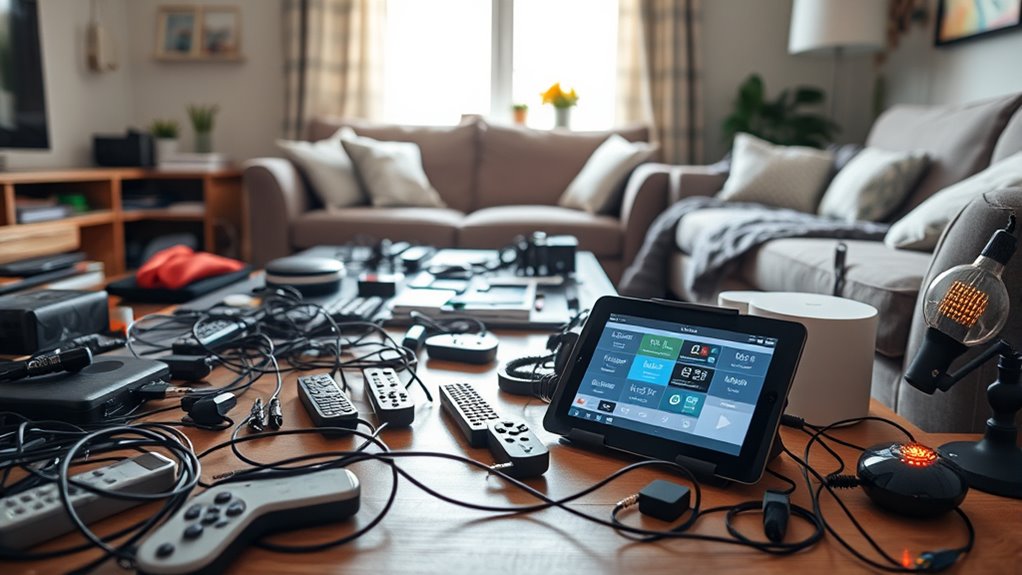
Smart home technology can make your life more convenient, but if you’re not careful, it can also lead to costly mistakes. One of the most common pitfalls beginners encounter involves voice control devices. These systems are designed to make managing your smart home easier, allowing you to control lights, thermostats, and even locks with simple commands. However, relying too heavily on voice control without understanding its limitations can cause frustration. If your voice recognition isn’t set up properly or if the devices aren’t compatible with each other, you might find yourself repeating commands or dealing with unresponsive gadgets. Additionally, voice control can sometimes pick up unintended commands, leading to accidental actions that disrupt your daily routine. To avoid this, it’s crucial to configure your devices correctly and be mindful of how you speak to them.
Proper setup and clear commands prevent voice control frustrations in your smart home.
Another significant mistake relates to privacy concerns. Many beginners overlook the data implications of installing smart home devices. Voice assistants, in particular, are always listening for wake words, which means they’re constantly processing audio in the background. This raises questions about how your data is stored, used, and shared. If you aren’t vigilant, you could inadvertently expose sensitive information or give outsiders access to your personal space. Start by reviewing the privacy policies of each device and adjusting privacy settings to limit data collection. Disable features that aren’t necessary, and consider using devices that prioritize user privacy. It’s also wise to keep your home network secure with strong passwords and regular updates to prevent hackers from gaining access. Being aware of relationship between devices and data security can help you make informed choices about your smart home setup.
Many newcomers also make the mistake of buying the latest gadget without considering whether it fits their existing setup or their actual needs. It’s tempting to get shiny new devices, but if they aren’t compatible with your current smart system, you’ll end up with a cluttered, inefficient setup. Before making a purchase, research the devices thoroughly to ensure they work seamlessly together. Check compatibility with your smartphone, existing hubs, or ecosystems like Alexa, Google Assistant, or Apple HomeKit. Planning your setup beforehand helps you avoid wasting money on tech that won’t integrate well or will require costly upgrades down the line.
Finally, neglecting security measures is a common beginner mistake. Failing to update firmware, use weak passwords, or neglecting multi-factor authentication can leave your smart home vulnerable. Hackers can exploit these weaknesses to access cameras, locks, or other sensitive devices. Make it a habit to regularly update your device software, use strong, unique passwords, and enable two-factor authentication where available. By paying attention to these details, you’ll protect your privacy and enjoy the benefits of your smart home without unnecessary risks.

Google Nest Thermostat – Smart Thermostat for Home – Programmable Wifi Thermostat – Snow
ENERGY STAR certified smart thermostat for home that helps you save energy and stay comfortable.Product note: You can…
As an affiliate, we earn on qualifying purchases.
As an affiliate, we earn on qualifying purchases.
Frequently Asked Questions
How Can I Future-Proof My Smart Home Investments?
To future-proof your smart home investments, focus on choosing devices with voice control compatibility and open standards that support updates. Prioritize energy management features to stay efficient as technology evolves. Avoid locking into proprietary systems, and keep an eye on emerging trends. Regularly update your devices and consider scalable solutions, so your smart home remains flexible and adaptable, ensuring your investment stays relevant for years to come.
What Are the Hidden Costs of Smart Home Devices?
When considering smart home devices, you might overlook hidden costs like ongoing subscription fees or increased energy use. Privacy concerns also add to the expense, as you may need extra security measures. Compatibility issues can lead to additional purchases or upgrades, raising overall costs. Keep these in mind to avoid surprises, ensuring your investment remains affordable and secure, and your devices work seamlessly together over time.
How Secure Are Smart Home Systems Against Hacking?
Smart home systems are generally secure, but cybersecurity vulnerabilities can exist if you don’t update firmware or use weak passwords. Hackers may exploit these gaps, but strong encryption protocols and regular updates help protect your devices. You should also enable two-factor authentication and monitor your network activity. By staying vigilant and maintaining security practices, you can considerably reduce the risk of hacking and keep your smart home safe.
Can I Integrate Multiple Brands Seamlessly?
You can integrate multiple brands seamlessly if you prioritize brand compatibility and device integration. Look for smart home platforms like Apple HomeKit, Google Home, or Amazon Alexa, which support a wide range of devices from different brands. This way, you can control your smart devices through one app or voice command, ensuring smooth operation without compatibility issues. Always check device specifications for compatibility before purchasing to avoid integration headaches.
What Should I Do if a Device Stops Working?
When a device stops working, think of it as a signal from your smart home asking for help. Start with device troubleshooting—check connections, power, and settings. If that doesn’t work, consider replacement strategies, like updating firmware or replacing the faulty device. Treat each issue as a puzzle, and with patience, you’ll restore harmony in your smart home, ensuring everything runs smoothly and stays connected.

Amazon Alexa User Guide 2025: A Step-by-Step Manual with 75+ Tips for Smart Home Setup, Privacy Controls, Daily Automation, and Easy Troubleshooting of Your Echo Devices
As an affiliate, we earn on qualifying purchases.
As an affiliate, we earn on qualifying purchases.
Conclusion
Avoiding these common smart home mistakes keeps your setup smooth and stress-free. Remember, a single misstep can turn your high-tech haven into a chaotic maze, wasting your time and money. Stay informed, double-check your devices, and plan ahead. By steering clear of these pitfalls, you’ll create a seamless smart home experience that feels almost magical—like having a personal assistant right at your fingertips, making everyday life easier and more enjoyable.

WiFi Door Alarm System, Wireless DIY Smart Home Security System, with Phone APP Alert, 8 Pieces-Kit (Alarm Siren, Door Window Sensor, Remote), Work with Alexa, for House, Apartment, by tolviviov
WIFI Network: WIFI connection, Only works on 2.4GHz WiFi network, does NOT support 5GHz WiFi networks.
As an affiliate, we earn on qualifying purchases.
As an affiliate, we earn on qualifying purchases.
WiFi Door Alarm System, Wireless DIY Smart Home Security System, with Phone APP Alert, 8 Pieces-Kit (Alarm Siren, Door Window Sensor, Remote), Work with Alexa, for House, Apartment, by tolviviov
WIFI Network: WIFI connection, Only works on 2.4GHz WiFi network, does NOT support 5GHz WiFi networks.
As an affiliate, we earn on qualifying purchases.
As an affiliate, we earn on qualifying purchases.