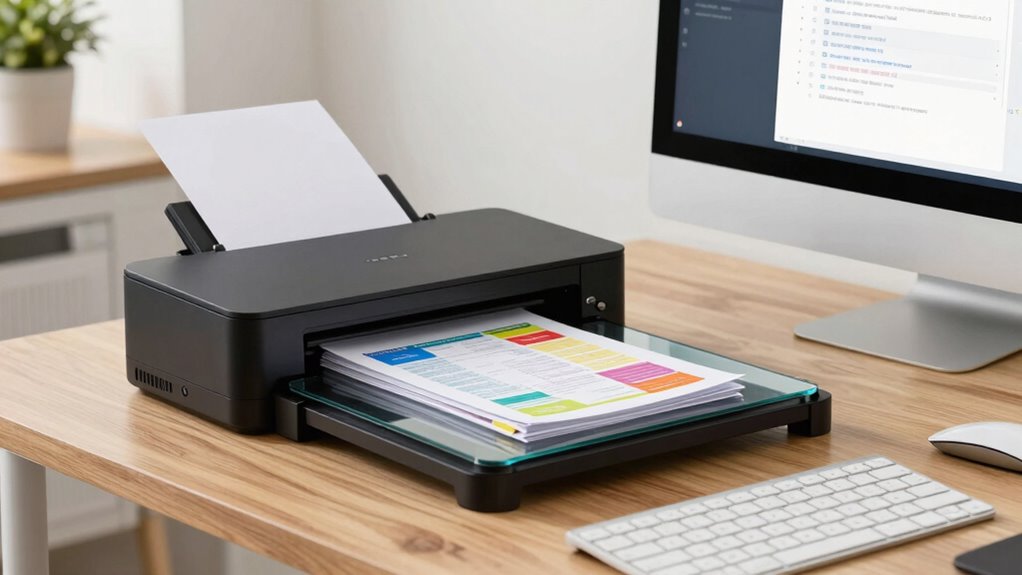

To go paperless with a document scanner, start by choosing a high-quality model with automatic document feeding and easy-to-use features. Regularly clean the glass and rollers to prevent jams and blurry scans, and develop a consistent naming and filing system for easy retrieval. Organize your workflow by establishing routines for scanning and maintenance. Keep your device updated and handle documents carefully. Continue exploring tips to make your progression smooth and efficient.
Key Takeaways
- Regularly maintain your scanner by cleaning glass surfaces and rollers to ensure clear, high-quality scans.
- Develop consistent file naming and folder organization to easily locate and manage digital documents.
- Use high-quality scanners with automatic feeders to streamline bulk scanning and reduce jams.
- Establish a routine for digital archiving, including scheduled cleaning and updates for optimal performance.
- Troubleshoot issues promptly and consult manuals or support to prevent frustration and maintain workflow efficiency.

A document scanner is a handy device that transforms physical papers into digital files, making storage and sharing much easier. If you’re aiming to go paperless, mastering digital archiving is essential. Digital archiving allows you to organize your scanned documents systematically, ensuring quick retrieval and long-term preservation. To keep your digital archives reliable and accessible, regular scanner maintenance is a must. Proper maintenance prevents paper jams, streaks, and blurry scans, saving you time and frustration.
First, familiarize yourself with your scanner’s cleaning procedures. Dust and debris can accumulate on the glass surface, leading to poor image quality. Use a soft, lint-free cloth and a gentle cleaner suitable for electronics to wipe the glass periodically. Don’t forget to check the rollers, as dirty or worn rollers can cause skewed scans or feeding issues. Cleaning the rollers with a mild cleaning solution or a roller cleaning sheet helps maintain smooth paper feeding. Regular maintenance isn’t just about cleanliness; it also involves updating scanner drivers and firmware when updates are available. These updates often include performance improvements and bug fixes that can enhance your scanning experience.
Creating a routine for scanner maintenance ensures you don’t overlook important tasks. For example, set a weekly reminder to clean the glass and rollers, especially if you’re scanning frequently. When it comes to digital archiving, develop a consistent naming convention for your files. Use clear, descriptive titles with dates and keywords, so you can locate documents swiftly. Organize your digital files into folders based on categories like project, date, or client. This organization prevents clutter and makes digital retrieval much more manageable. Additionally, understanding scanning resolution options can help you balance file size and image quality according to your needs.
Investing in a high-quality scanner with automatic document feeders can minimize manual handling and reduce the risk of jams or damage. Be sure to handle your scanner gently, especially when loading or removing documents, to avoid damaging delicate parts. If you notice a decline in scan quality or frequent jams, don’t hesitate to consult the user manual or contact technical support. Sometimes, simple troubleshooting or a professional cleaning can resolve issues before they escalate.

Epson Workforce ES-400 II Color Duplex Desktop Document Scanner for PC and Mac with Auto Doc Feeder (ADF), Image Adjustment Tools
FAST DOCUMENT SCANNING – Speed through stacks with the 50-sheet Auto Document Feeder, perfect for office scanning and…
As an affiliate, we earn on qualifying purchases.
As an affiliate, we earn on qualifying purchases.
Frequently Asked Questions
How Secure Are Digital Documents From Hacking?
Digital documents can be quite secure if you use strong encryption methods and access controls. Encryption protects your files from hackers by making data unreadable without the right key, while access controls limit who can view or modify your documents. You should also keep your software updated and use strong, unique passwords. Combined, these measures considerably reduce the risk of hacking and keep your digital documents safe.
What’s the Best Way to Organize Scanned Files?
You should organize your scanned files using clear, consistent file naming conventions and store them in cloud storage for easy access and backup. Create folders based on categories like invoices, receipts, or reports, and label each file with relevant details such as date and description. Regularly review and declutter your files to maintain order, ensuring you can quickly locate documents when needed without losing track of important information.
Can I Scan and OCR Handwritten Notes?
Yes, you can scan and OCR handwritten notes, but keep in mind that handwriting recognition isn’t perfect. OCR accuracy varies depending on the clarity of your handwriting and the scanner or app you use. To enhance results, write neatly and choose OCR software optimized for handwriting. While some apps handle it better than others, expect occasional errors, so review and correct your scanned notes to ensure accuracy.
How to Back up My Digital Documents Safely?
Did you know 60% of data breaches involve stolen or compromised credentials? To back up your digital documents safely, use cloud storage with strong encryption methods. Regularly update your passwords, enable two-factor authentication, and choose reputable providers. Always keep local backups on external drives, and make sure your cloud services offer end-to-end encryption. This way, your files stay protected, accessible, and secure from any cyber threats.
Are There Legal Requirements for Digital Document Storage?
Yes, there are legal requirements for digital document storage. You need to follow retention policies that specify how long you must keep records, and guarantee your digital documents, like contracts with digital signatures, remain authentic and tamper-proof. Make sure your storage system complies with industry standards and local regulations, so your digital documents stay legally valid and accessible whenever needed. This way, you avoid potential legal issues down the line.

Epson – Perfection V39 II – Color Photo, Tax Receipt & Document Flatbed Scanner – 4800 dpi Optical Resolution – High-Rise, Removable Lid – Scan to Cloud – USB Power – Image Scanning – Black
CLEAR, DETAILED PHOTO SCANS – Achieve amazing image clarity and detail with a 4800 dpi optical resolution, perfect…
As an affiliate, we earn on qualifying purchases.
As an affiliate, we earn on qualifying purchases.
Conclusion
So, congratulations on joining the paperless revolution! With your new scanner, you’ll master the art of losing fewer documents—probably. Just remember, the real challenge isn’t scanning in chaos, but resisting the urge to organize everything perfectly, only to find it’s a never-ending cycle. Embrace the madness, and soon you’ll be a hero of efficiency—until your hard drive crashes, and you realize paper wasn’t so bad after all. Welcome to the digital chaos!

KICTeam – Waffletechnology® Cleaning Cards for Desktop & Mobile Document Scanners (15 Cards) – Presaturated with WonderSolvent – Made in USA
Eliminates Disruptive Buildup in Seconds!: These scanner cleaning cards quickly remove ink residue, paper dust, and other dirt…
As an affiliate, we earn on qualifying purchases.
As an affiliate, we earn on qualifying purchases.

Ambir Maintenance Kit Ds820ix and Ds830ix Series Scanners (Only)
2 feed pads
As an affiliate, we earn on qualifying purchases.
As an affiliate, we earn on qualifying purchases.