
To improve your posture at a standing desk, start by adjusting the height so your elbows are at a 90-degree angle when typing or working. This position helps reduce strain on your shoulders, neck, and back while keeping your arms comfortable. Supporting your elbows properly is key to staying ergonomic and preventing discomfort. Keep an eye on how accessories like monitor arms and footrests can enhance this setup—continue to explore how to perfect your workspace setup.
Key Takeaways
- Proper elbow positioning at 90 degrees minimizes shoulder and neck strain during standing work.
- Adjustable standing desks help maintain optimal elbow height for ergonomic comfort.
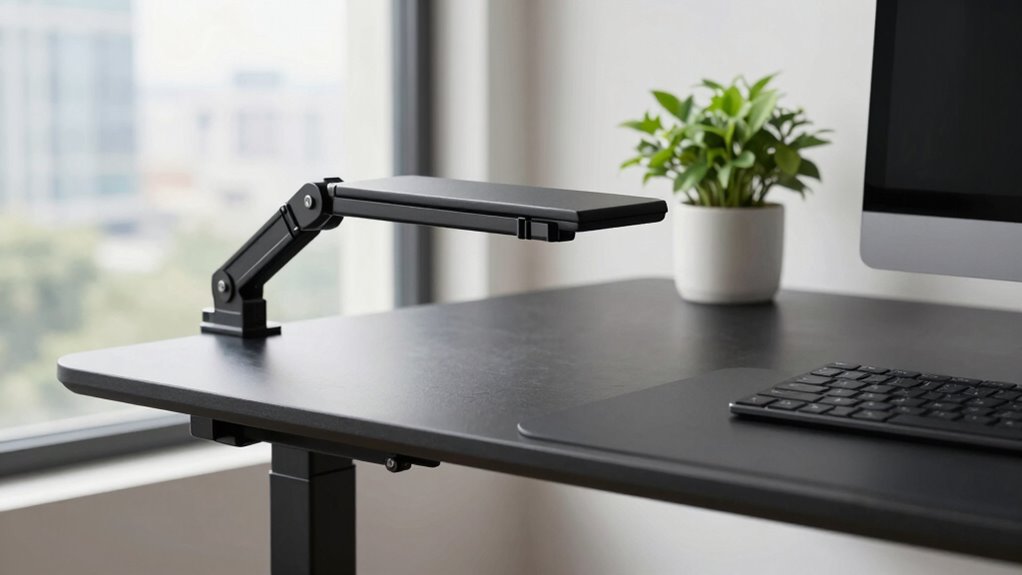
- Supporting accessories like monitor arms and keyboard trays promote natural elbow and arm alignment.
- Moving between sitting and standing positions encourages movement, reducing stiffness and improving posture.
- Correct elbow placement enhances overall body alignment, preventing discomfort during prolonged standing.

Standing desks are more than just a surface to work on; they’re a foundation for better ergonomics. To truly maximize their benefits, you need the right ergonomic accessories and an adjustable height feature. These elements work together to create a comfortable, healthy environment that keeps your body in proper alignment.
When you choose a standing desk with adjustable height, you gain the flexibility to customize your workspace. Instead of being stuck in a fixed position, you can raise or lower the desk to match your body’s natural posture. This means your elbows can rest comfortably at a 90-degree angle, reducing strain on your shoulders and neck. Proper elbow positioning is critical because it supports your arms and minimizes fatigue over long periods. An adjustable height desk allows you to switch between sitting and standing positions easily, encouraging movement and preventing the stiffness that often accompanies prolonged sitting.
An adjustable desk helps you find the perfect height for comfortable, ergonomic positioning.
To make the most of your standing desk, incorporating ergonomic accessories is essential. Items like an anti-fatigue mat can cushion your feet and reduce pressure on your legs, making standing less tiring. A supportive footrest helps shift your weight and relieves strain from your lower back, maintaining proper spinal alignment. Document holders or monitor arms allow you to position your screen at eye level, preventing neck strain. Keyboard trays and wrist supports can keep your wrists in a neutral position, reducing the risk of repetitive strain injuries. Each accessory plays a fundamental role in supporting your body’s natural posture and enhancing comfort during extended work periods.
Using an adjustable height standing desk isn’t just about standing; it’s about creating a dynamic workspace that adapts to your needs. When you pay attention to your elbows’ position and incorporate ergonomic accessories, you’re actively preventing common issues like shoulder pain, back discomfort, and repetitive strain injuries. This setup encourages better circulation, increases energy levels, and even boosts focus. The key is listening to your body and making small adjustments throughout the day, whether that’s raising your desk or adding an accessory to support a specific area.
Additionally, understanding load calculations can help you ensure your setup is safe and capable of supporting your equipment and body, preventing accidents or damage. In the end, the combination of a height-adjustable desk and ergonomic accessories empowers you to take control of your workspace. You’re not just standing; you’re standing smarter. Your elbows, shoulders, and back will thank you as you create a more comfortable, healthier work environment—one that supports your posture and enhances your overall well-being.

ErGear Height Adjustable Electric Standing Desk, 48 x 24 Inches Sit Stand up Desk, Memory Computer Home Office Desk, Black
Electric Height Adjustable Standing Desk for Comfortable Work – Switch effortlessly between sitting and standing with this electric…
As an affiliate, we earn on qualifying purchases.
As an affiliate, we earn on qualifying purchases.
Frequently Asked Questions
How Do Standing Desks Impact Long-Term Health Risks?
Standing desks can positively impact your long-term health risks by promoting ergonomic benefits and posture improvements. They encourage you to stand more, reducing the risk of back and neck pain caused by prolonged sitting. With proper setup, including adjusting your elbows and monitor height, you’ll maintain better alignment and decrease strain. Over time, these posture improvements can lower the chances of developing chronic musculoskeletal issues and boost overall well-being.
Can Standing Desks Help Reduce Back Pain?
Yes, standing desks can help reduce back pain when combined with ergonomic accessories and proper posture correction. By adjusting your desk to the right height, you encourage better alignment, especially when supported by ergonomic accessories like monitor arms and supportive mats. Focusing on posture correction guarantees you avoid slouching or straining, which alleviates back discomfort over time. Remember, maintaining good posture with standing desks is key to reducing long-term back pain.
What Accessories Enhance the Ergonomic Benefits of Standing Desks?
Investigation shows that desk accessories markedly enhance ergonomic benefits. You should consider ergonomic enhancements like adjustable monitor arms, anti-fatigue mats, keyboard trays, and wrist rests. These accessories help maintain proper posture, reduce strain, and improve comfort during long work hours. By adding these ergonomic enhancements, you support your body’s natural alignment, prevent pain, and boost productivity, ensuring your standing desk setup truly benefits your health and work efficiency.
How Do I Transition Smoothly to a Standing Desk?
To shift smoothly to a standing desk, start gradually by alternating between sitting and standing, using desk accessories like a footrest or anti-fatigue mat for comfort. Keep ergonomic tips in mind, such as adjusting the desk height so your elbows are at a 90-degree angle and your monitor at eye level. Take breaks often and listen to your body to prevent strain and make the switch seamless.
Are There Specific Exercises to Do While Standing at a Desk?
Yes, you can do specific exercises while standing at your desk. Try wrist stretches to keep your wrists flexible and reduce strain, and ankle mobility exercises like ankle circles to improve circulation and stability. These movements help prevent discomfort and keep you energized throughout the day. Incorporate them regularly, especially if you stand for long periods, to maintain good posture and overall comfort at your standing desk.

ASUS ROG Ergo Monitor Arm (AAS01) – Monitor Mount with Cable Management, Ergonomic, Pivot, Swivel, Height Fully Adjustable, Clean Desk Setup, up to 39 inches*,23lbs*, VESA 100×100, Mechanical Spring
Wide-ranging compatibility: Accommodates up to 39-inch monitors weighing 6.6–23.35 pounds, and works with VESA 100 x 100 mm…
As an affiliate, we earn on qualifying purchases.
As an affiliate, we earn on qualifying purchases.
Conclusion
So, who knew that fixing your posture could be as simple as adjusting your elbows? It’s funny how such a small tweak can make a big difference—yet many overlook it. Instead of investing in fancy gadgets or endless stretches, maybe the real secret is right there at your elbows. Next time you’re tempted to ignore your stance, remember: sometimes, the simplest fix is the one you’re already holding onto. Who knew posture had such a funny sense of humor?

VIVO Large Keyboard Tray Under Desk Pull Out with Extra Sturdy C Clamp Mount System, 27 (33 Including Clamps) x 11 Inch Slide-Out Platform Computer Drawer for Typing, Black, MOUNT-KB05E
Saves Desk Space: This 26.8” (32.5" including clamps) x 11” under-desk keyboard tray holds your keyboard, mouse, and…
As an affiliate, we earn on qualifying purchases.
As an affiliate, we earn on qualifying purchases.

FEATOL Anti Fatigue Mat for Standing, 9/10 Extra Thick Ergonomic Standing Desk Mat, Comfort & Durable Memory Foam Standing Mat at Home,Office All Day (20" x 32", Black, 1PC)
[Anti Fatigue Standing Desk Mat] – This anti fatigue mat standing desk office is effective in reducing stress…
As an affiliate, we earn on qualifying purchases.
As an affiliate, we earn on qualifying purchases.