One costly mistake travelers make with smart locks is insecurely sharing access codes or digital keys. When you send codes without verifying recipients or using insecure channels, you risk unauthorized entry. It’s essential to manage your codes carefully, revoke them when no longer needed, and use trusted methods for sharing. Proper control over who has access helps prevent security breaches. Keep an eye on best practices to avoid costly errors—more tips wait for you.
Key Takeaways
- Sharing access codes insecurely can lead to unauthorized entries and security breaches.
- Using simple or predictable PINs increases the risk of code guessing and unauthorized access.
- Failing to revoke or update codes after use can allow unwanted individuals to access your property.
- Relying solely on static codes without monitoring access logs may hide security issues.
- Neglecting to change or disable codes after travel increases vulnerability to potential theft or intrusion.
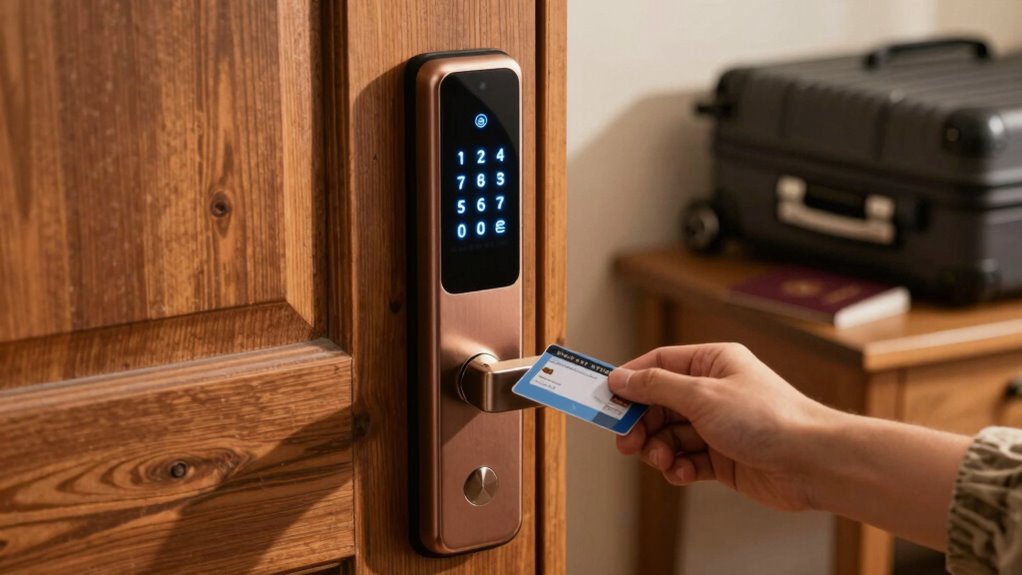
Travelers increasingly rely on smart locks to simplify their trips and enhance security. These devices offer convenience by allowing you to access doors with your smartphone, eliminating the need for physical keys. One of the key features that makes smart locks appealing is digital key sharing. Instead of handing out physical keys or worrying about lost copies, you can send digital keys to friends, family, or Airbnb guests instantly. This not only streamlines check-ins but also provides you with control over who enters your space and when. However, while digital key sharing offers flexibility, it also requires careful management. Make sure you revoke access once it’s no longer needed to prevent unauthorized entry. Also, keep in mind that some smart locks allow temporary or recurring access, which can be useful for regular service providers or long-term guests.
Another critical aspect that often gets overlooked is battery life management. Smart locks depend on batteries to operate, and if these batteries die unexpectedly, you might find yourself locked out or facing inconvenient situations during your travels. To avoid this, it’s essential to regularly check your lock’s battery status, which many models display through connected apps. Some smart locks come with alerts that notify you when the battery is running low, giving you time to replace or recharge them before they fail. Carrying spare batteries or a portable charger compatible with your lock can also save you from last-minute hassles. Proper battery management guarantees your smart lock remains reliable and functional throughout your trip, giving you peace of mind.
While digital key sharing makes access more flexible, it’s vital to stay vigilant about security. Always verify you’re sharing keys securely and only with trusted individuals. Avoid sending keys via unsecured channels that could be intercepted. Additionally, be mindful of your lock’s firmware updates. Manufacturers often release updates to patch security vulnerabilities or improve performance, including battery efficiency. Keeping your smart lock’s software up to date can prevent potential security breaches and guarantee it operates smoothly during your travels.
In essence, smart locks are powerful tools that can greatly enhance your travel experience—if you manage their digital key sharing and battery life properly. By controlling who has access and staying on top of battery maintenance, you avoid costly mistakes that could compromise your security or leave you stranded. Smart locks are meant to simplify your trips, but only when you use them thoughtfully and proactively. Also, understanding the importance of high contrast ratios can help you choose a smart lock with clear, easily readable displays or indicator lights, especially in different lighting conditions. So, stay vigilant, keep your digital keys secure, and always plan for battery life management to enjoy the full benefits of your smart lock.

Smart Door Handle Lock with Keypad, Yamiry Fingerprint Knob for Front Door
- Versatile Unlocking Methods: Fingerprint, app, passcode, key fob, key, Alexa
- Easy 10-Minute Installation: Fits most standard doors without drilling
- Reversible Handle Design: Compatible with both left and right-handed doors
As an affiliate, we earn on qualifying purchases.
As an affiliate, we earn on qualifying purchases.
Frequently Asked Questions
How Secure Are Access Codes Compared to Traditional Keys?
Access codes can be quite secure, especially with strong digital security measures in place. Unlike traditional keys, they offer keyless convenience and reduce the risk of physical theft or loss. However, you need to choose complex, unique codes and change them regularly to prevent unauthorized access. When used properly, access codes provide a secure alternative to traditional keys, giving you control and peace of mind while traveling.
Can I Change the Access Code Remotely?
You can change your access code remotely, giving you full control anytime, anywhere. With remote code management, you can update security settings, add or revoke codes, and guarantee your lock stays secure. This feature offers peace of mind, like a digital keyholder watching over your property. Staying ahead of potential threats becomes easier when you perform security updates remotely, keeping your smart lock current and protected against vulnerabilities.
What Should I Do if I Forget My Access Code?
If you forget your access code, don’t panic. Use the access code recovery option if available, which typically involves verifying your identity online or through an app. If recovery isn’t possible, try backup access methods like a physical key or Bluetooth connection. Contact customer support for further assistance, as they can help reset your code or provide alternative ways to regain access quickly and securely.
Are Smart Locks Compatible With All Smartphones?
Think of smart locks as a bridge connecting your world to convenience; their compatibility with your smartphone depends on the device’s operating system. Most smart locks support both iOS and Android, but always check the app integration details before buying. This guarantees seamless control, letting you lock or open effortlessly. So, confirm your smartphone’s compatibility first, and enjoy the freedom of keyless entry at your fingertips.
How Long Do Batteries Last in Smart Locks?
Battery life in smart locks typically lasts between six months to a year, depending on power consumption and usage frequency. You should expect longer battery life if you minimize frequent lock and unlock actions and choose models with energy-efficient features. Regularly check the battery status through the app or lock’s indicator and carry spare batteries, so you avoid being locked out when power runs low. Proper management guarantees reliable access and peace of mind.
Conclusion
While smart locks offer convenience for travelers, a simple access-code mistake can cost you more than just inconvenience. It’s easy to focus on the tech’s benefits, forgetting that a single error can lead to security breaches or lost belongings. The convenience becomes a risk if you’re careless. So, embrace the freedom smart locks provide, but remember: in the world of travel, a small mistake can turn a smooth trip into a costly lesson. Stay vigilant.