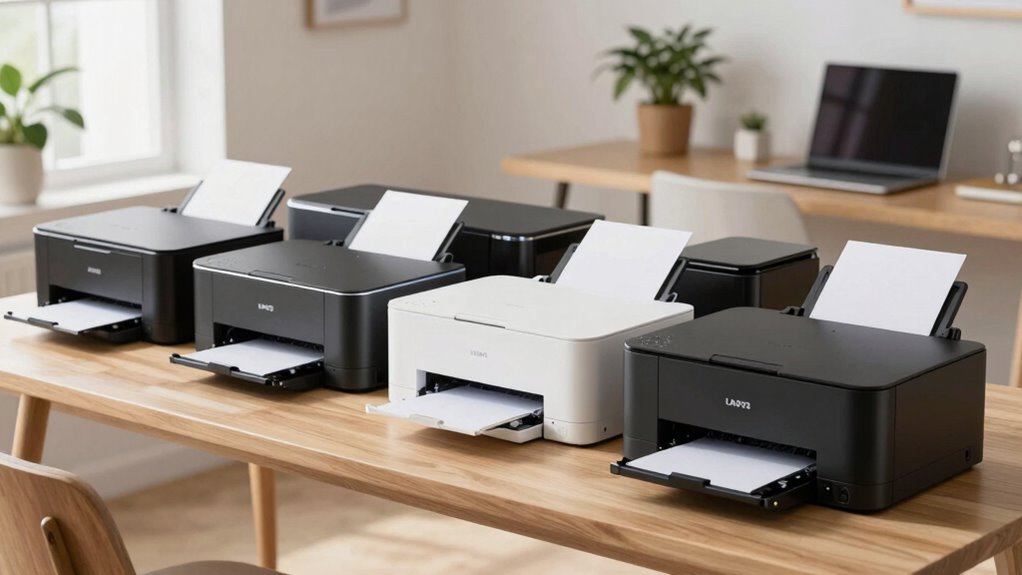

Finding a reliable compact laser printer suitable for travel and home offices can be a challenge, as you need a balance of size, performance, and versatility. The HP LaserJet M140w stands out as the best overall choice for its combination of speed, wireless connectivity, and ease of use. For those prioritizing portability, the HP LaserJet M110w offers a lightweight design that fits easily into small spaces, while the Brother HL-L2405W provides excellent mobile printing capabilities at an affordable price. Keep reading to see how these and other models compare, and find the best fit for your specific needs.
Complete the kit



Key Takeaways
- The best models balance compact size with reliable print performance, avoiding tradeoffs that compromise usability.
- Wireless and mobile printing features significantly enhance convenience for travel and flexible work environments.
- Price varies widely, with some budget options delivering surprisingly solid performance for home use.
- Duplex printing and multi-function capabilities are less common but valuable features for those with heavier workloads.
- Size and weight are critical; the most compact models often sacrifice some speed or multifunctionality.
| HP LaserJet MFP M140w Wireless Black & White Printer |  | Best Overall for Small Teams Needing Versatile Functionality | Print Speed: Up to 21 pages per minute | Connectivity: Wireless, Mobile Printing | Functions: Print, Scan, Copy | VIEW ON AMAZON | See Our Full Breakdown |
| Brother HL-L2405W Wireless Compact Monochrome Laser Printer with Mobile Printing |  | Best Value for High-Volume Home or Small Office Printing | Printer Type: Monochrome Laser | Connectivity: Wi-Fi (dual-band), USB 2.0 | Print Speed: Up to 30 ppm | VIEW ON AMAZON | See Our Full Breakdown |
| Brother DCP-L2640DW Wireless Monochrome Multi-Function Laser Printer with Copy and Scan |  | Best for Small Business Multifunction Needs | Print Speed: 36 ppm | Scan Speed: 23.6/7.9 ipm | Auto Document Feeder: 50 pages | VIEW ON AMAZON | See Our Full Breakdown |
| HP LaserJet Pro MFP 3101sdw Wireless Black and White All-in-One Laser Printer |  | Best for Small Teams Requiring Speed and Auto Duplex | Print Speed: up to 35 ppm | Functions: Print, Scan, Copy | Duplex: Automatic two-sided | VIEW ON AMAZON | See Our Full Breakdown |
| HP LaserJet M110w Wireless Black & White Printer |  | Best for Ultra-Compact, Budget-Conscious Users | Printer Type: Laser | Print Speed: Up to 21 pages per minute | Maximum Media Size: 8.5 x 14 inches | VIEW ON AMAZON | See Our Full Breakdown |
| Brother HL-L2460DW Wireless Monochrome Laser Printer with Duplex and Mobile Printing |  | Best Overall for High-Volume Home and Small Office Printing | Print Speed: 36 pages per minute | Connectivity: Wireless (dual-band), Ethernet, USB 2.0 | Paper Capacity: 250 sheets | VIEW ON AMAZON | See Our Full Breakdown |
| Canon imageCLASS LBP6030w Monochrome Wireless Laser Printer |  | Best for Space-Conscious Users with Basic Printing Needs | Print Speed: 19 pages per minute | Connectivity: Wireless | Paper Capacity: 150 sheets | VIEW ON AMAZON | See Our Full Breakdown |
| compact laser printers for travel and home office | Print Speed | Connectivity |
|---|---|---|
| HP LaserJet MFP M140w Wireless | Up to 21 pages per minute | Wireless, Mobile Printing |
| Brother HL-L2405W Wireless Com | Up to 30 ppm | Wi-Fi (dual-band), USB 2.0 |
| Brother DCP-L2640DW Wireless M | 36 ppm | Wi-Fi (dual-band), Ethernet, USB |
| HP LaserJet Pro MFP 3101sdw Wi | up to 35 ppm | Wireless |
| HP LaserJet M110w Wireless Bla | Up to 21 pages per minute | USB, Wireless |
| Brother HL-L2460DW Wireless Mo | 36 pages per minute | Wireless (dual-band), Ethernet, USB 2.0 |
| Canon imageCLASS LBP6030w Mono | 19 pages per minute | Wireless |
More Details on Our Top Picks
HP LaserJet MFP M140w Wireless Black & White Printer
The HP LaserJet MFP M140w stands out as the most balanced choice for small teams that need a compact device capable of printing, scanning, and copying. Its fast printing speed of 21 ppm makes it suitable for quick document turnaround, and its wireless capabilities ensure easy mobile printing, comparable to the Brother HL-L2405W. Unlike the Brother, it offers integrated scanning and copying, making it a true multifunction device in a small footprint. The main tradeoff is its monochrome-only output, which limits use for color documents. While setup is straightforward, it requires original HP cartridges with chips, which may add to ongoing costs. This model is best for small teams needing reliable, all-in-one functionality in a compact form.
Pros:- Compact size fits in small spaces effortlessly
- Fast printing speeds for quick document processing
- Wireless and mobile device compatibility for convenience
- Includes scanning and copying functions for all-in-one use
Cons:- Limited to monochrome printing, restricting color needs
- Requires original HP cartridges with chips, which can be costly
Best for: Small offices or home workspaces with 1-3 users requiring versatile document handling
Not ideal for: Users needing color printing or high-volume output, as it only prints in black and white
- Print Speed:Up to 21 pages per minute
- Connectivity:Wireless, Mobile Printing
- Functions:Print, Scan, Copy
- Compatibility:Microsoft, Mac, AirPrint, Android, Chromebook
- Size:Smallest in its class
Our verdict“This is the best pick for small teams looking for a reliable, multifunction laser printer with minimal footprint.”
Brother HL-L2405W Wireless Compact Monochrome Laser Printer with Mobile Printing
Compared with the HP M110w, which is the smallest in its class, the Brother HL-L2405W offers a larger paper capacity of 250 sheets, making it ideal for high-volume printing without constant refills. Its faster speed of 30 ppm boosts productivity, especially for busy households or small businesses. It supports dual-band Wi-Fi and USB, providing flexible connectivity options. However, it’s limited to black and white printing, and the need for enrollment in a toner subscription service adds an ongoing expense. Its basic security features may not satisfy users with high security requirements. This model makes the most sense for users who prioritize volume and cost-efficiency over multifunctionality or color printing.
Pros:- High paper capacity reduces refill frequency
- Fast print speed of 30 ppm increases efficiency
- Wireless support with mobile device compatibility
- Cost-effective for high-volume printing
Cons:- Limited to black and white printing only
- Requires enrollment in subscription service for toner savings
- Basic security features may not meet high-security standards
Best for: Home offices or small businesses with high printing volume needs and budget-conscious priorities
Not ideal for: Users needing color printing or advanced security features, as it only handles monochrome output and has basic security
- Printer Type:Monochrome Laser
- Connectivity:Wi-Fi (dual-band), USB 2.0
- Print Speed:Up to 30 ppm
- Paper Capacity:250 sheets
- Supported Paper Types:Envelopes, specialty paper
- Warranty:1 year limited
Our verdict“This printer is ideal for cost-conscious users who need high-volume black-and-white printing without fuss.”
Brother DCP-L2640DW Wireless Monochrome Multi-Function Laser Printer with Copy and Scan
The Brother DCP-L2640DW provides a compact, feature-rich solution for small businesses that require printing, scanning, and copying in one device. Its fast 36 ppm speed and 50-page automatic document feeder boost productivity, rivaling the HP Pro MFP 3101sdw in speed and functionality. Its multiple connectivity options, including Ethernet, Wi-Fi, and USB, offer flexible setup options. The automatic duplex printing feature helps save paper, but its monochrome-only output limits its use for color projects. Genuine toner purchase is necessary for optimal performance, adding ongoing costs. This model suits small businesses needing a multifunction printer with robust connectivity options and high speed.
Pros:- High printing and scanning speeds for efficiency
- Multiple connectivity options including Ethernet
- Automatic duplex printing reduces paper use
- 50-page automatic document feeder for batch scanning and copying
Cons:- Monochrome-only output limits use for color needs
- Requires genuine toner for best results
- No advanced security features for sensitive data
Best for: Small business environments or home offices where multifunctionality and speed are priorities
Not ideal for: Users who need color printing or high-level security, as it handles only monochrome documents and basic security features
- Print Speed:36 ppm
- Scan Speed:23.6/7.9 ipm
- Auto Document Feeder:50 pages
- Tray Capacity:250 sheets
- Connectivity:Wi-Fi (dual-band), Ethernet, USB
- Toner Capacity:700 pages (starter toner)
Our verdict“This is a strong choice for small businesses seeking a fast, multifunction device in a compact footprint.”
HP LaserJet Pro MFP 3101sdw Wireless Black and White All-in-One Laser Printer
The HP LaserJet Pro MFP 3101sdw offers a compelling combination of speed and multifunctionality for small teams. Its rapid 35 ppm print speed ensures quick turnaround of documents, similar to the Brother DCP-L2640DW, but includes a dedicated scanner and copier. The duplex feature automatically prints on both sides, saving time and paper, critical for busy offices. It’s designed for black-and-white documents, and requires cartridges with HP chips or circuitry, which may limit options and add to ongoing costs. Its reliable wireless connection simplifies daily workflows. This device makes sense for teams that need fast, reliable black-and-white document handling with minimal fuss.
Pros:- Fast printing speeds suited for small team workflows
- Automatic duplex printing reduces paper consumption
- Reliable wireless connectivity for seamless use
- All-in-one functionality for printing, scanning, and copying
Cons:- Limited to black-and-white output, not suitable for color needs
- Cartridge options are restricted by HP circuitry
- Designed primarily for small teams with moderate volume
Best for: Small teams needing quick, reliable monochrome printing, scanning, and copying in a compact device
Not ideal for: Organizations requiring color printing or high-security features, as it is monochrome and has basic security
- Print Speed:up to 35 ppm
- Functions:Print, Scan, Copy
- Duplex:Automatic two-sided
- Input Tray Capacity:250 sheets
- Auto Document Feeder:50 sheets
- Connectivity:Wireless
Our verdict“This is the best choice for small teams prioritizing speed and all-in-one functionality in a compact form.”
HP LaserJet M110w Wireless Black & White Printer
Claimed as the world’s smallest laser printer, the HP LaserJet M110w is perfect for very tight spaces or mobile setups. Its small footprint, measuring just over 7 inches deep, makes it ideal for personal desks or minimalistic environments. It offers a respectable speed of 21 ppm and easy wireless setup, matching the HP M140w in basic features but in a more portable form factor. The limited maximum media size and paper capacity of 150 sheets mean this model is best suited for light, everyday printing rather than high-volume tasks. It requires original HP cartridges with chips, which could influence ongoing costs. This printer suits users who need a tiny, reliable device for occasional black-and-white printing with minimal space.
Pros:- Extremely compact and easy to fit in small spaces
- Fast print speed for its class
- Wireless and mobile printing support
- Simple setup process
Cons:- Limited to black and white printing only
- Maximum paper capacity of 150 sheets may be insufficient
- Requires original cartridges with chips, potentially increasing costs
Best for: Individuals or small teams with space constraints needing a portable, straightforward black-and-white laser printer
Not ideal for: High-volume or color printing needs, given its small paper capacity and monochrome-only output
- Printer Type:Laser
- Print Speed:Up to 21 pages per minute
- Maximum Media Size:8.5 x 14 inches
- Maximum Sheet Capacity:150 sheets
- Connectivity:USB, Wireless
- Item Weight:9 pounds
- Resolution:600 x 600 dpi
Our verdict“This model is ideal for users needing a tiny, dependable laser printer for light, everyday monochrome printing in tight spaces.”
Brother HL-L2460DW Wireless Monochrome Laser Printer with Duplex and Mobile Printing
The Brother HL-L2460DW stands out as the best overall choice for users who need fast, reliable monochrome printing with minimal intervention. Its impressive speed of 36 ppm surpasses the Canon LBP6030w, making it ideal for high-volume tasks. Wireless, Ethernet, and USB connectivity options provide flexibility, while the large 250-sheet paper tray reduces refilling frequency—an advantage over the smaller capacity of the Canon model. Automatic duplex printing cuts down on paper waste, which is crucial for eco-conscious users. However, this printer’s focus on monochrome output means it won’t suit those needing color, and its setup process can be complex for less tech-savvy users. Additionally, the reliance on a subscription service for toner savings introduces ongoing costs. Overall, this model makes sense for small offices or busy home setups that prioritize speed and capacity over color versatility or straightforward setup.Pros:- Fast printing speed of 36 ppm, ideal for high-volume tasks
- Flexible connectivity including wireless, Ethernet, and USB
- Automatic duplex printing reduces paper waste
- Large 250-sheet paper capacity minimizes refilling
Cons:- Requires enrollment in a subscription service for toner savings, adding ongoing costs
- Limited to monochrome printing only, not suitable for color needs
- Setup process may be complex for less experienced users
Best for: Small businesses or busy home offices that require high-volume monochrome printing with minimal interruptions.
Not ideal for: Users needing color printing or a simple plug-and-play setup, as the process can be somewhat complex and the printer is monochrome only.
- Print Speed:36 pages per minute
- Connectivity:Wireless (dual-band), Ethernet, USB 2.0
- Paper Capacity:250 sheets
- Automatic Duplex:Yes
- Toner Compatibility:TN830, TN830XL, TN830XL 2PK
- Energy Star:Yes
- EPEAT Rating:Silver
Our verdict“This printer is best suited for small offices or home users prioritizing speed, capacity, and cost-efficiency in black-and-white printing.”
Canon imageCLASS LBP6030w Monochrome Wireless Laser Printer
The Canon imageCLASS LBP6030w is an excellent choice for individuals or small households who need a compact, straightforward monochrome printer. Its space-saving design easily fits into tight spots where larger printers like the Brother HL-L2460DW might dominate. With a print speed of 19 ppm, it’s suitable for light to moderate printing tasks, especially when compared to the faster Brother model. Wireless connectivity enables mobile printing, making it convenient for quick jobs from smartphones or tablets. Its energy-efficient operation, consuming less than 2 watts in Energy Saver mode, offers long-term savings. However, the 150-sheet paper capacity is smaller, requiring more frequent refills during busy periods. It also only prints in monochrome and is limited to print-only functions, so it won’t serve users needing copying or scanning. This makes it ideal for students or single users who prioritize space and simplicity over volume and multifunctionality.Pros:- Compact and space-efficient design fits into tight spaces
- Wireless printing from mobile devices adds convenience
- Fast print speeds of 19 ppm for basic tasks
- Energy-efficient operation reduces power consumption
Cons:- Limited to monochrome printing, no color option
- Small 150-sheet paper capacity requires frequent refilling
- Only offers print functionality, lacking copy or scan features
Best for: Students or individuals with limited space who need a basic, reliable monochrome printer for occasional printing.
Not ideal for: Small offices or households with higher print volumes or multifunction needs, as the 150-sheet capacity and print-only design may become limiting.
- Print Speed:19 pages per minute
- Connectivity:Wireless
- Paper Capacity:150 sheets
- Energy Consumption:Less than 2 watts in Energy Saver mode
- Toner:Canon Genuine Toner 125 (1,600 pages yield)
- Warranty:1 year limited
Our verdict“This model works best for space-constrained users needing a simple, reliable monochrome printer for light use.”

How We Picked
I evaluated each printer based on key factors such as print quality, speed, size, weight, wireless connectivity, and overall ease of use. Portability was a primary criterion, so models had to be truly compact and lightweight enough for travel or small home offices. I also considered value for money, durability, and the presence of useful features like mobile printing, duplexing, and multi-functionality. The ranking reflects a balance between portability and performance, ensuring each pick offers a clear advantage for specific user needs in travel and home office contexts.| compact laser printers for travel and home office | Connectivity |
|---|---|
| HP LaserJet MFP M140w Wireless | Wireless, Mobile Printing |
| Brother HL-L2405W Wireless Com | Wi-Fi (dual-band), USB 2.0 |
| Brother DCP-L2640DW Wireless M | Wi-Fi (dual-band), Ethernet, USB |
| HP LaserJet Pro MFP 3101sdw Wi | Wireless |
| HP LaserJet M110w Wireless Bla | USB, Wireless |
| Brother HL-L2460DW Wireless Mo | Wireless (dual-band), Ethernet, USB 2.0 |
| Canon imageCLASS LBP6030w Mono | Wireless |
Factors to Consider When Choosing Compact Laser Printers For Travel And Home Office
Choosing the right compact laser printer involves understanding several important factors that impact usability, cost, and portability. The best models don’t just fit in a small space—they must also deliver consistent performance and connect easily to your devices. Here are key factors to consider before making your purchase.Size and Weight
Portability hinges on size and weight. Look for models that are genuinely compact, ideally fitting into a backpack or small desk space. Lightweight printers reduce fatigue when transporting or moving between locations, making them more suited for travel. However, extremely small models may have slower speeds or fewer features, so consider your priorities carefully.
Print Speed and Quality
Even for occasional use, reliable print speed and clear output matter. Most compact laser printers prioritize black-and-white text, which is sufficient for documents. Beware of models that sacrifice speed or print resolution, as this can lead to frustration during busy periods. Balance your need for quick, crisp prints with the size constraints of the device.
Connectivity Options
Wireless connectivity, especially Wi-Fi and mobile printing, greatly enhances convenience when working remotely or from various devices. Some models include NFC or app-based printing, simplifying setup and use. Consider whether you need compatibility with your mobile device or cloud services, as this can influence how seamless your workflow is.
Multi-functionality
While many compact printers focus solely on printing, some include scanning and copying. For a home office that handles multiple tasks, these features save space and reduce the need for additional equipment. However, multi-function models tend to be slightly larger and more expensive, so weigh their benefits against portability needs.
Cost of Operation
Initial purchase price is just part of the story. Consider the cost of toner replacements and whether the model uses high-yield cartridges, reducing long-term expenses. Some budget-friendly printers may have higher per-page costs, which can add up over time. A slightly higher upfront cost might lead to better value with lower ongoing costs.
Frequently Asked Questions
Will a compact laser printer work well for high-volume printing?
Most compact laser printers are designed for low to moderate volume use, making them ideal for travel or light home office tasks. If you regularly print large batches, a more robust, larger model might be necessary to avoid frequent toner replacements and slowdowns. However, for occasional or medium use, these compact options generally perform adequately and save space.
Can I use a compact laser printer with my smartphone?
Yes, many compact laser printers support mobile printing via Wi-Fi, AirPrint, or dedicated apps. This feature simplifies printing from smartphones and tablets, especially when working remotely or on the go. Verify compatibility with your device and check if the manufacturer provides a user-friendly app for seamless printing.
Are wireless printers more prone to connectivity issues?
Wireless connectivity can sometimes be less stable than wired connections, especially in environments with interference or weak Wi-Fi signals. To minimize issues, choose models with dual-band Wi-Fi and good range. Regular firmware updates and proper placement of the printer can also improve stability, ensuring your workflow remains smooth.
How often do I need to replace toner in these compact printers?
Replacement frequency depends on the volume of printing and toner cartridge capacity. Budget models typically have lower-yield cartridges, requiring more frequent replacements, while higher-end models use high-yield cartridges that last longer. For frequent printing, investing in a model with larger toner capacity can reduce maintenance time and costs.
Is duplex printing important in a compact printer?
Automatic duplex printing allows double-sided documents, saving paper and making documents look more professional. While not common in the smallest models, some compact printers include this feature. If you often print reports or booklets, a duplex-capable model adds convenience without significantly increasing size.
Conclusion
For most users seeking a reliable, portable solution, the HP LaserJet M140w offers the best overall balance of size, performance, and connectivity. Budget-conscious buyers will appreciate the Brother HL-L2405W for its affordability and mobile printing. Those looking for premium features or multi-functionality might prefer the HP LaserJet Pro MFP 3101sdw despite its slightly larger footprint. Beginners should focus on models with straightforward setup and good wireless support, while frequent travelers benefit from the lightest, most portable options. Consider your specific needs carefully, and you’ll find a compact laser printer that fits perfectly into your travel or home office routine.