

For most players looking for a programmable gaming mouse, I’d start with the Razer Naga V3 Pro for its MMO-focused button layout and wireless design. The Logitech G502 X Plus is a stronger fit for players who want a flexible mix of programmable controls, while the Redragon M901K offers a wired MMO-style keypad without the premium feature set. The main tradeoff is between having many dedicated side buttons and keeping the mouse comfortable and easy to use in faster games. Wireless convenience, hand fit, and the software needed to assign macros also affect the choice. Read on for the full breakdown of which customizable-button mouse suits each kind of setup.

Get travel and outdoor gear delivered free with Prime
- Fast, free delivery on millions of items
- Prime Video, Amazon Music and more included
- Member-only deals all year
Complete the kit


Key Takeaways
- MMO players have the widest choice: the Razer Naga and several Redragon and UtechSmart models offer dense side-button layouts, unlike the more general-purpose G502 and Basilisk designs.
- The Naga V3 Pro is the strongest all-around MMO pick in this lineup because its role centers on extensive programmable controls with wireless flexibility.
- The G502 models suit mixed-game use better than keypad-heavy mice: their button layouts offer customization without committing to a large grid of side buttons.
- Redragon and UtechSmart provide wired and wireless MMO alternatives, but buyers should compare their exact button layouts and connection needs rather than relying on DPI figures alone.
- The G305 is a different kind of choice: it favors a simpler, more compact wireless setup, so it is a poor match for anyone specifically seeking many programmable buttons.
| Razer Naga V3 Pro Wireless MMO Gaming Mouse |  | Best Overall for Programmable Button Flexibility | Programmable buttons: Up to 23 | Side plates: Magnetic 12-, 6-, and 2-button layouts | Connectivity: HyperSpeed Wireless, Bluetooth, USB-C wired | VIEW ON AMAZON | See Our Full Breakdown |
| Redragon M901K MMO Gaming Mouse, 12,400 DPI, 19 Programmable Buttons, RGB, Black |  | Best Value Wired MMO Control | Connectivity: Wired USB | Programmable buttons: 19 | Side buttons: 12 | VIEW ON AMAZON | See Our Full Breakdown |
| Redragon Wireless Gaming Mouse, MMO Gaming Mouse with 16,000 DPI, 16 Macro Programmable Buttons, RGB, Rechargeable, 12 Side Buttons, 70Hrs Battery |  | Best for Wireless MMO Macros | Connectivity: Wireless | Macro-programmable buttons: 16 | Side buttons: 12 | VIEW ON AMAZON | See Our Full Breakdown |
| Acer Wired Gaming Mouse, 12,800 DPI, RGB, Ergonomic Design |  | Best for a Simpler Programmable Setup | Connectivity: USB-A wired | Programmable buttons: 8 | Maximum sensitivity: 12,800 DPI | VIEW ON AMAZON | See Our Full Breakdown |
| Logitech G502 X Plus Wireless RGB Gaming Mouse – Black |  | Best Premium General-Purpose Programmable Mouse | Connectivity: LIGHTSPEED wireless | Programmable controls: 13 | Sensor: HERO 25K | VIEW ON AMAZON | See Our Full Breakdown |
| Logitech G502 HERO Wired Gaming Mouse – HERO 25K Sensor for PC/Mac |  | Best Overall for Programmable Versatility | Connectivity: USB wired | Programmable buttons: 11 | Maximum sensitivity: 25,600 DPI | VIEW ON AMAZON | See Our Full Breakdown |
| Redragon M810 PRO Wireless RGB Gaming Mouse 10000 DPI Remapping Keys |  | Best Wireless Value for Remapping | Connectivity: 2.4 GHz wireless; USB-C listed | Programmable buttons: 8 | DPI levels: Five onboard levels: 500, 1,000, 2,000, 3,000, and 10,000 | VIEW ON AMAZON | See Our Full Breakdown |
| UtechSmart Venus Pro Wired MMO Gaming Mouse – 16400 DPI RGB | 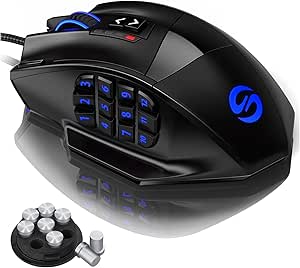 | Best Wired MMO Button Grid | Connectivity: USB wired | Programmable buttons: 19 | Side buttons: 12 | VIEW ON AMAZON | See Our Full Breakdown |
| Razer Basilisk V3 X HyperSpeed Customizable Wireless Gaming Mouse, Black |  | Best Premium Wireless Flexibility | Connectivity: Razer HyperSpeed wireless and Bluetooth | Programmable controls: 9 | Sensor: 18K optical | VIEW ON AMAZON | See Our Full Breakdown |
| UtechSmart Venus Pro Wireless MMO Gaming Mouse – 16000 DPI RGB |  | Best Wireless MMO Control | Connectivity: 2.4 GHz wireless | Programmable buttons: 16 | Maximum sensitivity: 16,000 DPI | VIEW ON AMAZON | See Our Full Breakdown |
| Logitech G305 Lightspeed Wireless Gaming Mouse – Black |  | Best Compact Wireless Pick | Connectivity: Lightspeed wireless | Sensor: HERO 12K optical sensor | DPI range: 200–12,000 | VIEW ON AMAZON | See Our Full Breakdown |
| Redragon M908 Wired MMO RGB Gaming Mouse, 12,400 DPI |  | Best for MMO Button Density | Connectivity: USB wired | Sensor: Pixart PAW3327 optical | DPI range: 200–12,400 | VIEW ON AMAZON | See Our Full Breakdown |
| Redragon M921 Wired RGB MMO Gaming Mouse 12400 DPI Remapping Keys |  | Best for Dedicated Fire-Key Control | Connectivity: USB wired | Sensor: PAW3327 optical | DPI range: 200–12,400 | VIEW ON AMAZON | See Our Full Breakdown |
| Razer Basilisk V3 Customizable RGB Wired Ergonomic Gaming Mouse, Black |  | Best Ergonomic All-Rounder | Connectivity: USB wired | Sensor: Optical | Maximum sensitivity: 26,000 DPI | VIEW ON AMAZON | See Our Full Breakdown |
| gaming mice with customizable button | Connectivity | Sensor | Programmable buttons | Polling rate |
|---|---|---|---|---|
| Razer Naga V3 Pro Wireless MMO | HyperSpeed Wireless, Bluetooth, USB-C wired | Razer Focus Pro 50K Optical Sensor Gen-3 | Up to 23 | — |
| Redragon M901K MMO Gaming Mous | Wired USB | — | 19 | 125–1,000 Hz |
| Redragon Wireless Gaming Mouse | Wireless | — | — | — |
| Acer Wired Gaming Mouse | USB-A wired | — | 8 | 1,000 Hz |
| Logitech G502 X Plus Wireless | LIGHTSPEED wireless | HERO 25K | — | — |
| Logitech G502 HERO Wired Gamin | USB wired | Optical HERO | 11 | — |
| Redragon M810 PRO Wireless RGB | 2.4 GHz wireless; USB-C listed | PixArt PAW3325 optical | 8 | Up to 1,000 Hz |
| UtechSmart Venus Pro Wired MMO | USB wired | Laser | 19 | Up to 1,000 Hz |
| Razer Basilisk V3 X HyperSpeed | Razer HyperSpeed wireless and Bluetooth | 18K optical | — | — |
| UtechSmart Venus Pro Wireless | 2.4 GHz wireless | PixArt PMW3335 | 16 | 1,000 Hz |
| Logitech G305 Lightspeed Wirel | Lightspeed wireless | HERO 12K optical sensor | 6 | — |
| Redragon M908 Wired MMO RGB Ga | USB wired | Pixart PAW3327 optical | 18 | 1,000 Hz |
| Redragon M921 Wired RGB MMO Ga | USB wired | PAW3327 optical | — | Up to 1,000 Hz |
| Razer Basilisk V3 Customizable | USB wired | Optical | — | — |
More Details on Our Top Picks
Razer Naga V3 Pro Wireless MMO Gaming Mouse
The Naga V3 Pro is my lead pick for buyers who want a programmable mouse that can change with their games. Its magnetic side plates swap between 12, 6, and 2 buttons, so MMO hotkeys can give way to a simpler layout for shooters or everyday work. That flexibility sets it apart from the Redragon M901K, which offers 12 side buttons but no alternate plates. Up to 23 programmable controls, three connection modes, and long stated battery life make the Naga the most adaptable option here. The tradeoff is that its full software customization is limited to Windows; macOS users get core functions rather than the complete setup. The optional wireless charging accessories also add a separate purchase for anyone seeking that feature.
Pros:- Three magnetic side plates provide 12-, 6-, and 2-button layouts
- Up to 23 programmable buttons support extensive game and productivity assignments
- HyperSpeed Wireless, Bluetooth, and USB-C wired connectivity
- Long stated battery life of up to 155 hours on HyperSpeed or 280 hours on Bluetooth
Cons:- Full software customization is limited to Windows
- HyperFlux V2 wireless charging accessories are sold separately
Best for: Windows gamers who play several genres and want programmable MMO controls alongside simpler side-button layouts for other games.
Not ideal for: macOS users who need full button and profile customization, or buyers who want wireless charging accessories included.
- Programmable buttons:Up to 23
- Side plates:Magnetic 12-, 6-, and 2-button layouts
- Connectivity:HyperSpeed Wireless, Bluetooth, USB-C wired
- Sensor:Razer Focus Pro 50K Optical Sensor Gen-3
- Maximum DPI:50,000
- Switches:Razer Optical Mouse Switches Gen-4
- Battery life:Up to 155 hours on HyperSpeed; up to 280 hours on Bluetooth
- Compatibility:Windows (full features); macOS (core functions)
Our verdict“Choose the Naga V3 Pro if you want one programmable mouse that can shift between dense MMO shortcuts and simpler layouts.”
The M901K makes programmable MMO controls its main appeal: 19 assignable buttons, including a 12-button side grid, give players many shortcuts without relying on a wireless connection. Five memory profiles are useful for keeping different control setups ready, while eight removable weights let right-handed users adjust the mouse’s balance. Compared with the Razer Naga V3 Pro, it offers fewer total controls and no swappable side plates, but its wired design and straightforward MMO layout may suit buyers who want a dedicated hotkey mouse rather than a multi-genre modular one. The tradeoffs are meaningful: the cable rules out wireless play, and the right-hand shape excludes left-handed users. Its weight-tuning system also means the final feel takes some setup.
Pros:- Nineteen programmable buttons, including 12 side buttons
- Five memory profiles support different games or control schemes
- Eight removable weights allow balance and weight adjustment
- DPI and polling rate can be adjusted
Cons:- Wired USB connection limits movement away from the computer
- Right-handed design does not suit left-handed users
- One fixed 12-button side layout is less adaptable than the Naga V3 Pro’s swappable plates
Best for: Right-handed MMO players who want many programmable buttons, saved profiles, and adjustable weight in a wired setup.
Not ideal for: Left-handed players or anyone who wants wireless freedom or a side-button layout that changes between genres.
- Connectivity:Wired USB
- Programmable buttons:19
- Side buttons:12
- DPI range:100–12,400
- Polling rate:125–1,000 Hz
- Weight tuning:Eight removable 2.4 g weights
- Memory profiles:5
- Hand orientation:Right-handed
Our verdict“Pick the M901K if you want a wired, profile-equipped MMO mouse with a dense button grid and adjustable weight.”
This Redragon gives MMO players a 12-button side grid and 16 macro-programmable controls without a cable tether. Its stated battery life of over 70 hours makes wireless play practical for longer sessions, and rechargeable power avoids disposable batteries. Compared with the wired Redragon M901K, it trades weight-adjustment hardware and five stated memory profiles for wireless convenience. The Razer Naga V3 Pro is more adaptable across genres thanks to its swappable plates and multiple connection modes; this Redragon is a simpler fit for buyers who mainly want wireless macro access. Full customization requires a software download, and the listed 0.29 kg weight may feel substantial to players who prefer a lighter mouse. Its ergonomic shape may also be a poor match for some hand sizes.
Pros:- Sixteen macro-programmable buttons, including 12 side buttons
- Wireless connectivity avoids a cable during play
- Rechargeable battery with stated life of over 70 hours
- 16,000 DPI sensitivity and RGB lighting
Cons:- Full button customization requires a software download
- Listed weight of 0.29 kg may feel heavy to some players
- Ergonomic fit may not suit every hand size
Best for: Wireless MMO players who want a 12-button thumb grid for macros and can install the mouse’s customization software.
Not ideal for: Players who prioritize a lightweight feel, need a hand-size-specific fit, or want the Naga V3 Pro’s changeable side layouts.
- Connectivity:Wireless
- Macro-programmable buttons:16
- Side buttons:12
- Maximum DPI:16,000
- Battery life:Over 70 hours
- Weight:0.29 kg
- Power:Rechargeable lithium-polymer battery
- Compatibility:Windows 10, 7, 8, Vista, and XP
Our verdict“Choose this Redragon for wireless MMO macros if its shape and weight suit you and you are comfortable using its software.”
Acer Wired Gaming Mouse, 12,800 DPI, RGB, Ergonomic Design
The Acer is the most restrained option here: eight programmable buttons give players room for essential abilities and shortcuts without the crowded thumb grid of the Redragon MMO models. Its contoured right-handed shell includes thumb support, and onboard memory can retain settings without making wireless software profiles the center of the experience. Compared with the Logitech G502 X Plus, it offers fewer controls and a wired connection, but its layout may be easier to approach for buyers who only need a handful of programmable actions. The compromises are its 138 g listed weight and right-handed shape, which limit its appeal to some players. Advanced customization also requires the driver, and the supplied compatibility details promise only basic mouse functions on macOS and Linux.
Pros:- Eight programmable buttons offer useful shortcuts without a 12-button side grid
- Contoured right-handed shape includes thumb support
- Onboard memory and a braided USB-A cable
- No battery or charging is needed
Cons:- 138 g weight may not suit players who prefer a lighter mouse
- Right-handed shape excludes left-handed users
- Driver is needed for advanced customization
Best for: Right-handed players with medium hands who want a modest set of programmable controls, onboard memory, and a wired connection.
Not ideal for: Left-handed users, players seeking a lightweight mouse, or buyers who need extensive programmable controls and full customization across operating systems.
- Connectivity:USB-A wired
- Programmable buttons:8
- Maximum sensitivity:12,800 DPI
- Polling rate:1,000 Hz
- Weight:138 g
- Grip fit:Medium hands
- Memory:Onboard memory
- Compatibility:Windows, macOS, Linux, and Chrome OS; basic mouse functions
Our verdict“Choose the Acer if you want a wired, right-handed mouse with a manageable set of programmable buttons and onboard memory.”
Logitech G502 X Plus Wireless RGB Gaming Mouse – Black
The G502 X Plus suits buyers who want programmable controls in a versatile wireless shape, rather than the dense MMO keypad of the Naga V3 Pro. Its 13 programmable controls and reversible, removable DPI-shift button let players tailor key functions while keeping a more general-purpose layout. LIGHTSPEED wireless and the HERO 25K sensor pair that control setup with responsive tracking, while LIGHTFORCE switches combine optical and mechanical elements. Compared with the Razer Naga V3 Pro, it has fewer controls and no interchangeable side plates, so it is less suited to players who want a dedicated MMO grid. The tradeoff is a feature set that may feel excessive for casual use, and PowerPlay charging requires a separate mat. Its appeal rests on adaptable controls, not maximum button count.
Pros:- Thirteen programmable controls suit a range of games and tasks
- Reversible and removable DPI-shift button adds layout flexibility
- LIGHTSPEED wireless connectivity
- HERO 25K sensor and hybrid optical-mechanical LIGHTFORCE switches
Cons:- Fewer programmable controls than the Naga V3 Pro’s maximum of 23
- PowerPlay wireless charging mat is sold separately
- Feature set may be more involved than casual users need
Best for: Players who want a premium wireless mouse with programmable controls for mixed gaming and everyday use, rather than a full MMO side grid.
Not ideal for: MMO players who need many thumb buttons, casual buyers seeking a simpler setup, or anyone expecting PowerPlay charging hardware in the box.
- Connectivity:LIGHTSPEED wireless
- Programmable controls:13
- Sensor:HERO 25K
- Maximum DPI:Up to 25,600
- Switch technology:Hybrid optical-mechanical LIGHTFORCE
- Lighting:LIGHTSYNC RGB with 8 LEDs
- Wireless charging compatibility:PowerPlay
- Feet:PTFE
Our verdict“Pick the G502 X Plus for premium wireless performance and flexible programmable controls, but choose an MMO mouse if you need a large thumb-button grid.”
Logitech G502 HERO Wired Gaming Mouse – HERO 25K Sensor for PC/Mac
The Logitech G502 HERO is my most balanced pick for buyers who want a programmable mouse that can handle varied games and everyday shortcuts. Its 11 customizable buttons and hyper-fast scroll wheel offer more ways to assign commands than the Basilisk V3 X HyperSpeed’s listed seven-button hardware, while the G502’s adjustable weights let users tune its feel. The 25,600 DPI HERO sensor adds a broad sensitivity range, though most players will not need its maximum setting. The tradeoff is a fixed cable: unlike the wireless Basilisk, it cannot move freely between setups. Full LIGHTSYNC customization also relies on Logitech software. I’d choose this for flexible keybinding and precise wired control, but not for a lightweight or cable-free setup.
Pros:- 11 programmable buttons support varied game commands and desktop shortcuts
- HERO sensor offers sensitivity up to 25,600 DPI
- Adjustable weight system allows personalized balance
- Hyper-fast scroll wheel adds a distinct navigation option
Cons:- Wired connection limits movement compared with the wireless Basilisk V3 X HyperSpeed
- Full LIGHTSYNC customization requires Logitech Gaming Software
- Right-handed shape and adjustable weights may not suit users seeking a simple, lightweight mouse
Best for: PC gamers who want a programmable mouse for several genres, extra shortcuts, and adjustable weight without needing wireless play
Not ideal for: Players who prioritize a light mouse, wireless freedom, or extensive MMO thumb-button grids
- Connectivity:USB wired
- Programmable buttons:11
- Maximum sensitivity:25,600 DPI
- Sensor:Optical HERO
- Hand orientation:Right
- Lighting:LIGHTSYNC RGB
- Power source:Corded electric
Our verdict“Choose the G502 HERO if you want a versatile wired mouse with ample programmable controls and adjustable weight.”
Redragon M810 PRO Wireless RGB Gaming Mouse 10000 DPI Remapping Keys
The Redragon M810 PRO makes sense for players who want wireless movement and a useful set of remappable controls without stepping up to an MMO-style button grid. Its eight programmable buttons, including a rapid-fire key and two side macro buttons, give it a more focused layout than the 16-button UtechSmart Venus Pro Wireless. That smaller control count can be easier to learn, though it offers fewer one-button commands for complex games. The 2.4 GHz connection frees the desk from a cable, and the listed battery life reaches up to 45 hours in eco mode. Its product details list both 10,000 and 12,000 DPI figures, so I would not treat the maximum sensitivity as a clear advantage. RGB and keybind customization use Redragon software.
Pros:- Eight programmable buttons include a rapid-fire key and two side macro buttons
- 2.4 GHz wireless connection avoids a fixed cable
- Onboard DPI levels can be customized through software
- Rechargeable battery is listed for up to 45 hours in eco mode
Cons:- Fewer programmable controls than the 16-button UtechSmart Venus Pro Wireless
- Full keybind and lighting customization depends on Redragon software
- Product information gives conflicting maximum DPI figures of 10,000 and 12,000
Best for: Players seeking a wireless, right-handed mouse with a manageable number of remappable controls for gaming and general PC use
Not ideal for: MMO players who want a dense thumb-button panel or buyers who need confirmed long battery life at full lighting
- Connectivity:2.4 GHz wireless; USB-C listed
- Programmable buttons:8
- DPI levels:Five onboard levels: 500, 1,000, 2,000, 3,000, and 10,000
- Sensor:PixArt PAW3325 optical
- Polling rate:Up to 1,000 Hz
- Battery life:Up to 45 hours in eco mode
- Hand orientation:Right
Our verdict“Pick the M810 PRO if you want wireless play and practical remapping without the learning curve of a large MMO button array.”
UtechSmart Venus Pro Wired MMO Gaming Mouse – 16400 DPI RGB
For MMO players who want many actions under one thumb, the wired UtechSmart Venus Pro is the most specialized pick in this group. It has 19 programmable buttons, including 12 side buttons, giving it a much denser command layout than the Logitech G502 HERO’s 11 controls. That makes skill rotations and macros easier to map, but the grid takes practice and can feel crowded for shooters or everyday use. The adjustable weight system can help tailor balance, yet the mouse’s heavier feel is a poor match for players who favor quick, low-effort flicks. Its 16,400 DPI sensor and RGB profiles round out the package, but they matter less here than the side-button access. Compared with the wireless Venus Pro, this model gives up cable-free use.
Pros:- 19 programmable buttons include 12 thumb-accessible side controls
- Adjustable weight system uses eight 2.4 g weights
- 16,400 DPI sensor supports a wide sensitivity range
- Customizable RGB profiles offer multiple visual settings
Cons:- Wired connection is less flexible than the wireless Venus Pro
- The many-button layout and heavier build may slow users accustomed to lightweight mice
- The side grid can be difficult to learn and excessive for games with few mapped commands
Best for: MMO and action-RPG players who want a large thumb-button grid for skills, macros, and frequent command switching
Not ideal for: FPS players who prefer lightweight mice, left-handed users, or anyone who wants wireless movement
- Connectivity:USB wired
- Programmable buttons:19
- Side buttons:12
- Maximum sensitivity:16,400 DPI
- Sensor:Laser
- Polling rate:Up to 1,000 Hz
- Weight adjustment:Eight 2.4 g weights
- Hand orientation:Right
Our verdict“Choose this Venus Pro if your MMO play benefits from a large thumb-button grid and you prefer wired control.”
Razer Basilisk V3 X HyperSpeed Customizable Wireless Gaming Mouse, Black
The Razer Basilisk V3 X HyperSpeed is my wireless pick for players who want programmable controls without giving up the option to use Bluetooth for less demanding setups. Its nine programmable controls and Hypershift support provide more command flexibility than the Redragon M810 PRO’s eight buttons, while the G502 HERO remains a stronger fit for buyers who want adjustable weight and a wired setup. The Basilisk’s ergonomic right-handed shape is suited to longer sessions, and its two wireless modes give buyers a choice between gaming-focused HyperSpeed and battery-conscious Bluetooth. Listed battery life reaches 285 hours on HyperSpeed or 535 hours on Bluetooth, but it runs on a replaceable AA battery. It is also not the choice for left-handed players or MMO users who want a dozen thumb buttons.
Pros:- Nine programmable controls with Hypershift support expanded command assignments
- HyperSpeed wireless and Bluetooth offer two connection modes
- Listed battery life reaches 285 hours on HyperSpeed or 535 hours on Bluetooth
- Gen-2 mechanical switches are rated for up to 60 million clicks
Cons:- Uses a replaceable AA battery rather than a built-in rechargeable battery
- Right-handed design excludes left-handed users
- Fewer programmable controls than the UtechSmart Venus Pro models
Best for: Right-handed PC or Mac players who want programmable controls, wireless mode options, and long intervals between battery changes
Not ideal for: Left-handed buyers, rechargeable-only users, or MMO players who need a large side-button grid
- Connectivity:Razer HyperSpeed wireless and Bluetooth
- Programmable controls:9
- Sensor:18K optical
- Battery:One included AA battery
- Battery life:Up to 285 hours on HyperSpeed; up to 535 hours on Bluetooth
- Switches:Gen-2 mechanical, rated up to 60 million clicks
- Hand orientation:Right
- Lighting:Razer Chroma RGB
Our verdict“Choose the Basilisk V3 X HyperSpeed if you want a right-handed wireless mouse with programmable controls and Bluetooth as a secondary connection.”
UtechSmart Venus Pro Wireless MMO Gaming Mouse – 16000 DPI RGB
The UtechSmart Venus Pro Wireless pairs a broad set of MMO controls with cable-free play, making it a better fit for skill-heavy games than the more general-purpose Razer Basilisk V3 X HyperSpeed. Its 16 programmable buttons and 2.4 GHz connection give MMO players room to map abilities without routing a cable across the desk. The listed battery life of up to 70 hours also exceeds the Redragon M810 PRO’s stated 45 hours in eco mode, though the usage conditions are not presented as directly comparable. A 16,000 DPI PixArt sensor and 1,000 Hz polling rate support responsive tracking, but the large feature set can be more work to configure than the G502 HERO’s simpler 11-button layout. Buyers should also expect to use software for full customization and accept a potentially heavier mouse.
Pros:- 16 programmable buttons suit games with many abilities and macros
- 2.4 GHz wireless connection supports cable-free play
- Battery life is listed at up to 70 hours
- PixArt PMW3335 sensor and 1,000 Hz polling rate support responsive tracking
Cons:- The many programmable controls can take time to configure and learn
- Full customization requires software
- Potentially heavier build may not suit players who favor lightweight mice
Best for: Wireless MMO players who want many assignable controls, a 2.4 GHz connection, and long listed battery life
Not ideal for: Casual players who want a simple plug-and-play mouse, lightweight FPS users, or buyers who avoid configuration software
- Connectivity:2.4 GHz wireless
- Programmable buttons:16
- Maximum sensitivity:16,000 DPI
- Sensor:PixArt PMW3335
- Polling rate:1,000 Hz
- Battery capacity:1,000 mAh
- Battery life:Up to 70 hours
- Connection range:10 meters
Our verdict“Pick the wireless Venus Pro if you want extensive MMO keybinding without a cable and are willing to configure a complex control layout.”
Logitech G305 Lightspeed Wireless Gaming Mouse – Black
The G305 is the standout here for buyers who want programmable buttons without a bulky MMO layout. Its six customizable controls provide useful room for game commands and shortcuts, while the Lightspeed 1 ms wireless connection and HERO sensor make it better suited to responsive play than a basic wireless mouse. Compared with the Redragon M908 and M921, it gives up a dozen extra buttons, but its 99 g body and receiver storage make it easier to carry and maneuver. The tradeoff is the AA-powered design: the long stated battery life limits interruptions, but the battery still needs replacement or recharging. Choose this if a few well-placed programmable inputs matter more than a full MMO command grid.
Pros:- Six programmable buttons cover common game commands without an MMO-style side grid.
- Lightspeed wireless is specified with a 1 ms response.
- HERO optical sensor offers adjustable sensitivity from 200 to 12,000 DPI.
- Lightweight design and built-in receiver storage suit portable setups.
Cons:- Six buttons offer far fewer direct commands than the Redragon M908 or M921.
- Runs on one AA battery rather than a built-in rechargeable battery.
Best for: Players who want a portable wireless mouse with a handful of programmable controls for action games, everyday gaming, and travel.
Not ideal for: MMO players who want many directly accessible keybinds, or buyers who prefer a rechargeable mouse and do not want to manage AA batteries.
- Connectivity:Lightspeed wireless
- Sensor:HERO 12K optical sensor
- DPI range:200–12,000
- Programmable buttons:6
- Wireless response:1 ms
- Battery:1 AA battery; up to 250 hours
- Weight:3.4 oz (99 g)
Our verdict“Choose the G305 if you want a compact, responsive wireless mouse with practical programmable buttons rather than an extensive MMO keypad.”
Redragon M908 Wired MMO RGB Gaming Mouse, 12,400 DPI
For players who want commands close at hand, the M908 delivers 18 programmable buttons, including 12 side buttons, making it a stronger fit for MMO rotations and macros than the six-button Logitech G305. Five onboard memory profiles help keep different setups organized, while adjustable weights let you tune the feel rather than accept a fixed mass. Its wired connection avoids battery management, but the 175 g listed weight and cable make it less nimble and portable than the G305. The extra controls also bring a learning curve: buyers who mainly need a few shortcuts may find the thumb grid excessive. Programming is supported on Windows; Mac is limited to normal use, so this is a poor choice if cross-platform customization is a priority.
Pros:- 18 programmable buttons, including 12 side buttons, support dense MMO keybinds.
- Five memory profiles help separate game or work configurations.
- DPI adjusts from 200 to 12,400 in 100-DPI increments.
- Eight removable weights allow adjustment of the mouse’s feel.
Cons:- At 175 g, it is substantially heavier than the Logitech G305.
- Wired connection limits portability and leaves a cable on the desk.
- Programming features are for Windows; Mac supports normal use only.
Best for: Windows MMO and strategy players who want a large bank of programmable side commands, multiple saved profiles, and adjustable mouse weight.
Not ideal for: Mac users who need programmable controls, or players seeking a light, wireless mouse with a simple button layout.
- Connectivity:USB wired
- Sensor:Pixart PAW3327 optical
- DPI range:200–12,400
- Programmable buttons:18
- Memory profiles:5
- Polling rate:1,000 Hz
- Weight:175 g; eight 2.4 g tuning weights
- Cable:6 ft braided USB cable
- Programming compatibility:Windows for programming; Mac for normal use
Our verdict“Pick the M908 if your priority is a Windows-ready MMO command grid and adjustable weight, not a lightweight or wireless design.”
Redragon M921 Wired RGB MMO Gaming Mouse 12400 DPI Remapping Keys
The M921 targets players who want MMO-style customization but also value a dedicated fire button alongside its 12 side buttons. Like the Redragon M908, it offers 18 editable buttons, five profiles, and eight removable weights, so its role is less about adding more controls than choosing a layout with a distinct quick-fire input. Its PAW3327 sensor and 1,000 Hz polling rate put it in similar wired territory to the M908; the supplied details do not establish a clear performance advantage over that sibling. The tradeoffs are a cable, a right-handed shape, and reliance on Redragon software for remapping. The M921 is most compelling when that extra fire control fits your games; otherwise, the M908 provides a very similar feature set.
Pros:- 18 programmable buttons include 12 side buttons and a dedicated fire button.
- Five profiles can store different control setups and use distinct light colors.
- DPI can be customized from 200 to 12,400, with five preset levels.
- Eight removable 2.4 g weights let users adjust the mouse’s feel.
Cons:- The wired design is less portable than the Logitech G305.
- Its 18-button layout overlaps heavily with the M908, so the fire button is the main listed distinction.
- Right-handed design and dedicated software limit its fit for some users and setups.
Best for: Right-handed PC players who want a programmable MMO side grid plus a separate fire button for games that benefit from rapid repeated input.
Not ideal for: Left-handed players, Mac users seeking full remapping support, or buyers who do not need MMO-style buttons and a dedicated fire control.
- Connectivity:USB wired
- Sensor:PAW3327 optical
- DPI range:200–12,400
- Buttons:18 programmable, including 12 side buttons and a dedicated fire button
- Polling rate:Up to 1,000 Hz
- Memory profiles:5
- Weight tuning:Eight 2.4 g weights
- Lighting:RGB; can be disabled
Our verdict“Choose the M921 over the similar M908 when its dedicated fire button suits your games; otherwise, their wired MMO feature sets are closely matched.”
Razer Basilisk V3 Customizable RGB Wired Ergonomic Gaming Mouse, Black
The Basilisk V3 is the most balanced choice here for players who want programmable controls in a familiar, ergonomic shape, rather than the dense thumb grids on the Redragon M908 and M921. Its 11 buttons provide more remapping room than the Logitech G305, while the thumb rest and dual-mode tilt scroll wheel add comfort and fast or precise scrolling for mixed game genres and everyday use. The 26,000 DPI sensor is the highest listed among these four, though sensitivity alone does not make it a better fit for every player. Unlike the G305, it is wired, and full feature access depends on Razer Synapse on Windows. Its right-handed shape also rules it out for left-handed buyers.
Pros:- Eleven programmable buttons offer more remapping options than the Logitech G305.
- Ergonomic shape and thumb rest suit players who prefer supported right-handed grips.
- Dual-mode tilt scroll wheel supports precise and rapid scrolling.
- Optical sensor has a maximum sensitivity of 26,000 DPI.
Cons:- Wired connection is less portable than the wireless Logitech G305.
- Full feature access requires Razer Synapse on Windows.
- Right-handed design does not suit left-handed users.
Best for: Right-handed PC gamers who want several programmable inputs, a thumb rest, and a scroll wheel that can switch between precise and rapid movement.
Not ideal for: Left-handed players, wireless-first buyers, or users who need full button customization outside Windows and Razer Synapse.
- Connectivity:USB wired
- Sensor:Optical
- Maximum sensitivity:26,000 DPI
- Buttons:11 programmable
- Hand orientation:Right
- Scroll wheel:Dual-mode tilt wheel
- Lighting:Razer Chroma RGB
- Operating system compatibility:Windows 10 and Windows 11
Our verdict“Choose the Basilisk V3 if you want a comfortable, wired all-rounder with 11 remappable buttons and a versatile scroll wheel.”

How We Picked
I compared these 14 mice by how well their customizable controls serve distinct play styles: MMO keypads for frequent ability assignments, versatile button layouts for mixed genres, and simpler designs for players who want only a few remappable inputs. I also weighed wired versus wireless use, the stated button counts and layout, ergonomic intent, and whether the available product details supported the claim that a mouse is suited to programmable controls. DPI figures alone did not move a model up the ranking; sensor sensitivity cannot replace accessible buttons or a layout that fits the player’s hand.
The order reflects how directly each mouse answers the roundup’s central need, then how broadly useful its controls appear to be. The Naga V3 Pro leads for buyers prioritizing MMO-style customization, while the G502 X Plus and G502 HERO rank as more adaptable alternatives. Dedicated MMO options from Redragon and UtechSmart follow for buyers who value a large side-button array, with wired and wireless models separated by connection preference. Simpler Acer and G305 designs rank lower for this specific search because the supplied details do not establish an equally extensive programmable-button focus.
Factors to Consider When Choosing Gaming Mice With Customizable Buttons
Button count is only one part of choosing a programmable mouse. I’d match the layout and connection to the games you play, the size of your hand, and how often you expect to change assignments. These broader checks can help avoid paying for controls you will not use—or choosing a keypad that feels crowded during ordinary play.
Match Button Density to Your Games
A large side grid can make sense when a game asks for many abilities, items, or macros at once. For shooters and games with fewer frequent commands, a smaller set of well-placed buttons may be easier to reach without shifting your grip. A common mistake is treating the highest button count as the best fit; controls you cannot hit reliably add clutter rather than useful shortcuts. Think about the commands you actually repeat and whether you want them under your thumb or on top of the mouse. If your games vary, a versatile layout may age better than a dedicated MMO keypad.
Check Software and Profile Needs
Programmable hardware is only useful if its software lets you assign the actions you need and save profiles in a way that suits your setup. Before buying, check compatibility with your operating system and whether you need per-game profiles, macros, or simple key remapping. Some players use multiple computers or play where companion software is unavailable, making onboard profile storage a practical factor to verify. Do not assume every button supports every type of assignment just because it is labeled programmable. If your setup is shared, consider how easily another player can restore or change your preferred mappings.
Choose Wired or Wireless Around Your Setup
Wired models avoid charging routines and can be a straightforward choice for a fixed desktop setup. Wireless models reduce cable drag and make it easier to move a mouse between setups, but battery life and charging habits become part of daily use. A rechargeable model and one that uses a replaceable battery can create different maintenance routines, so check the specific power design before deciding. Do not pay for wireless convenience if the mouse will remain plugged in and the cable does not bother you. Conversely, a cable that catches during play can matter more than a small difference in button count.
Prioritize Grip and Reach Over Raw Button Count
Side buttons need to sit where your thumb can reach them without forcing your hand into an awkward position. A mouse that is comfortable for a palm grip may feel bulky to a fingertip user, and a dense keypad can be harder to distinguish by touch. Look for product dimensions and ergonomic details, then compare them with a mouse shape you already know fits. If possible, buy from a retailer with a clear return policy, since a feature list cannot confirm personal fit. Comfort matters especially when many commands rely on repeated thumb movement.
Treat DPI as a Separate Choice
DPI describes pointer sensitivity, not how many programmable commands a mouse can handle. A high maximum figure does not make a mouse’s buttons easier to reach or its software more capable. Choose sensitivity settings based on your screen, desk space, and preferred control, then focus the rest of your comparison on layout and usability. Many buyers make the mistake of ranking mice by the largest DPI number even when their main goal is macro access. For this roundup, button design and fit are more relevant than headline sensitivity specifications.
Pay More Only for Features You Will Use
A premium model can be worthwhile if its added flexibility, wireless operation, or specialized control layout solves a real problem in your setup. A simpler wired mouse may be the smarter choice if you need a reliable set of remappable buttons and do not care about wireless operation or extra customization features. Compare the added functions against the way you play rather than assuming a more elaborate model will improve every game. Buyers new to macros should start with a layout they can learn comfortably before committing to a dense keypad. The right value is the mouse whose controls remain useful after the novelty of extra buttons wears off.
Frequently Asked Questions
How many programmable buttons do I need for MMO games?
Start with the number of actions you want to reach without moving your left hand from its usual controls. A large side keypad can suit players who bind many abilities and items to the mouse, while a smaller group of buttons may be enough if you use keyboard shortcuts for most commands. More buttons also take practice, and a crowded layout can make adjacent inputs harder to distinguish. Think through one game’s actual keybinds before choosing by the advertised total. If you play several genres, a versatile layout may be easier to use across all of them.
Are MMO mice with many side buttons useful for games outside MMOs?
They can be useful when other games or desktop tasks benefit from extra commands, such as shortcuts, inventory actions, or repeated macros. Their value depends on whether you can reach the buttons reliably without changing your grip. In fast-paced games, a dense array may feel less intuitive than a few clearly placed controls. Players who switch between genres often may prefer a more general layout, such as the G502-style approach in this roundup. Choose a keypad-heavy mouse when you have specific assignments for its extra inputs, not just because the buttons are available.
Should I choose a wired or wireless programmable gaming mouse?
Choose wired if you prefer not to manage charging and your mouse stays at one desk. Wireless is a better match when cable freedom or moving between setups matters, but check the particular model’s power method and stated battery details. Button programming itself does not require a wireless connection, so do not treat wireless as a prerequisite for macros. A wired MMO mouse can offer the dense layout you want without adding battery upkeep. Let your setup and maintenance preferences decide this part of the purchase.
Can I use programmable mouse buttons for macros and ordinary keyboard shortcuts?
Many programmable gaming mice are intended for remapping controls, but the exact actions and macro options depend on the model and its software. Check the product’s supported assignments and software compatibility before buying, especially if you need multi-step macros or separate profiles for different games. Some games restrict macros or particular automated actions, so review the game’s rules rather than assuming every assignment is permitted. For basic shortcuts, a remapped button may be all you need. If complex macros are your priority, confirm those functions specifically rather than relying on the word “programmable.”
Is a high-DPI mouse better for macros and customizable buttons?
No. DPI affects pointer sensitivity, while programmable-button usefulness depends on the control layout, software, and how comfortably you can reach each input. A high maximum DPI can be useful to some players, but it does not add macros or make a side keypad easier to operate. Compare button placement and assignment options first if customization is your main reason for shopping. You can then choose a sensitivity range that suits your play and desk space. In this roundup, the mice with specialized button layouts are the more direct match for the search than models whose standout detail is sensitivity alone.
Conclusion
Best overall: I’d choose the Razer Naga V3 Pro if MMO-style programmable controls and wireless flexibility are the main priorities. Best value: the Redragon M901K is a practical wired pick for buyers who want a dedicated MMO button array without needing a wireless setup. Best premium: the Logitech G502 X Plus suits players who want a more versatile wireless mouse rather than a full side keypad. Best for beginners: the Logitech G502 HERO offers a more approachable general-purpose layout for learning remaps before moving to a denser MMO design. For a specific need, choose a Redragon or UtechSmart MMO model when you want many side controls, the Basilisk models for a more general customizable layout, or the G305 only if compact wireless use matters more than extensive programmable buttons.
Fall Picks

DJI Osmo Action 4 Essential Combo Waterproof Action Camera
As an affiliate, we earn on qualifying purchases.