
For a pocket translator for travel, my best overall pick is the Pocketalk S2, which pairs two-way voice translation with camera translation for common trip tasks. The Wooask W12 stands out for travelers seeking a device described as working without Wi-Fi, while the Enence PRO offers a simpler voice-focused alternative. The main tradeoffs are dependable offline coverage, ease of use, and whether you need camera or text translation alongside speech. A long language list alone does not tell you which languages work offline or how well a device handles local accents and noisy streets. Read on for a comparison of all 15 options and guidance on choosing the right fit for your trip.

Get travel and outdoor gear delivered free with Prime
- Fast, free delivery on millions of items
- Prime Video, Amazon Music and more included
- Member-only deals all year
Complete the kit


Key Takeaways
- The Pocketalk S2 is my best overall pick because its combination of two-way voice and camera translation suits both conversations and signs, menus, and printed text.
- Offline claims need close scrutiny: several listings advertise offline use, but travelers should verify which languages and functions remain available without a connection.
- Large touchscreens are a usability tradeoff: models with 4.1- or 5.5-inch displays may make text and camera translation easier to read, but they are less pocket-friendly than compact designs.
- Feature breadth varies more than language counts suggest: camera translation, recording, text input, and ChatGPT integration serve different needs and should be matched to the trip.
- Some devices target a narrower job: the wearable model and Spanish-English options may suit hands-free or focused language use better than a general-purpose travel companion.
| AI Language Translator Device, Supports 150 Languages, Offline & Photo Translation, ChatGPT Integration |  | Best for Flexible Offline and Photo Translation | Languages supported: 150 | Offline languages: 21 | Photo translation languages: 74 | VIEW ON AMAZON | See Our Full Breakdown |
| Wooask W12 Language Translator Device, 2026 Upgraded AI Translator No WiFi Needed Support ChatGPT, 140+ Languages |  | Best for Long Days Away from a Charger | Languages supported: 140+ | Offline translation: 16 language pairs | Photo translation: 75 languages | VIEW ON AMAZON | See Our Full Breakdown |
| AI Language Translator Device with 150+ Languages, Instant Translator with Magnetic Attachment, Spanish & English |  | Best for Hands-Free Use | Languages supported: 150+ | Modes: Conversation, photo, voice notes, simultaneous interpretation, voice-video call, offline | Connectivity: Bluetooth | VIEW ON AMAZON | See Our Full Breakdown |
| Voice and Text Language Translator Device with Touchscreen and Translation Camera |  | Best for Straightforward Text and Voice Translation | Online languages: 160 | Offline languages: 15 | Display: 3-inch touchscreen | VIEW ON AMAZON | See Our Full Breakdown |
| Pocketalk S2 Two-Way Voice Translator with Camera Translation |  | Best for Connected International Trips | Languages: 92+ languages and dialects | Connectivity: LTE cellular data | Included data plan: 5 years; usable in over 170 countries | VIEW ON AMAZON | See Our Full Breakdown |
| Language Translator Device with 150 Languages, 5.5″ Touch Screen, Offline & Online Translation, Photo Translation, Real-Time Voice |  | Best for Easy On-Screen Use | Screen: 5.5-inch touchscreen | Online languages: 150 | Offline languages: 21 | VIEW ON AMAZON | See Our Full Breakdown |
| AI Language Translator Device with 4.1-Inch Touchscreen |  | Best for Battery and Audio Notes | Screen: 4.1-inch IPS HD touchscreen | Online voice translation: Over 150 languages | Offline translation: Over 20 languages | VIEW ON AMAZON | See Our Full Breakdown |
| T21 Two-Way Language Translator with Wi-Fi, Offline, Voice, and Photo Translation |  | Best for Button-Controlled Operation | Model: T21 | Display: 2.1-inch touchscreen | Online languages: 138 | VIEW ON AMAZON | See Our Full Breakdown |
| AI Language Translator Device Supports 150 Languages Offline/Online with Photo Translation |  | Best Lightweight Pick | Voice languages: 150 | Photo languages: 75 | Offline translation: Supported; language count not specified | VIEW ON AMAZON | See Our Full Breakdown |
| Language Translator Device No Wifi Needed, High-end Upgraded AI Translator, Offline Real-Time Voice Spanish Translation, Support 150 Languages, Recording & Photo Premium Translation Device for Business |  | Best for Offline-First Travel | Online languages: 150 | Offline languages: 75 stated; another product-data field lists 17 | Screen: 5 inches | VIEW ON AMAZON | See Our Full Breakdown |
| Vormor A20 AI Language Translator Device |  | Best Overall for Standalone Travel Use | Online translation: Up to 150 languages and accents | Offline translation: 17 languages listed | Image translation: Up to 74 languages | VIEW ON AMAZON | See Our Full Breakdown |
| Wearable AI Language Translator Device, Gray |  | Best Wearable for Hands-Free Conversations | Supported languages: 165 | Translation mode: Real-time voice translation; internet required | App: ConTutor | VIEW ON AMAZON | See Our Full Breakdown |
| Enence PRO Real-Time Voice Translator |  | Best for Offline Language-Pair Backup | Supported languages: 60+ languages and accents | Offline translation: 19+ language pairs | Connectivity: Bluetooth; smartphone and app required | VIEW ON AMAZON | See Our Full Breakdown |
| VORMOR Upgraded AI Language Translator Device – Offline & Online Two-Way Voice Translation with 150+ Languages, Photo & Text Translation, Recording, Portable |  | Best for Broader Offline Coverage | Online voice translation: 150+ languages | Offline translation: 20 languages | Offline photo translation: 40 languages | VIEW ON AMAZON | See Our Full Breakdown |
| Portable Language Translator Device with AI Real-Time Translation for Spanish and English |  | Best for Spanish-English Practice | Language support: Spanish and English | Translation: Real-time | Speech features: Speech recognition and pronunciation correction | VIEW ON AMAZON | See Our Full Breakdown |
| pocket translator for travel | Weight |
|---|---|
| AI Language Translator Device | 100 grams |
| Wooask W12 Language Translator | 10.5 ounces |
| AI Language Translator Device | — |
| Voice and Text Language Transl | 5.9 ounces |
| Pocketalk S2 Two-Way Voice Tra | 7.7 ounces |
| Language Translator Device wit | — |
| AI Language Translator Device | 7 ounces |
| T21 Two-Way Language Translato | 6.3 ounces |
| AI Language Translator Device | 100 grams |
| Language Translator Device No | 100 grams |
| Vormor A20 AI Language Transla | — |
| Wearable AI Language Translato | 1.44 oz |
| Enence PRO Real-Time Voice Tra | 2.89 ounces |
| VORMOR Upgraded AI Language Tr | 7 ounces |
| Portable Language Translator D | — |
More Details on Our Top Picks
AI Language Translator Device, Supports 150 Languages, Offline & Photo Translation, ChatGPT Integration
For travelers who want several ways to get through a language barrier, this model brings voice, offline, and photo translation together in a 100-gram device. Its 5-inch screen gives menus and signs more room than the smaller display on the Voice and Text Language Translator Device with Touchscreen and Translation Camera, while OCR support can help with printed text rather than spoken exchanges alone. ChatGPT integration adds another tool for open-ended questions, though it does not replace basic translation. The main tradeoff is that its 150 supported languages do not all work offline: the device lists 21 offline languages, so travelers should check their destinations before relying on it without data. Setup also takes some attention, and its 6–8-hour battery estimate is shorter than the Wooask W12’s stated 10 hours.
Pros:- Supports 150 languages online, with 21 available offline
- Photo translation and OCR cover printed signs and menus
- 5-inch touchscreen offers more viewing space than several compact alternatives
- Weighs 100 grams and includes ChatGPT integration
Cons:- Offline coverage is much narrower than its total language count
- Battery life is listed at 6–8 hours, below the Wooask W12’s stated working time
- Initial setup may take effort, especially for travelers who only need occasional translation
Best for: Travelers who want a large, readable screen, photo translation, and offline coverage for a selection of languages in a lightweight device.
Not ideal for: Casual travelers who need translation only occasionally, or people whose destination language is not among the 21 offline options.
- Languages supported:150
- Offline languages:21
- Photo translation languages:74
- Screen:5 inches
- Battery capacity:2000mAh
- Battery life:6–8 hours
- Weight:100 grams
- Response time:0.5 seconds
Our verdict“Choose this model if you value a lightweight, large-screen translator with photo tools and useful offline coverage, but verify your destination language before going without internet.”
Wooask W12 Language Translator Device, 2026 Upgraded AI Translator No WiFi Needed Support ChatGPT, 140+ Languages
The Wooask W12 is the battery-focused pick in this group: its listed 10 hours of working time suits long sightseeing days better than the 6–8-hour estimate for the 150-language AI translator. It also offers photo translation in 75 languages, a feature that can help with menus and signs when speech is not enough. The tradeoff is a smaller 3.7-inch screen and just 16 offline language pairs, so its broad 140-plus language support should not be confused with broad offline coverage. The listing also says it needs no Wi-Fi while specifying offline pairs; buyers should check which functions require a connection before travel. Its listed weight of 10.5 ounces is notably heavier than the 100-gram AI translator, making it less appealing for travelers who prioritize a light pocket carry.
Pros:- Lists 10 hours of working time and 10 days of standby
- Photo translation covers 75 languages
- Supports more than 140 languages overall
- Touchscreen interface and ChatGPT support add translation and travel-assistance options
Cons:- Offline translation is limited to 16 language pairs
- Listed weight of 10.5 ounces is heavier than the 100-gram AI translator
- The no-Wi-Fi claim may leave buyers uncertain about which features work without a connection
Best for: Travelers who expect long days of active translation and want photo translation, provided their required offline language pair is supported.
Not ideal for: Ultralight packers and travelers who need offline translation across many languages rather than a limited set of 16 pairs.
- Languages supported:140+
- Offline translation:16 language pairs
- Photo translation:75 languages
- Screen:3.7 inches
- Battery capacity:1500mAh
- Working time:10 hours
- Standby time:10 days
- Weight:10.5 ounces
Our verdict“Pick the W12 for its stated long working time and photo tools, not if low weight or extensive offline language coverage is your priority.”
AI Language Translator Device with 150+ Languages, Instant Translator with Magnetic Attachment, Spanish & English
The standout here is its magnetic attachment and foldable stand, which offer more placement flexibility than the handheld format of the Pocketalk S2. That can suit travelers who want the screen propped up during a conversation or attached nearby while using supported app features. The listed modes go beyond voice, including photo translation, voice notes, simultaneous interpretation, and voice-video calls; offline mode is also available through downloadable language packs. Its 150-plus language support sounds broad, but the product data does not state how many languages work offline, so buyers should confirm pack availability before depending on it abroad. Bluetooth and the Celer Talk app are part of the setup, while battery life is unspecified. Compared with the simpler touchscreen translator from B0DL3NSC2M, this model offers more listed modes but leaves more practical details unclear.
Pros:- Magnetic attachment and foldable stand support flexible, hands-free positioning
- Lists conversation, photo, voice-note, simultaneous interpretation, and voice-video call modes
- Supports more than 150 languages
- Offline mode with downloadable language packs is listed
Cons:- Battery life and capacity are not specified
- Full functionality requires downloading the Celer Talk app
- The number of supported offline languages is not stated
Best for: Travelers who want flexible, hands-free positioning and plan to use multiple app-connected communication modes.
Not ideal for: Buyers who need clearly stated battery endurance or confirmed offline language coverage before leaving home.
- Languages supported:150+
- Modes:Conversation, photo, voice notes, simultaneous interpretation, voice-video call, offline
- Connectivity:Bluetooth
- App:Celer Talk
- Offline mode:Yes; downloadable language packs
- Attachment:Magnetic
- Stand:Foldable
Our verdict“Choose this model if flexible placement and varied app-based modes matter more than having clearly documented battery and offline-language limits.”
Voice and Text Language Translator Device with Touchscreen and Translation Camera
This translator keeps its travel toolkit focused: voice and text translation, a touchscreen, and a camera for reading nearby printed text. Its 160 online languages exceed the listed totals for both the Wooask W12 and the 150-language AI translator, but offline use drops to 15 languages. That makes it better suited to connected travel than to remote routes where an internet connection may be unreliable. The 3-inch screen and 5.9-ounce body are compact, though the Pocketalk S2 is thinner and lighter at 0.45 inches and 7.7 ounces, and it adds an included LTE data plan. The camera is designed for text within 30 cm, not general travel photography. For buyers who want a relatively simple dedicated device, that narrow camera purpose may be a sensible tradeoff rather than a missing extra.
Pros:- Supports 160 languages online
- Offers voice and text translation in one dedicated device
- Rechargeable battery is included
- Compact 3-inch touchscreen design
Cons:- Offline support covers only 15 languages
- Camera is intended for text within 30 cm, not general travel photography
- Unlike the Pocketalk S2, the listed product data does not include a cellular data plan
Best for: Travelers who mainly need voice conversation and close-up translation of menus, labels, or signs while online.
Not ideal for: People traveling where reliable internet is uncertain, or buyers who want a camera with broader uses than nearby text capture.
- Online languages:160
- Offline languages:15
- Display:3-inch touchscreen
- Camera:Fixed-focus lens for text within 30 cm
- Battery:Rechargeable lithium-ion, included
- Dimensions:4.53 x 2.24 x 0.56 inches
- Weight:5.9 ounces
Our verdict“This is a straightforward choice for connected trips where voice translation and close-up text reading matter more than extensive offline use.”
Pocketalk S2 Two-Way Voice Translator with Camera Translation
The Pocketalk S2 is the clearest fit for travelers who want a built-in connection plan rather than a device intended to work offline. Its five-year LTE data plan covers use in more than 170 countries, and noise-cancelling microphones support two-way conversations in busy travel settings. The camera can translate photographed text on the touchscreen, while PIN locking and timed history deletion offer privacy controls that are not listed for the other devices here. The limitation is firm: an internet connection is required, so this is a poor choice for areas without service or travelers who want offline backup. Compared with the B0DL3NSC2M translator, Pocketalk includes cellular data and more explicit privacy tools, but it supports 92-plus languages and is heavier than that model. Accessories are sold separately.
Pros:- Includes a five-year LTE data plan usable in more than 170 countries
- Two-way voice and camera/image translation support common travel exchanges
- Noise-cancelling microphones are suited to conversations in busy places
- PIN lock and timed automatic history deletion provide privacy controls
Cons:- Requires internet access and does not translate offline
- Accessories are sold separately
- Supports 92-plus languages and dialects, fewer than the 140-plus or 150-plus totals listed for some alternatives
Best for: Frequent international travelers who expect cellular coverage and want a bundled data plan, camera translation, and conversation-focused microphones.
Not ideal for: Travelers heading to remote areas or anyone who needs translation to continue without an internet connection.
- Languages:92+ languages and dialects
- Connectivity:LTE cellular data
- Included data plan:5 years; usable in over 170 countries
- Internet requirement:Required; no offline translation
- Translation features:Two-way voice and camera/image translation
- Security features:PIN lock and timed automatic history deletion
- Weight:7.7 ounces
- Dimensions:3.6 x 2.1 x 0.45 inches
Our verdict“Choose the Pocketalk S2 for connected international travel and privacy features, but skip it if offline translation is a requirement.”
Language Translator Device with 150 Languages, 5.5″ Touch Screen, Offline & Online Translation, Photo Translation, Real-Time Voice
The 5.5-inch touchscreen gives this translator the clearest, roomiest interface in this group, a practical advantage when reading translated phrases or aiming the camera at a menu. It supports 150 online languages and 21 offline languages, with voice and photo translation plus travel utilities such as a world clock and currency exchange. Compared with the smaller-screen T21, it should be easier to operate and read, while the T21’s physical buttons may suit travelers who prefer tactile controls. The tradeoff is that this model’s broad language coverage depends partly on connectivity, and its offline list is narrower. Battery life is not specified, so I would not choose it for a long day away from charging without a backup plan.
Pros:- Large 5.5-inch touchscreen offers more room for reading translations and using photo translation.
- Online support covers 150 languages for a wide range of destinations.
- Offline voice translation supports 21 listed languages for use without a connection.
- Photo translation, world clock, currency exchange, and voice memos add practical travel functions.
Cons:- Online-dependent features may be limited where Wi-Fi or mobile data is unavailable.
- Offline language coverage is much narrower than the online selection.
- Battery life is not specified, making it harder to plan for extended days out.
Best for: Travelers who value a large, readable screen for menus, signs, and spoken exchanges, and expect to have internet access much of the time.
Not ideal for: Travelers who need dependable all-day battery planning or expect to communicate mainly in languages outside the 21-language offline list.
- Screen:5.5-inch touchscreen
- Online languages:150
- Offline languages:21
- Camera:5MP
- Translation modes:Real-time voice and photo translation
- Connectivity:Online and offline modes
- Additional features:World clock, currency exchange, language-learning tools, and voice memos
Our verdict“Choose this model if a generous screen and broad connected-language support matter more than known battery endurance or extensive offline coverage.”
AI Language Translator Device with 4.1-Inch Touchscreen
The 4.1-inch touchscreen keeps this model smaller than the 5.5-inch translator in the lineup, while its listed up-to-8-hour continuous-use time gives travelers a clearer battery expectation than products with no runtime stated. It handles online voice translation in over 150 languages and offline translation in over 20; its 8MP camera also translates images and text, including offline photo translation in 41 languages. That gives it a useful balance for trips where menus and signs matter as much as conversation. The 60-minute audio memo function is a specific extra for capturing spoken information. In exchange for the compact format, the display is less spacious, and eight hours is a stated maximum rather than a guarantee of a full day under every use pattern.
Pros:- Up to eight hours of continuous use and up to ten days of standby are specified.
- Online voice translation covers over 150 languages, with offline support for over 20.
- 8MP camera supports photo translation, including 41 languages offline.
- Records up to 60 minutes of audio memos and weighs 7 ounces.
Cons:- The 4.1-inch display is smaller than the screen on the 5.5-inch model in this roundup.
- Up to eight hours of continuous use may not cover an especially long day of heavy translation.
- Offline language coverage remains far below its online selection.
Best for: Independent travelers who want a manageable handheld device, a stated battery runtime, and the ability to save short spoken notes.
Not ideal for: Travelers who want a large screen for lengthy text or need more than the stated maximum of eight hours of continuous use between charges.
- Screen:4.1-inch IPS HD touchscreen
- Online voice translation:Over 150 languages
- Offline translation:Over 20 languages
- Photo translation:75 languages online and 41 offline
- Camera:8MP
- Battery:1500mAh; up to 8 hours continuous use and 10 days standby
- Audio recording:Up to 60 minutes
- Weight:7 ounces
Our verdict“Pick this one if you want a compact translator with a stated runtime and audio-note feature, and can live with a smaller screen.”
T21 Two-Way Language Translator with Wi-Fi, Offline, Voice, and Photo Translation
The T21 takes a more tactile approach than the touchscreen-focused translators here: its 2.1-inch display and physical buttons make the interface compact, but give travelers controls they can press rather than relying on the screen alone. It supports two-way translation in 138 online languages and photo translation in up to 74, with offline assistance for 17 languages. Compared with the larger-screen 5.5-inch model, the T21 is less suited to reading longer translated text, but its listed 6.3-ounce weight and buttons may appeal to someone prioritizing a compact, straightforward device. Its main limitation is connectivity: online translation is the primary mode and requires Wi-Fi or a SIM card. I would treat offline support as a backup, not as the core plan for remote travel.
Pros:- Physical buttons offer an alternative to touchscreen-only operation.
- Two-way online translation supports 138 languages.
- Photo translation covers up to 74 languages.
- Listed weight is 6.3 ounces, with Wi-Fi or SIM connectivity options.
Cons:- Online translation depends on Wi-Fi or a SIM card.
- Offline assistance covers only 17 languages and is described as supplementary.
- The 2.1-inch display is notably smaller than the screens on the other reviewed devices.
Best for: Travelers who prefer physical controls and a compact device, and can arrange Wi-Fi or a SIM card for most conversations.
Not ideal for: Visitors to remote areas who need broad standalone offline translation or readers who want a larger screen for signs and translated text.
- Model:T21
- Display:2.1-inch touchscreen
- Online languages:138
- Offline languages:17
- Photo translation:Up to 74 languages
- Camera:8MP
- Connectivity:Wi-Fi or SIM card
- Weight:6.3 ounces
Our verdict“Choose the T21 if tactile controls and a compact body matter more than a large display or extensive offline independence.”
AI Language Translator Device Supports 150 Languages Offline/Online with Photo Translation
At 100 grams, this is the lightest clearly specified option in this set, making it a sensible pick for travelers who want a dedicated translator without adding much weight to a day bag. Its 5-inch HD touchscreen is smaller than the 5.5-inch screen on the first model but still offers space for reading translations, while OCR photo translation in 75 languages can help with signs and menus. The listing also cites 150 voice languages, offline translation, and ChatGPT integration. Compared with the T21, it has a larger display and a stronger emphasis on lightweight portability; compared with the 4.1-inch model, its battery capacity is higher, though the stated runtime is still only six to eight hours. Offline language details and build durability are not fully specified, which limits how confidently I would recommend it for remote trips.
Pros:- 100-gram weight makes it easy to carry throughout a travel day.
- 5-inch HD touchscreen is larger than the T21’s 2.1-inch display.
- OCR photo translation supports 75 languages for signs, menus, and printed text.
- Lists offline translation, a 2000mAh battery, and ChatGPT integration.
Cons:- The exact offline language count is not provided.
- Stated battery life is six to eight hours of use, so heavy users may need to recharge during the day.
- Durability and build details are limited.
Best for: Carry-on travelers and day explorers who want a lightweight translator with a readable screen and photo text support.
Not ideal for: Travelers who need a clearly documented offline language list, ruggedness information, or a full day of heavy use without recharging.
- Voice languages:150
- Photo languages:75
- Offline translation:Supported; language count not specified
- Display:5-inch HD touchscreen
- Camera:High-definition camera with OCR
- Battery:2000mAh; 6–8 hours use and 7 days standby
- Weight:100 grams
- Additional feature:ChatGPT integration
Our verdict“This is a strong fit for travelers who prioritize low carry weight and photo translation, provided they can accept incomplete offline and durability details.”
Among these five, this model makes the strongest claim for offline-first travel, listing 75 offline languages alongside 150 online languages and a 0.5-second response time. That stated offline count is substantially broader than the 21 languages listed for the 5.5-inch-screen device, which makes this a more appealing option for travelers expecting unreliable data. The 5-inch display, 100-gram weight, and 8MP camera also keep it portable while supporting photo translation. There is a detail to verify before buying: the product data lists 75 offline languages in one field but names only 17 in another, and it says language packages must be downloaded in advance. Battery life is listed at six to eight hours, so offline capability does not remove the need to plan for charging.
Pros:- Lists 150 online languages and broad offline support, with 75 offline languages stated in the specifications.
- A stated 0.5-second response time points to quick translation exchanges.
- 5-inch screen and 100-gram weight balance readable display space with portability.
- 8MP camera supports photo translation with OCR technology.
Cons:- Offline language information conflicts: the specs list 75 languages, while another field names 17.
- Offline language packages need to be downloaded ahead of time.
- Six to eight hours of working battery life may require a recharge during long travel days.
Best for: Travelers visiting areas with unreliable connectivity who are willing to download language packages before departure and confirm which languages are available offline.
Not ideal for: Buyers who need a fully consistent offline language specification or expect extended, heavy use without access to charging.
- Online languages:150
- Offline languages:75 stated; another product-data field lists 17
- Screen:5 inches
- Camera:8 megapixels
- Battery:2000mAh; 6–8 hours working time and 7 days standby
- Response time:0.5 seconds
- Weight:100 grams
- Offline setup:Language packages require pre-downloading
Our verdict“Consider this model for connectivity-poor trips only after confirming its offline language list and downloading the needed packages before departure.”
Vormor A20 AI Language Translator Device
The Vormor A20 is the most balanced fit here for travelers who want a dedicated translator rather than a wearable that depends on a phone. Its touchscreen, physical buttons, and noise-reducing microphones give you more ways to start a conversation than the CT-06 Wearable, while photo translation can help with menus and signs. It also offers offline translation in 17 languages, a useful fallback when you lose Wi-Fi, though the online catalog is much larger and offline coverage is not universal. The advertised battery life reaches up to eight hours of continuous use, but the product details conflict on screen size and some language counts, so I would verify those before buying. Choose the A20 for broad travel tasks; skip it if you need dependable internet-free coverage in a specific language pair.
Pros:- Combines online voice translation, offline translation, and OCR photo translation.
- Physical buttons supplement the touchscreen for straightforward operation.
- Noise-reducing microphones are intended to help capture speech in busy settings.
- Battery is rated for 6–8 hours of continuous use.
Cons:- Offline translation covers far fewer languages than the online catalog.
- Online features require Wi-Fi or a hotspot; there is no SIM card.
- Product information conflicts on screen size and some language counts.
Best for: Travelers who want a handheld device for voice and photo translation, plus offline support for a limited set of languages.
Not ideal for: Travelers who need guaranteed offline translation in a particular language pair or prefer product specifications with no conflicting details.
- Online translation:Up to 150 languages and accents
- Offline translation:17 languages listed
- Image translation:Up to 74 languages
- Screen:4.1-inch HD touchscreen; product details also state 5 inches
- Camera:8 MP
- Battery:2000 mAh rechargeable lithium-ion; 6–8 hours continuous use
- Connectivity:Wi-Fi and hotspot; no SIM card required
- Dimensions:11.8 × 5.6 × 1.1 cm
Our verdict“Choose the A20 if you want a versatile handheld travel translator with photo and limited offline support, but confirm its specifications before purchase.”
Wearable AI Language Translator Device, Gray
The CT-06 Wearable suits travelers who want translation close at hand without carrying another screen. Its collar clip, lanyard, voice controls, and built-in speaker make it more hands-free than the touchscreen-based Vormor A20, and its stated 12-hour use time is the longest here. That convenience comes with a firm dependency: the ConTutor app runs on a compatible phone, Bluetooth connects the device, and translation needs internet access. It has no offline mode, so it is a weaker choice for remote excursions or unreliable data coverage. Speech recognition is also best within about one meter and in quieter surroundings. I would pick it for connected city travel and frequent short exchanges, not as a self-contained backup translator.
Pros:- Wearable collar clip and lanyard keep the device accessible without holding it.
- Voice controls and a built-in speaker support hands-free exchanges.
- Supports 165 languages through the companion app.
- Rated for up to 12 hours of use and charges in about one hour.
Cons:- Requires a compatible phone, the ConTutor app, Bluetooth, and internet access.
- No offline translation mode is available.
- Best recognition calls for a quiet setting and speaking within 3.3 feet.
Best for: Phone-carrying travelers who want a wearable, hands-free translator for connected city trips and brief conversations.
Not ideal for: Travelers heading to areas with unreliable internet, or anyone seeking a standalone translator that works without an app.
- Supported languages:165
- Translation mode:Real-time voice translation; internet required
- App:ConTutor
- Connectivity:Bluetooth 6.0
- Compatible devices:Most iOS and Android phones or tablets
- Battery:400 mAh; up to 12 hours use and 35 hours standby
- Charging:USB-C, 5 V/1 A; about one hour for a full charge
- Weight:1.44 oz
Our verdict“Pick the CT-06 if you value wearable convenience and expect reliable phone internet, but choose the A20 or Enence PRO for offline fallback.”
Enence PRO Real-Time Voice Translator
The Enence PRO is a phone-linked translator for travelers who want an offline fallback without carrying a larger touchscreen device. It supports 60+ languages and accents overall, with offline translation for 19+ language pairs; that is a narrower catalog than the Vormor A20 advertises online, but the listed offline pairs may be more useful than an online-only wearable like the CT-06 when reception drops. Most translation still needs internet, and the Enence relies on a smartphone, Bluetooth, and its app, so it is not a standalone pocket translator. Its stated 2.89-ounce weight and up-to-eight-hour battery life make it portable for day trips, though buyers should confirm their exact language pair is among those supported offline. This is a focused fallback, not the broadest all-in-one option.
Pros:- Offers offline translation for 19+ language pairs.
- Supports more than 60 languages and accents overall.
- Lightweight at 2.89 ounces for carrying on day trips.
- Battery is rated for up to eight hours of continuous use.
Cons:- Requires a smartphone, Bluetooth, and an app.
- Most translation features need an internet connection.
- Offline capability is limited to select language pairs.
Best for: Travelers who already carry a smartphone and want offline translation for a supported language pair as a backup.
Not ideal for: Buyers who want a standalone device, broad offline language coverage, or translation without a phone app.
- Supported languages:60+ languages and accents
- Offline translation:19+ language pairs
- Connectivity:Bluetooth; smartphone and app required
- Internet requirement:Most translations require an internet connection
- Translation speed:As little as 0.10 seconds
- Battery life:Up to 8 hours
- Dimensions:4.92 × 2.64 × 1.5 inches
- Weight:2.89 ounces
Our verdict“Choose Enence PRO if your language pair is supported offline and you are comfortable relying on a phone; otherwise, the A20 offers more device-side functions.”
VORMOR Upgraded AI Language Translator Device – Offline & Online Two-Way Voice Translation with 150+ Languages, Photo & Text Translation, Recording, Portable
This upgraded VORMOR is the stronger choice over the A20 if offline language breadth is your main priority: its listing specifies 20 offline languages, compared with 17 for the A20. It also pairs voice translation with OCR photo translation, including offline photo support for 40 languages, giving travelers another way to read signs and menus when a connection is unavailable. Online translation covers 150+ languages, but those broader online features still depend on connectivity, and the listing says Wi-Fi is not available, which leaves its connection method unclear. Battery life is also not specified, unlike the A20’s stated 6–8 hours. Its touchscreen and physical buttons are practical, but at a listed seven ounces it is less compelling for buyers focused on the lightest pocket carry.
Pros:- Lists 20 offline languages, more than the A20’s stated 17.
- Supports offline photo translation for 40 languages.
- Combines voice and OCR photo translation for different travel situations.
- Touchscreen and physical buttons provide more than one way to control the device.
Cons:- Battery life is not specified.
- Product details state no Wi-Fi, leaving the connection method for online features unclear.
- At seven ounces, it is heavier than the A20’s listed 100 g.
Best for: Travelers who prioritize a larger stated offline language selection and want offline photo translation for signs or menus.
Not ideal for: Light-packers who need a clearly documented battery runtime or buyers who require confirmed Wi-Fi connectivity for online functions.
- Online voice translation:150+ languages
- Offline translation:20 languages
- Offline photo translation:40 languages
- Online photo translation:74 languages
- Display:4.1-inch HD touchscreen
- Weight:7 ounces
- Battery:One lithium-ion battery included; runtime not specified
Our verdict“Choose this VORMOR over the A20 if its additional offline language and photo coverage matter most, but check connectivity and battery details first.”
Portable Language Translator Device with AI Real-Time Translation for Spanish and English
This compact translator has the narrowest travel use case in the group: it handles Spanish and English and adds pronunciation correction, reading feedback, scenario-based lessons, and interactive dialogue. That makes it more appealing for a traveler who wants to practice before or during a Spanish-speaking trip than the Enence PRO, which is aimed at broader conversation translation across 60+ languages and accents. The tradeoff is substantial: buyers need another option for any language outside Spanish and English, and the AI features require internet access. Battery life and detailed connectivity information are not provided, so I would not treat it as a dependable all-day backup without checking those details. Choose it as a compact learning companion, not as the most flexible translator for a multilingual itinerary.
Pros:- Provides real-time translation between Spanish and English.
- Adds pronunciation correction and reading feedback for language practice.
- Scenario-based learning and interactive dialogue support preparation for common exchanges.
- Compact design is intended for travel and daily carry.
Cons:- Language support is limited to Spanish and English.
- AI features require an internet connection.
- Battery life and specific connectivity details are not provided.
Best for: English- or Spanish-speaking travelers who want translation plus guided pronunciation and reading practice for trips in Spanish-speaking regions.
Not ideal for: Travelers visiting places where they need languages beyond Spanish and English, or anyone needing documented battery life and offline operation.
- Language support:Spanish and English
- Translation:Real-time
- Speech features:Speech recognition and pronunciation correction
- Learning tools:Scenario-based learning, reading feedback, and interactive dialogue
- Portability:Compact and portable
- Internet requirement:Internet required for AI features
Our verdict“Choose this device for Spanish-English travel practice and conversation support, but pick the Enence PRO or a multilingual handheld for broader language needs.”
How We Picked
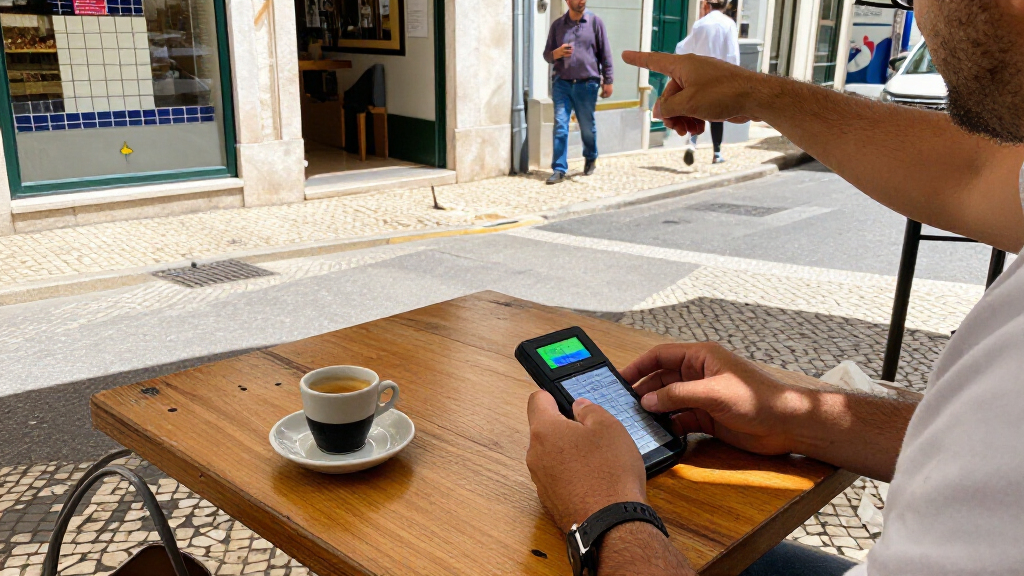
I ranked these devices around the needs that shape day-to-day travel: how readily a traveler can start a two-way conversation, whether text or signs can be translated by camera, and how useful the device may be when internet access is limited. I also weighed portability and interface size, since a translator should be practical to carry and quick to operate at a station, hotel desk, or restaurant. A broad language count is useful only when the relevant languages and features are available in the traveler’s situation.
The Pocketalk S2 leads because its voice-and-camera combination addresses more common travel situations than a voice-only option. Devices advertising offline operation rank well for trips with unreliable service, but those claims need checking against supported languages and functions. Larger-screen models may suit travelers who rely on reading translated text, while wearable and language-pair-focused products fit narrower needs. Where listings provide limited detail about offline coverage or connectivity, I treat that uncertainty as a drawback rather than assuming every advertised feature works everywhere.
Factors to Consider When Choosing Pocket Translator For Travel
Before choosing a device, match its capabilities to the moments when you expect to need help. A traveler who mainly asks short questions has different needs from someone reading menus, handling appointments, or visiting areas with weak mobile service. These broader checks can help prevent a feature-rich translator from becoming an awkward extra to carry.
Check What “Offline” Covers
Offline support can refer to a limited set of downloaded language pairs, not every language or feature advertised for online use. Before a trip, check whether your language pair works offline for spoken conversation, typed text, and camera translation separately. Some devices may require an initial connection to download language packs or activate features, so test setup before leaving home. If service will be unreliable, favor clearly documented offline coverage over a larger headline language count. A phone hotspot can be a useful backup, but it is not a substitute where coverage is absent or roaming is costly.
Choose Voice, Camera, or Both
Voice translation covers quick exchanges, while camera translation helps with menus, signs, labels, and printed instructions. These functions solve different problems, so do not pay extra for a camera if you rarely need to read text in another language. Camera tools also depend on legible print, lighting, and a steady view; a blurry sign can still produce an unhelpful result. For a mixed itinerary, a device with both functions can reduce the need to switch between tools. For conversations in busy spaces, check whether the device offers a practical way to hear translated speech clearly.
Balance Screen Size Against Pocketability
A larger display can make translated text easier to read and give more room for camera controls, which helps travelers who share a screen with someone else. It also takes up more space and may feel less convenient to carry throughout a long day. Compact designs are easier to tuck away but can make small text or menus harder to handle. Think about where the device will live: a jacket pocket, day bag, or hand during frequent interactions. If you expect to use translation mostly through speech, a large screen may add less value than a quick, simple interface.
Treat Language Counts as a Starting Point
A claim such as 150 languages says little about how well a particular device handles your destination’s dialect, accent, or offline needs. Confirm that the exact languages you need are supported in the features you plan to use, including any offline mode. If your travel is mostly between Spanish and English, a focused device may be easier to operate than a model built around a wide range of languages. For a multi-country itinerary, breadth matters more, but practical coverage still beats a headline number. Save common phrases and addresses in a separate note as a backup for names or expressions a translator may mishear.
Decide Whether Extra AI and Recording Tools Matter
ChatGPT integration, recording, and text tools can help with tasks beyond basic tourist questions, but they may depend on connectivity or require extra steps. AI-generated responses should not replace a qualified interpreter for legal, medical, or other high-stakes conversations. Recording can be useful for reviewing a discussion, yet it raises privacy and consent concerns, especially in workplaces or private settings. Prioritize a feature only if you can name a likely use for it on your trip. A straightforward voice translator may be a better travel companion than a more complex device whose extras you rarely open.
Plan for Connectivity and Backup
Some translators rely on Wi-Fi, mobile data, or a device-specific connection for their broadest language support. Check whether connectivity comes from your own hotspot, a local SIM, a built-in service, or a combination, and confirm what is needed in your destination. Airport Wi-Fi may be unreliable at the moment you need directions, while mobile data can vary across borders and remote areas. Download available language packs and test key functions before travel rather than at the first hotel. Keep a basic phrase list or translation app available as a backup, particularly for emergencies or device battery loss.
Frequently Asked Questions
Can I rely on a pocket translator when I will not have internet?
Only if the device supports your language pair offline and you have activated or downloaded the required resources before the trip. Offline capability can vary by language and by function, so voice translation may work while camera or text features do not. Check the manufacturer’s details for your exact languages, then test the device with Wi-Fi and mobile data turned off. Keep a written list of essential addresses and phrases as a backup. For travel in remote areas, choose documented offline coverage over a vague claim that the device needs no Wi-Fi.
Should I choose a translator with a camera or one focused on voice?
Choose camera translation if you expect to read menus, signs, product labels, or printed directions that you cannot easily ask someone to explain. A voice-focused device makes more sense if your main need is short, spoken exchanges such as asking for directions or checking in. Camera translation can struggle with poor lighting, stylized fonts, and damaged or curved text, so it is not a guaranteed replacement for asking a person. If your itinerary includes both conversation and frequent reading, a combined model offers more flexibility. Your likely use matters more than the number of extra modes listed.
Is a translator device worth carrying if I already have a phone?
A dedicated device may be worthwhile if you want a separate, ready-to-use tool for conversations or a model with specific offline and camera features. A phone may be enough if you already have reliable data, a translation app you know how to use, and battery capacity for the rest of your travel needs. Dedicated translators also have their own charging and setup requirements, so they are not automatically simpler. Compare the functions you need against what your phone can do offline and with its camera. If you choose a device, practice using it before departure so it does not slow down a conversation.
What should I verify before buying a translator for a specific destination?
Verify that the local language and any relevant dialect are supported, then check whether the needed functions work online, offline, or both. Look for clear setup requirements, including language downloads, Wi-Fi, mobile data, or a SIM connection. If you plan to translate signs and menus, check that camera translation is included rather than relying on voice translation alone. Consider whether the screen is readable and the device is comfortable to carry for your itinerary. When product details do not explain coverage clearly, treat that as uncertainty and plan a phone or phrasebook backup.
Do I need a translator with recording or AI features for ordinary travel?
Most travelers can manage everyday questions with reliable two-way voice translation and, when useful, camera translation. Recording may help with longer discussions, and AI features can offer added assistance, but they can add setup steps and may depend on a connection. Do not rely on an automated device for medical, legal, or emergency interpretation where accuracy carries serious consequences. Consider privacy and ask permission before recording another person. If you cannot point to a specific travel task for an extra feature, a simpler device may be easier to use.
Conclusion
For the broadest mix of common travel tasks, I recommend the Pocketalk S2 as best overall for its two-way voice and camera translation. The Wooask W12 is my value-oriented pick for travelers drawn to a device advertised for use without Wi-Fi, provided its offline language coverage matches the trip. For a premium feature set, consider the 5.5-inch touchscreen translator with offline, online, photo, and voice functions, while confirming the specific offline details before buying. The Enence PRO is my beginner-friendly choice for travelers who want to focus on voice translation rather than a broad feature set. For hands-free use or a narrow Spanish-English need, compare the wearable model and the dedicated Spanish-English options; for every pick, verify language support, connectivity, and offline functions before departure.
Evergreen bestsellers Picks
Dyson Car+Boat Cordless Handheld Vacuum

Samsung 75-Inch The Frame Pro 4K Neo QLED Smart TV (QN75LS03FW)

Ninja Foodi 8-Qt DualZone 6-in-1 Air Fryer, Grey, DZ201
As an affiliate, we earn on qualifying purchases.