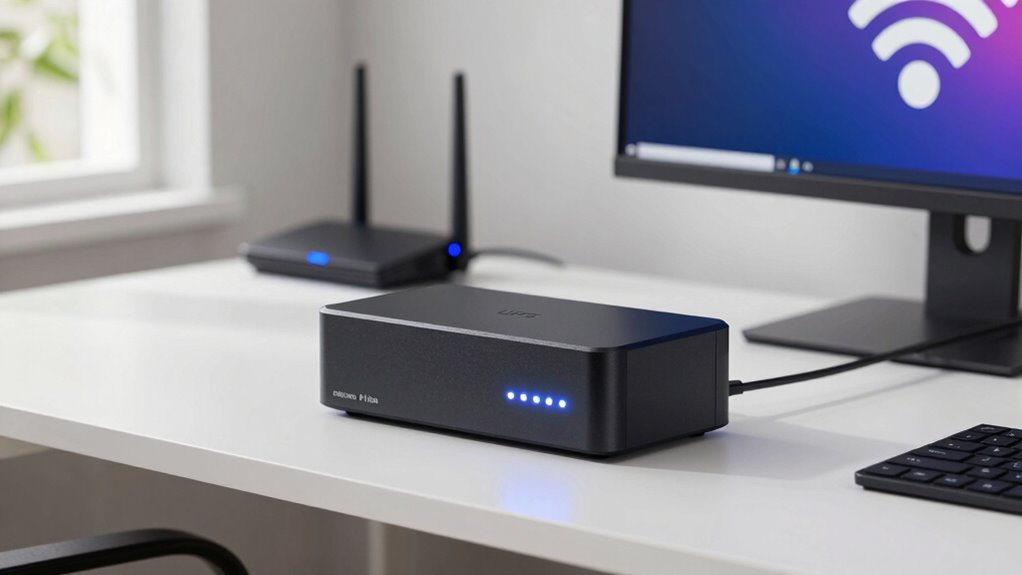
To keep your Wi-Fi up during outages, connect your modem and router to a reliable UPS with enough capacity for your essential devices. Regularly test and maintain your UPS, and use a surge protector to guard against power spikes. Keep the UPS in a cool, dry spot to prolong its life. For more tips on maintaining your setup and ensuring uninterrupted Wi-Fi, continue exploring effective backup solutions.

Get travel and outdoor gear delivered free with Prime
- Fast, free delivery on millions of items
- Prime Video, Amazon Music and more included
- Member-only deals all year
Key Takeaways
- Use a UPS with sufficient capacity to power your Wi-Fi router and modem during outages.
- Regularly test and replace UPS batteries to ensure reliable backup performance.
- Connect your Wi-Fi equipment directly to the UPS to prevent disruptions caused by power fluctuations.
- Install surge protectors alongside the UPS to guard against voltage spikes that can damage your devices.
- Keep the UPS in a cool, dry environment and avoid overloading to prolong battery life and ensure consistent Wi-Fi uptime.
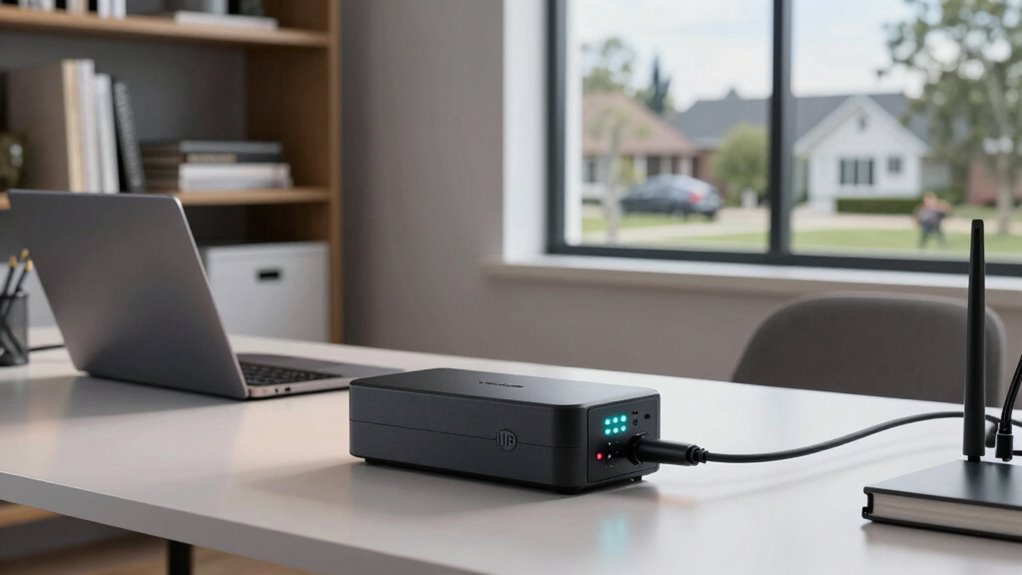
Having a reliable UPS backup for your home office is essential to keep your work uninterrupted during power outages. When the lights flicker or the power suddenly cuts out, a UPS ensures your Wi-Fi stays on, your files remain safe, and your productivity doesn’t come to a halt. But to get the most out of your UPS, you need to understand how its battery lifespan and protection against power surges work together. The battery lifespan refers to how long your UPS’s internal battery will serve effectively before needing replacement. Over time, batteries degrade, reducing runtime during outages and potentially causing your backup to fail when you need it most. To maximize your UPS’s lifespan, avoid frequent deep discharges and keep the device in a cool, dry place, since heat accelerates battery wear. Regularly testing your UPS and replacing batteries when necessary keeps your system reliable and ready to support your work.
Power surges pose a significant threat to your equipment and can shorten the life of your UPS’s battery if not properly managed. A sudden spike in voltage can overload the system, damaging sensitive electronics and causing the internal battery to work harder than intended. Installing a surge protector alongside your UPS can help absorb those unexpected spikes, preventing damage and preserving battery health. This layered approach ensures your Wi-Fi remains stable during storms or electrical disturbances, protecting both your device and data. Additionally, choosing a UPS with built-in surge suppression features provides extra peace of mind, as it shields your gear from unpredictable power fluctuations. Always verify that your UPS has adequate capacity to handle your modem, router, and any other critical devices, so that during outages, your Wi-Fi connection stays up without risking overloads or damage. Regular maintenance, including battery testing, further enhances system reliability and longevity.
Incorporating these practices not only prolongs your UPS’s battery lifespan but also enhances overall system resilience. Regular maintenance, such as testing the backup unit, ensures that when the power goes out, your Wi-Fi and essential devices stay online. Investing in a quality surge protector and proper placement of your UPS helps prevent damage caused by power surges, which can otherwise diminish battery health over time. Remember, a well-maintained UPS isn’t just about immediate backup; it’s about building a reliable, long-term solution that keeps your home office running smoothly through any electrical chaos. By understanding how to protect against power surges and caring for your UPS’s battery, you can enjoy uninterrupted work, peace of mind, and a more resilient home office setup.
home office UPS backup for Wi-Fi
As an affiliate, we earn on qualifying purchases.
As an affiliate, we earn on qualifying purchases.
Frequently Asked Questions
How Long Can a UPS Power My Wi-Fi During an Outage?
A UPS can power your Wi-Fi for anywhere from 15 minutes to several hours, depending on its backup duration and your device’s power management. To maximize uptime, choose a UPS with sufficient capacity and enable power-saving features on your router. Keep in mind, the actual backup duration varies based on your Wi-Fi equipment’s power consumption and the UPS’s battery size. Proper power management helps extend your connection during outages.
What Is the Ideal UPS Capacity for Home Office Use?
You should choose an UPS with at least 600 to 1000 VA capacity for your home office, ensuring it can power your Wi-Fi router and essential devices during outages. Regularly perform battery maintenance to keep the UPS reliable, and opt for one with surge protection to guard against power spikes. This setup helps maintain uninterrupted internet and safeguards your equipment, providing peace of mind during unexpected outages.
Can a UPS Protect Against Power Surges?
Yes, a UPS can protect against power surges by providing surge protection, which safeguards your devices from voltage spikes. It also improves power quality by filtering out electrical noise and fluctuations. When choosing a UPS, make sure it has built-in surge protection features, so your internet equipment stays safe during sudden surges. This keeps your Wi-Fi stable and prevents damage to sensitive electronics, ensuring reliable connectivity during power irregularities.
How Often Should I Replace My UPS Battery?
You should replace your UPS battery every 3 to 5 years, as batteries typically lose about 20% of their capacity annually. Regular battery maintenance and adhering to a proper replacement schedule guarantee your UPS performs reliably during outages. Ignoring this can lead to unexpected shutdowns, risking data loss or equipment damage. Stay proactive and check your battery’s health periodically to keep your home office powered and protected.
Is It Safe to Connect Multiple Devices to a Single UPS?
Yes, you can connect multiple devices to a single UPS if they are compatible and within its power capacity. Check the device compatibility and make certain the combined power draw doesn’t exceed the UPS’s maximum load for safe power distribution. Overloading can cause the UPS to shut down or damage connected devices. Distribute power evenly and avoid connecting high-power appliances to keep your Wi-Fi and other essential devices running smoothly during outages.
Conclusion
A home office UPS backup keeps your Wi-Fi running smoothly during outages, like a reliable lighthouse guiding you safely through a storm. With a UPS, you won’t have to worry about losing important work or connections when the power flickers. It’s a simple upgrade that offers peace of mind and keeps your productivity steady. Stay powered, stay connected—your home office deserves the same dependable energy as a lighthouse guides ships to safety.
Halloween Picks
halloween
As an affiliate, we earn on qualifying purchases.